9 Best Standing Desks for Dual Monitors (October 2026)
The best standing desks for dual monitors include the Vari Pro Plus 36 Standing Desk Converter for a ready-to-use riser, the VIVO Standing Desk Converter for a wide single-level riser, and the VIVO Dual Tier Standing Desk Converter for separated monitor and keyboard levels.
On this page (6 sections)
- How we chose standing desks for dual monitors
- Which standing desks for dual monitors are the top picks?
- What size desk works for two monitors?
- Should you choose a converter or a full standing desk?
- When does a monitor arm help with a dual-screen desk?
- Which standing desk for dual monitors should you choose?
The best standing desk for dual monitors for most people is the Veken 55 Inch Large Electric Standing Desk because its 55 in surface leaves more side-to-side room for two screens and everyday work gear. If you want to keep your current desk, choose a wide converter; if you need more front-to-back room, consider the extra-deep Grandder.
A dual-screen workspace needs room for the monitors, their stands or mounts, a keyboard, and a mouse. The right desk also depends on whether you want a riser for an existing desk or a complete height-adjustable desk.
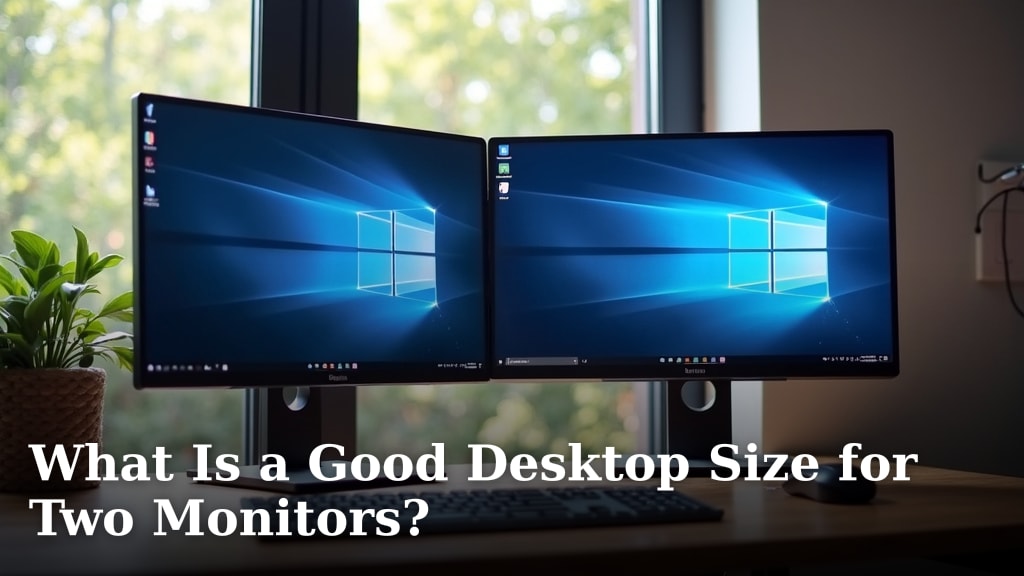
For a sizing check before you buy, see What Is a Good Desktop Size for Two Monitors?. Our best large standing desk guide covers more wide full-desk options, while this roundup also includes converters for desks you already own.
Our picks at a glance
-
1
 Best for a ready-to-use riser
Vari Pro Plus 36 Standing Desk Converter
9.7/10 our score
See it on Amazon -
2

-
3
 Best for separated monitor and keyboard levels
VIVO Dual Tier Standing Desk Converter
9.6/10 our score
See it on Amazon
- 4
 Check it
FLEXISPOT EN1 One-Piece Standing Desk
Best for a one-piece desktop - 5
 Check it
ErGear 48 X 24 Inch Height Adjustable
Best for four saved heights - 6
 Check it
Veken 55 Inch Large Electric Standing Desk
Best for a wider everyday setup - 7
 Check it
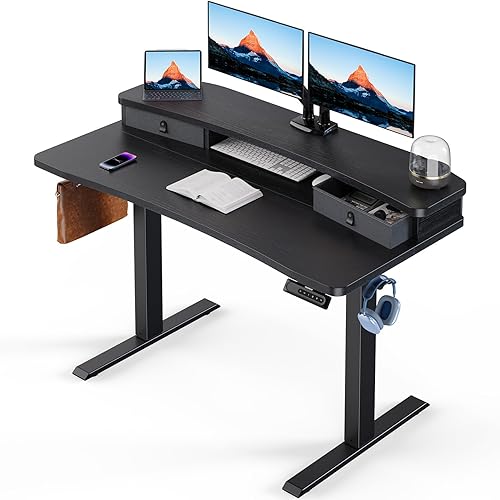
HUANUO 48″ x 24″ Electric Standing Desk
Best for a monitor arm and storage - 8
 Check it
Grandder 55x32 Extra-Deep Electric Standing Desk
Best for extra monitor depth - 9
 Check it
FEZIBO Standing Desk 48 × 24 Inch
Best for three saved positions
How we chose standing desks for dual monitors
The best standing desks for dual monitors give you a usable surface for two screens and the gear you need in front of them. We compared desktop dimensions, monitor support details, adjustment features, and whether each pick is a converter or a full desk.
Width helps with side-by-side screens, but depth matters too. A desk can be wide enough for both monitors and still leave little space for a keyboard, mouse, or a comfortable screen position.
We included converters with a separate keyboard tray and full desks with electric height adjustment. Our score weighs specs, features and buyer feedback against what you’re shopping for.
| Product | Best for | Upper tier | Workspace type | Assembly | Our score |
|---|---|---|---|---|---|
| Vari Pro Plus 36 Standing Desk Converter | a ready-to-use riser | 36 x 12.25 in | Two-tier desk converter | No assembly required | 9.7 |
| VIVO Standing Desk Converter | a wide single-level riser | 9.7 | |||
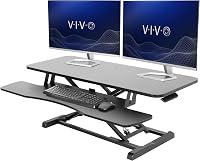
| VIVO Dual Tier Standing Desk Converter | separated monitor and keyboard levels | 9.6 | |||
| FLEXISPOT EN1 One-Piece Standing Desk | a one-piece desktop | 9.6 | |||
| ErGear 48 X 24 Inch Height Adjustable | four saved heights | 9.6 | |||
| Veken 55 Inch Large Electric Standing Desk | a wider everyday setup | 9.5 | |||
| HUANUO 48″ x 24″ Electric Standing Desk | a monitor arm and storage | 9.3 | |||
| Grandder 55x32 Extra-Deep Electric Standing Desk | extra monitor depth | 9.2 | |||
| FEZIBO Standing Desk 48 × 24 Inch | three saved positions | 9.2 |
Which standing desks for dual monitors are the top picks?
The Veken is the best fit for most buyers who want a full desk, while the VIVO 42 in converter suits an existing desk. Consider the Grandder when front-to-back space matters more than a compact footprint.
Vari Pro Plus 36 Standing Desk Converter: Best for a ready-to-use riser
- 36 x 12.25 in upper tier
- Two-tier layout
- Spring-assisted lift
- No assembly required
This converter arrives assembled and has an upper tier sized for two monitors, plus a lower deck for a keyboard and mouse. Choose it to raise an existing desk setup without replacing the desk.
Pros
- Upper tier sized for two monitors
- Separate lower deck for keyboard and mouse
- No assembly required
Cons
- Uses the surface of an existing desk
- Upper tier is 12.25 in deep
The Vari Pro Plus 36 is a two-tier converter with an upper tier sized at 36 x 12.25 in for two monitors. Its lower deck gives your keyboard and mouse a separate level, so you can keep the screens on top without placing your input devices beside them.
This pick makes sense if you already have a desk you like and want to add sit-stand adjustment. Vari says the converter arrives fully assembled, so you can place it on a suitable desk and begin arranging your setup without a separate build.
The 12.25 in upper-tier depth calls for a careful fit check. Measure the monitor bases, or confirm that your screen mounts work with the surface, before choosing this narrow riser.
Pick it if a ready-to-use converter and separate keyboard deck suit your workspace. If you want a wider top, the VIVO converter below has a 42 in surface.
VIVO Standing Desk Converter: Best for a wide single-level riser
- 42 x 15.7 in top surface
- Holds up to 33 lb on desktop
- Raises from 4.5 to 20 in
- Keyboard tray raises with top
The 42 in top gives two monitors a wide platform, while the synchronized keyboard tray keeps input devices on a separate level. It raises on an existing desk.
Pros
- 42 in wide top surface
- Keyboard tray raises with the top
- Height-locking mechanism
Cons
- Requires an existing desk
- Top is 15.7 in deep
The VIVO Standing Desk Converter gives you a 42 x 15.7 in top surface and a keyboard tray that raises with it. The maker states the desktop supports up to 33 lb and the tray up to 4.4 lb, so account for the combined weight of your monitors and devices.
Its height adjusts from 4.5 to 20 in above the existing desk. That range changes the converter’s position, but your original desk height still affects where the screens and keyboard land when you sit or stand.
The wide top gives two monitors more side-to-side room than the 36 in converter above. Measure the screen bases and the area behind your keyboard to confirm that the 15.7 in depth fits your arrangement.
Choose this riser if you want a wide, single-level monitor platform with a separate keyboard tray. For more separation between screen and keyboard levels, the VIVO Dual Tier is another option.
VIVO Dual Tier Standing Desk Converter: Best for separated monitor and keyboard levels
- 36 in wide desktop
- Two-tier design
- Removable keyboard tray
- Pneumatic spring lift
The two-tier platform separates monitors from the keyboard and mouse, leaving the top tier for screens. It sits on an existing desk and adjusts with a pneumatic spring lift.
Pros
- Separate upper and lower work levels
- Removable keyboard tray
- Spring-assisted adjustment
Cons
- Requires an existing desk
- Tray and feet need assembly
The VIVO Dual Tier Standing Desk Converter separates the monitor platform from a removable keyboard tray. Its 36 in desktop is designed for single- or dual-monitor and laptop setups, making it a flexible riser for an existing desk.
The pneumatic spring lift helps move the converter between sitting and standing positions. VIVO describes a 6 to 17 in adjustment range above the desk surface, so check how that range works with your desk height and chair.
A two-tier layout can keep monitors and input devices in distinct places, but it still needs enough room on your current desk. Check the converter’s footprint and leave space for anything that must stay on the original surface.
Pick this model if a dedicated lower keyboard level is more useful than a single broad platform. If you’d rather replace your desk, the full-size options below provide their own height-adjustable frames.
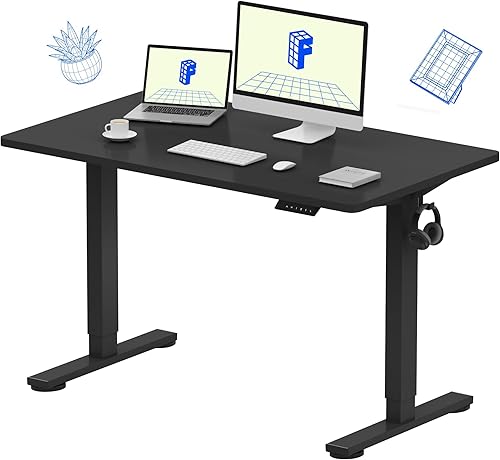
FLEXISPOT EN1 One-Piece Standing Desk: Best for a one-piece desktop
- 48 x 24 in desktop
- Electric height adjustment
- Four memory presets
- Supports up to 176 lb
The 48 x 24 in one-piece desktop gives two monitors and other work gear a full desk surface without a center seam. Four presets save preferred sitting and standing heights.
Pros
- One-piece desktop
- Four memory presets
- 176 lb capacity
Cons
- 48 in width may limit side-by-side accessories
- Requires assembly
The FLEXISPOT EN1 combines a 48 x 24 in one-piece desktop with electric height adjustment. The uninterrupted top gives two monitors and accessories a continuous work surface, while four memory presets let you save preferred heights.
Its stated adjustment range is 28.9 to 46.5 in, and the desk supports up to 176 lb. Consider the full load, including monitor stands, screens, a laptop, and the other equipment you keep on the desk.
A 48 in top works best when the monitor bases fit side by side without crowding the areas you use for speakers or papers. The 24 in depth leaves a conventional front-to-back workspace, so measure your screen stands and keyboard before settling on a layout.
Choose this desk if a one-piece top and saved positions matter to you. For a similar footprint with an extended rear edge intended for a C-clamp monitor mount, look at the HUANUO.
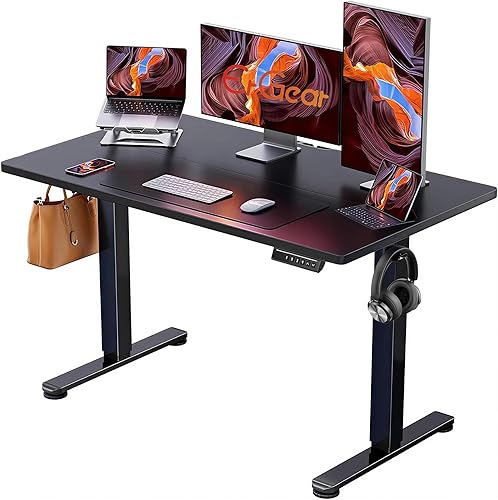
ErGear 48 X 24 Inch Height Adjustable: Best for four saved heights
- 48 x 24 in desktop
- Electric height adjustment
- Four memory presets
- Steel frame
This full desk pairs a 48 x 24 in work surface with four saved height settings. It suits a two-screen setup when you want an electric desk and room for a keyboard and mouse.
Pros
- Four memory presets
- Electric height adjustment
- 48 x 24 in desktop
Cons
- Requires assembly
- Desktop width may feel tight with extra gear
The ErGear is a 48 x 24 in electric standing desk with four memory presets. Its adjustment range runs from 28.35 to 46.46 in, letting you save sitting and standing positions rather than resetting the height each time.
The steel frame and electric lift suit a two-monitor setup when you want a full desk instead of a converter. ErGear states a 176 lb capacity, so include the weight of both screens and everything else you keep on the desktop when considering the load.
A 48 in width is a practical starting point for two screens, but it may leave less space for extra equipment than a 55 in desk. Measure the combined width of your monitor bases and consider whether you want room for a laptop or speakers beside them.
Pick it if four saved heights and a standard 48 x 24 in footprint fit your needs. If your screens need more room across the desk, step up to the Veken’s 55 in top.
Veken 55 Inch Large Electric Standing Desk: Best for a wider everyday setup
- 55.12 x 23.64 in desktop
- Electric height adjustment
- Memory presets
- Built-in cable management
The 55 in desktop gives two monitors and work accessories more side-to-side room than a 48 in top. Built-in cable management and memory presets support a more organized sit-stand setup.
Pros
- 55 in wide desktop
- Built-in cable management
- Memory presets
Cons
- Desktop is made of two boards
- Requires assembly
The Veken is the best standing desk for dual monitors for most people who want a full desk with room to spread out. If you prefer glass in this size, see 55-inch glass standing desks.
Its 55.12 x 23.64 in desktop offers more width than the 48 in picks, with space to arrange two screens and keep work gear nearby.
Electric adjustment ranges from 28.3 to 46.5 in, and memory presets help you return to saved positions. Built-in cable management can help keep cords arranged as you set up the monitors and other devices.
The desktop is composed of two boards, so it is not a one-piece top. The wider footprint also needs more floor space than a 48 in desk; check the room around the desk and your chair before choosing it.
Choose the Veken if you want extra width, electric adjustment, and cable management in one desk. For a similar width with more space from front to back, the Grandder has a 31.5 in deep desktop.
HUANUO 48″ x 24″ Electric Standing Desk: Best for a monitor arm and storage
- 48 x 24 in desktop
- Two drawers and open cubicle
- C-clamp monitor mount compatible
- Four height presets
The 48 in desk offers two drawers and an open cubicle for smaller items. Its extended rear edge is designed to allow a C-clamp monitor mount, which can free desk surface for other gear.
Pros
- C-clamp monitor mount compatible
- Two drawers and open cubicle
- Four height presets
Cons
- 48 in width leaves less side-to-side room than larger desks
- Requires assembly
The HUANUO pairs a 48 x 24 in desktop with two drawers, an open cubicle, and support for a C-clamp monitor mount. Its extended 2.36 in rear platform edge is designed to allow a clamp at the back of the desk, which can free up desktop area otherwise taken by monitor bases.
The electric lift adjusts from 27.5 to 46.4 in, and four preset buttons save preferred heights. Two drawers tuck smaller items away, while the open cubicle gives you another place for accessories.
Its 48 in width is less generous than the Veken’s, so check the combined width of your screens and whether they’ll fit alongside anything else you use. Also confirm that the monitor arm’s clamp and screens suit your setup before mounting them.
Choose this desk if storage and a clamp-mounted monitor arm are priorities. If you want the same approximate width with a deeper work area, the Grandder gives you more front-to-back space.
Grandder 55x32 Extra-Deep Electric Standing Desk: Best for extra monitor depth
- 55 x 31.5 in desktop
- Electric height adjustment
- Two memory presets
- Supports up to 176 lb
The 31.5 in depth gives monitors more room from front to back, with space left for a keyboard and mouse. Its 55 in width accommodates a broad dual-screen arrangement.
Pros
- Extra-deep 31.5 in desktop
- 55 in width
- Two memory presets
Cons
- Large footprint needs room planning
- Desktop consists of two panels
The Grandder combines a 55 in wide, 31.5 in deep top with electric height adjustment. Compare large electric standing desks for more spacious powered options.
The added depth gives you more room to position two screens, leave space for a keyboard in front, and arrange accessories without pushing everything toward the edge.
The height range is 28 to 45.6 in, with two memory presets. The desk supports up to 176 lb, and its desktop is made of two joined panels.
Its 55 in width and extra depth make it a larger choice than a standard 48 x 24 in desk. Measure the room and check where your chair will sit before committing to its footprint.
Choose the Grandder when you want more front-to-back space than the other full desks here provide. If you need a more typical 48 x 24 in footprint, the FEZIBO has three saved positions.
FEZIBO Standing Desk 48 × 24 Inch: Best for three saved positions
- 47.2 x 23.6 in desktop
- Electric height adjustment
- Three memory presets
- Supports up to 176 lb
The FEZIBO gives a pair of monitors a standard 48 x 24 in desk footprint, with three customizable height presets. Its desktop is assembled from two pieces.
Pros
- Three memory presets
- Electric adjustment
- 176 lb capacity
Cons
- Desktop comes in two pieces
- Requires assembly
The FEZIBO gives you a 47.2 x 23.6 in desktop and three customizable memory presets. It’s close to a 48 x 24 in footprint, so it can suit two monitors when their bases fit across the top and you don’t need as much extra width as the 55 in models provide.
Electric adjustment ranges from 28.3 to 46.5 in, and the desk supports up to 176 lb. The desktop is assembled from two pieces, which is useful to know when considering its surface and setup.
The three presets let you save several preferred heights. Its 24 in depth is a standard fit for a monitor, keyboard, and mouse, but the space available for other gear depends on the size and placement of your screens.
Choose this desk if a compact full desk and three saved heights fit your routine. For more room to spread out beyond a 48 in top, consider the Veken instead.
What size desk works for two monitors?
A 48 in wide desk can suit two monitors, while a 55 in top gives more room for accessories or a wider gap between screens. Your monitor bases, stands, and preferred screen placement determine how much usable space remains.
Measure the actual width and depth of each monitor base, then add space for the keyboard, mouse, and items you need close at hand. If you use monitor arms, check clamp compatibility and how much clearance the mounts need behind the desk.
A deeper desktop can move screens farther from the front edge and leave more room for your hands and keyboard. The Grandder’s 31.5 in depth offers substantially more front-to-back space than the 24 in desks in this roundup.
For more options with room for wider setups, browse our best large white standing desk guide. If you need a broader sizing check for the room itself, see How Much Space Do I Need for a Standing Desk?.
Should you choose a converter or a full standing desk?
A converter raises your screens and keyboard on top of an existing desk, while a full standing desk replaces the desk and adjusts the whole work surface. Choose based on whether you want to keep your current desk and how much usable surface your two monitors need.
A converter can be a good fit when your current desk has enough base area and you want an add-on solution. Check the converter’s top dimensions, lift range, weight capacity, and keyboard tray size against your equipment.
A full electric desk gives you one height-adjustable surface for monitors and work gear. It takes more room to install, but wide models such as the Veken make it easier to arrange two screens with other everyday items.
When does a monitor arm help with a dual-screen desk?
A monitor arm can clear space used by monitor bases, but it won’t make a desk wider. Check the arm’s clamp fit, screen compatibility, and weight capacity, as well as whether the desk edge can support the clamp.
The HUANUO has an extended rear edge designed for C-clamp mounts. For guidance on choosing and positioning an arm, read our monitor arm mount guide and learn what a gas spring monitor arm is.
If your setup includes two screens on one arm, confirm the mount is made for that arrangement and that both screens fall within its limits. A monitor arm is an accessory to plan for, not a substitute for measuring the desk.
Which standing desk for dual monitors should you choose?
Choose the Veken if you want a wide full desk for two monitors and accessories, the VIVO 42 in converter if you want to keep your current desk, or the Grandder if you need more depth. For drawers and a clamp-ready rear edge, consider the HUANUO.
The best standing desk for dual monitors is the one that fits your screens, your work habits, and the room you have. If storage is part of the decision, compare these picks with our best large standing desk with drawers guide.
Our top 3 picks at a glance
-
1
Best for a ready-to-use riser
Vari Pro Plus 36 Standing Desk Converter
9.7/10 our score
See it on Amazon -
2
-
3
Best for separated monitor and keyboard levels
VIVO Dual Tier Standing Desk Converter
9.6/10 our score
See it on Amazon
Frequently asked questions
How wide should a standing desk be for two monitors?
A 48 in desk can fit two monitors, but the right width depends on screen size, stands, and other gear. A 55 in top gives more room for speakers, a laptop, or papers beside the screens.
Measure the monitor bases and leave room for your keyboard and mouse before choosing.
Is a standing desk converter enough for dual monitors?
A converter can work if its top is wide and strong enough for both screens. The VIVO 42 in converter has a 42 x 15.7 in top with a stated 33 lb desktop capacity, while the Vari converter has a 36 x 12.25 in upper tier sized for two monitors.
Check the combined monitor weight and the converter's usable surface.
Do two monitors need a deeper desk?
More depth can help if the screens sit close to your face or the monitor stands take up space. A 24 in deep desk suits many setups, while an extra-deep 31.5 in top gives more room to position screens and keep a keyboard in front.
Measure your preferred screen distance and desk area.
Can a monitor arm make a smaller desk work?
A monitor arm can free up space used by monitor bases, if the desk edge and mount are compatible. Check the arm's clamp requirements, screen weight limits, and monitor compatibility, then make sure the desk surface can support the arrangement.
An arm does not add width to the desk.