How to Choose a Keyboard and Trackball Mouse Combo
A good trackball mouse keyboard combo matches ball placement to your hand, keeps the keyboard layout you already know, and uses one connection system you can manage. Check layout, ball position and shared connection needs before you buy.
On this page (11 sections)
- How does a trackball mouse keyboard combo differ from a regular mouse and keyboard set?
- Which trackball placement should you choose: thumb, finger or centered?
- How should keyboard layout affect your trackball combo choice?
- What connection type works best for a trackball mouse and keyboard combo?
- How do shared receivers, Bluetooth and battery needs change daily use?
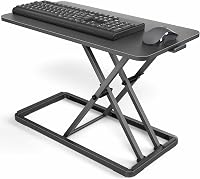
- How do you size a trackball combo for a standing desk?
- Which features matter for cursor control, scrolling and shortcuts?
- How do raised keys, low profiles and split layouts compare in a combo?
- What are the trade-offs of a true combo set versus a separate keyboard and trackball?
- How should you test, adjust and maintain a trackball combo after you buy it?
- Which trackball mouse keyboard combo should you choose for your needs?
A good trackball mouse keyboard combo matches ball placement to your hand, keeps a keyboard layout you can use without relearning, and uses one connection system you can manage.
Start with the ball position, then the keyboard, then the connection.
You do not need to move a mouse back and forth with a trackball.
Your hand stays mostly still while your thumb or fingers roll the ball to move the cursor.
That changes how you work, especially if you want less sliding across a desk mat.
We compared layouts, connection options and buyer patterns to build this checklist.
We did not test products.
Use the rules below to narrow the field before you compare prices or features.
How does a trackball mouse keyboard combo differ from a regular mouse and keyboard set?
A trackball mouse keyboard combo pairs a keyboard with a mouse that has a large ball instead of a sliding sensor on the desk.
The main difference is cursor movement, because you roll the ball with your thumb or fingers.
That design suits people who work at a standing desk, sit in a tight space, or want a pointer that stays in one place. It also suits people who use a desk mat, a monitor arm setup, or a small desk where mouse movement is limited.
A combo set is not always one physical unit. In this guide, combo means you buy the keyboard and trackball together, either as a matched set or as a pair chosen to work as one setup.
Some sets share a receiver. Others use Bluetooth.
Others are two separate devices sold together.
The benefit is a matched setup. The trade-off is less freedom to replace one part later.
If your keyboard wears out first, you may need to replace the whole set. If you want to try a different ball style later, you may start over.
For a wider view of pointer and keyboard choices, our ergonomic keyboard mouse guide covers the main categories. Read it before you lock yourself into a ball design.
Which trackball placement should you choose: thumb, finger or centered?
Thumb trackballs put the ball on the side and move it with your thumb.
Finger trackballs put the ball on top and move it with your index and middle fingers.
Centered designs place the ball in the middle of a keyboard or keypad.
Pick the motion you can repeat for hours without tension.
Thumb designs feel familiar to many mouse users.
Your fingers click as usual, and your thumb rolls the ball.
This works well if you already use a standard mouse and want a small change.
It may not suit you if your thumb already feels strained from gripping or reaching.
Thumb trackball sets
A thumb trackball combo keeps the mouse shape close to a regular mouse.
That can make the switch easier.
Your hand rests on the device, and your thumb handles pointing while your fingers handle clicks.
Check the ball size and button layout before you buy.
A small ball needs more thumb travel.
A large ball needs less travel but may make the mouse wider.
Also check whether your thumb can reach the ball without stretching.
This style suits people who want a familiar mouse feel.
It suits people who switch between keyboard and mouse often.
It may suit people who want to keep using scroll wheels and side buttons in a similar place.
Finger trackball sets
Finger trackballs move with your index and middle fingers.
Your whole hand can stay still on the device.
This can suit people who do not want to rely on thumb movement for pointing.
Check the angle of the ball and the reach of the buttons.
A steep ball angle can change how your wrist rests.
A flat layout can change how your fingers curl.
Try to picture your hand at rest, then picture it during a full day of clicks.
This style suits people who want fine cursor control with small finger movements.
It suits people who already use their fingers for pointing on a touchpad.
It may not suit people who need a mouse they can grip and move quickly.
Rule: if you cannot describe how your hand will rest, do not buy that placement yet.
How should keyboard layout affect your trackball combo choice?
Keyboard layout matters as much as the ball.
Keep the layout you already type well on, unless you have a clear reason to change.
A full-size keyboard gives you a number pad and function keys. A tenkeyless model saves space, and a compact model saves more but removes keys many people use daily.
Match the layout to your work. Writers may need editing keys, coders may need familiar arrows and function keys, spreadsheet users may need a number pad, and shortcut users may need media or macro keys.
Low-profile keys take less space and may feel flat. Taller keys give more travel and a different sound, and neither suits everyone.
Check wrist support too. A built-in or separate palm rest should not force your wrists to bend upward, since that can undo the benefit of a still hand.
Keep your wrists straight and your elbows near your body if you can.
If you want a split layout, read our split ergonomic keyboard and mouse guide before you choose a combo. That guide helps you decide whether splitting is worth the learning curve.
What connection type works best for a trackball mouse and keyboard combo?
Connection type affects desk clutter, port use, battery care and reliability.
Choose one shared system that fits your computer, your desk and how often you move the set. For matched wireless options, compare ergonomic keyboard and mouse combos.
A wired combo gives a direct connection and no batteries, which suits a fixed desk. The trade-off is cable management, so you need room to route wires without pulling them during the day.
A wireless combo with one receiver saves ports and keeps both devices on one dongle, which suits a laptop user who wants a clean desk. Check whether the receiver is small enough to leave plugged in and whether you need a spare if you move between work and home.
Bluetooth lets each device pair directly with laptops and tablets, but switching computers can add pairing steps. Some sets allow multi-device pairing and others pair one device at a time.
For a wired option, our ergonomic keyboard and mouse wired guide explains when cables still make sense for a main desk that never moves.
Rule: if you have only one free USB port, choose a shared receiver or Bluetooth.
How do shared receivers, Bluetooth and battery needs change daily use?
Daily use comes down to setup and charging.
A combo is only simple if you can set it up once and forget it.
A shared receiver means one dongle controls both devices, which reduces port clutter but creates one point of failure if you lose it. Keep the receiver in its usual port or in a case.
Bluetooth removes the dongle and helps laptops with few ports, but it can mean two pairing menus, two battery indicators and two devices to wake. Choose it based on how often you switch devices.
Battery needs differ, since a keyboard may run for months while a trackball used all day may need charging more often. Check the charging method, since USB-C is convenient but a cable in the bottom of the mouse can make it awkward to use while charging.
Also check sleep and wake behavior, since some devices wake with a key press and others need a switch flipped. That matters if you step away from a standing desk often.
For a comparison of wireless pointer styles, see our best ergonomic keyboard and vertical mouse combo guide.
Rule: count batteries, cables and receivers before you buy, not after.
How do you size a trackball combo for a standing desk?
A standing desk changes how you use a keyboard and trackball.
Your desk height, monitor height and reach matter more than the brand on the box.
When you stand, keep elbows near your sides, forearms roughly level and wrists straight. Your eyes should meet the top third of the screen without leaning forward.
If the keyboard sits too high, your shoulders rise. If it sits too low, your wrists bend.
A trackball helps because your hand does not need to slide to the edge of the desk. That suits a standing setup where you shift weight, use a walking pad or stand on a mat, since you can keep the pointer in one spot.
Desk depth matters as well. A deep desk gives room for a monitor, keyboard, trackball and notebook.
A shallow desk forces everything closer, so a compact keyboard and a trackball that needs less travel can help without squeezing your arms.
Measure your desk space before you choose, including where the keyboard and trackball will sit. Leave room for your forearms to rest without pushing the devices too far away.
To plan the full setup, read How to Choose a Standing Desk: A Simple Guide. It covers height, space and stability, which all affect keyboard comfort.
Which features matter for cursor control, scrolling and shortcuts?
Cursor control is the reason you buy a trackball.
Look for a ball size, sensor feel and button layout that match your daily work.
A larger ball usually needs less hand movement for the same cursor travel, which helps on large monitors. A smaller ball needs more rolling and can give finer control for detailed work, so match ball size to your screen and tasks.
Scrolling also matters. Some trackballs use a scroll ring, some use the ball with a button held down, and some use a separate wheel.
Each method changes long page movement, which counts if you read a lot.
Buttons can help with shortcuts for back, forward, copy, paste or app switching. Choose buttons you can find by touch and remap, with sizes that avoid misclicks and shapes that fit your hand width.
Check that the keyboard does not force your trackball hand to reach far from the home row. If you prefer a different pointer shape, our vertical mouse and keyboard guide covers that option.
How do raised keys, low profiles and split layouts compare in a combo?
Keyboard feel changes how a combo works.
Raised keys, low-profile keys and split layouts each solve a different problem.
Raised keys give more travel and a clear press, which suits people who want strong feedback while typing. They also tend to take more vertical space, so that extra height can matter on a tight desk.
Low-profile keys sit flatter and suit a slim, laptop-style setup. They may feel less tactile, but they can make the keyboard easier to slide under a monitor or into a bag.
Split layouts separate the left and right sides, which can help keep your shoulders open and your arms in a natural position. They can also require learning keys that cross the middle, and touch typists often adapt faster than people who hunt and peck.
Consider whether the keyboard has a palm rest. A built-in rest keeps your hands in one place, while a separate rest lets you adjust height and material, and neither should push your trackball hand into an awkward angle.
For raised-key options, see our ergonomic keyboard with raised keys guide. It explains when taller keys help and when they do not.
Rule: keep the keyboard feel familiar unless wrist or shoulder position is a clear problem.
What are the trade-offs of a true combo set versus a separate keyboard and trackball?
A true combo set saves time and space.
A separate pair gives you more control over each device.
A combo set arrives matched, so you plug in one receiver or pair two devices and start work. The keyboard and trackball often share styling and connection hardware, which suits a home office that needs a clean look and simple setup.
The trade-off is choice. You cannot pick a large thumb trackball and a small split keyboard if the set does not offer that mix.
You also cannot replace only the part that wears out, since faded keys or a worn ball may mean replacing both.
A separate pair costs more thought up front. You pick the keyboard for typing and the trackball for pointing, and you can upgrade one later or keep a spare mouse for travel.
The trade-off is setup, since you manage two connections, two batteries and two manuals. A combo with one receiver uses one port, while a separate pair may use two receivers or two Bluetooth slots.
A vertical mouse with usb setup can suit a wired pointer with a separate keyboard. Keyboards often last longer than mice, and trackballs can wear where the ball meets the rollers, so a separate mouse may be a better long-term buy if you use the trackball hard.
How should you test, adjust and maintain a trackball combo after you buy it?
The first week matters more than the first hour.
Give yourself time to learn ball control before you judge comfort.
Start with pointer speed in the middle range. Too fast makes the cursor jump, and too slow makes you roll the ball too much.
Adjust slowly. Change one setting at a time and use it for a full day before you change it again.
Keep the ball clean. Dust and oils can make movement rough, so wipe the ball with a soft, dry cloth and clean the rollers if the cursor feels sticky.
A clean ball moves with less effort and gives more control.
Check your posture each day. Stand or sit tall, keep elbows near your body and wrists straight, and change position often.
A trackball keeps your hand still, which is useful, but stillness can become stiffness if you never move.
Also check your desk setup after a few days. Move the keyboard closer or farther, move the trackball to the side you use most, and adjust monitor height, since small moves can change comfort more than a new device.
If pain lasts or gets worse, see a doctor or a qualified professional. This guide does not diagnose or treat any condition, so get medical advice for ongoing pain.
Which trackball mouse keyboard combo should you choose for your needs?
The right choice depends on your hand, your desk and your work.
Pick thumb placement for a familiar mouse feel, finger placement for still-hand pointing, and a shared connection for a clean desk.
If you work at a fixed desk and want the simplest setup, choose a combo with one receiver. If you move between a laptop and a dock, choose Bluetooth with multi-device pairing.
If you hate cables but need stability, choose wired and plan your cable route. If you type all day, protect the keyboard layout first and do not give up keys you use often for a smaller size.
If you point all day, protect ball comfort first. Do not accept a ball position that forces your thumb or fingers to stretch.
If you want the most flexibility, buy the keyboard and trackball separately. That lets you change one part later.
If you want the least hassle, buy a matched combo and accept the limits. Use this guide with our ergonomic keyboard mouse pillar to compare trackball combos with other pointer styles.
Then narrow your list to two or three options that fit your layout, ball placement and connection needs. That short list is where you should spend your time.
Frequently asked questions
What should I check first in a trackball mouse keyboard combo?
Check ball placement first, because thumb, finger and centered designs move your hand very differently. Then confirm the keyboard layout, wrist support and whether both devices share one receiver, Bluetooth pairing or separate cables.
Is a trackball mouse keyboard combo easier on the wrist?
A trackball can reduce sliding a mouse across the desk, since your hand stays in one place while your thumb or fingers roll the ball. It does not guarantee comfort, so choose a size and ball position that let you keep a relaxed hand and change posture during the day.
Should I buy wired or wireless for a trackball combo?
Buy wired if you need a stable connection and do not mind a cable crossing the desk. Buy a shared wireless set if you want a clean desk and can manage batteries or charging, and confirm that both devices pair to the same computer without extra receivers filling your ports.
Can I mix a keyboard with a separate trackball mouse?
Yes, and many people should. A separate trackball lets you swap the mouse later without replacing the keyboard, and it lets you match each device to your hands.
A true combo saves desk space and setup time, but it locks both choices together.