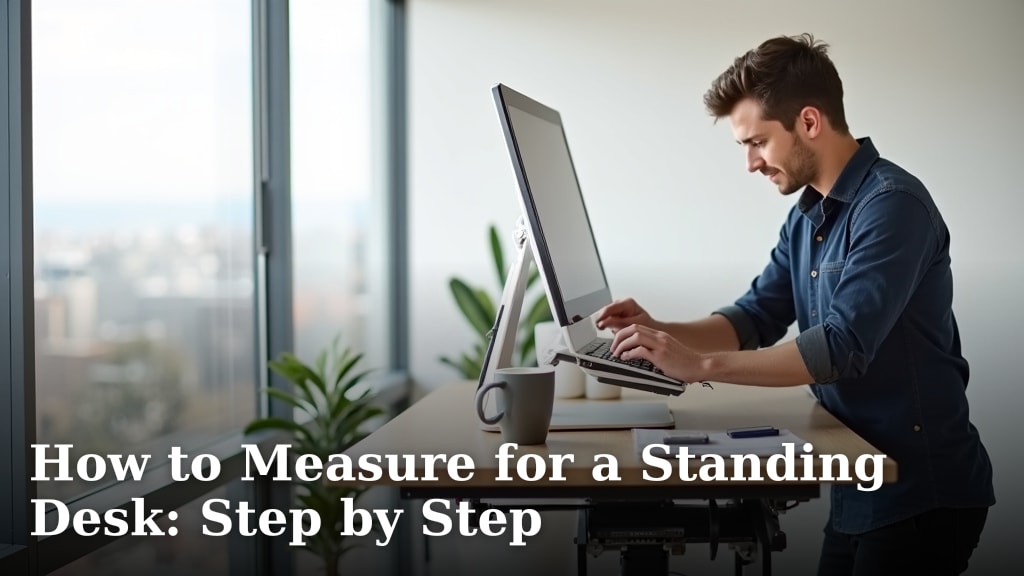
How to Measure for a Standing Desk: Step by Step
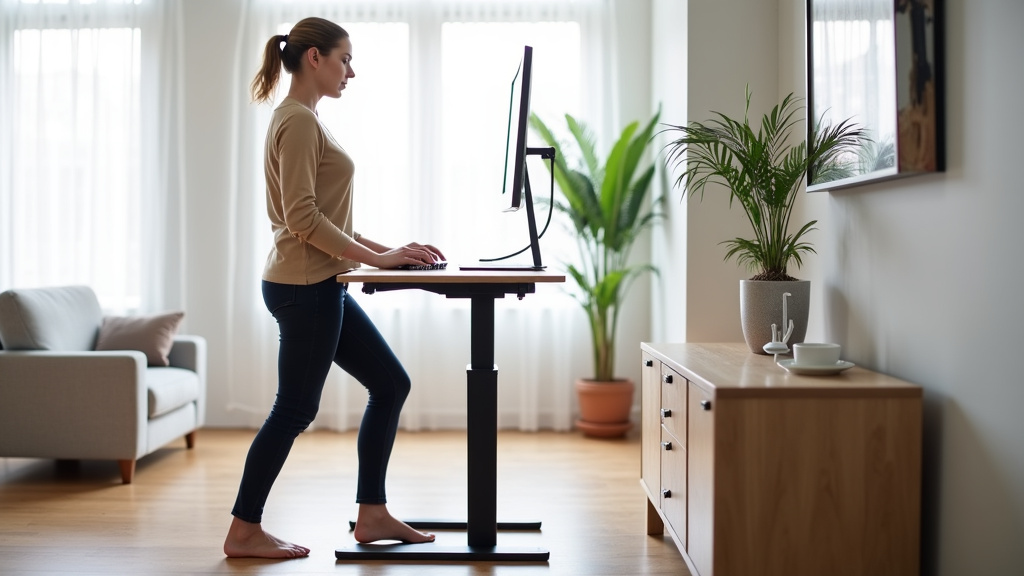
Measuring for a standing desk is simple when you know what to look for. You’ll need to find a desk height that lets you work comfortably while standing. This means your elbows should be bent at about a 90-degree angle. Your keyboard should be at this height, and your screen should be at eye level. Getting these measurements right ensures your new standing desk actually helps your posture. Understanding what a sit-stand desk is can help you appreciate the importance of proper measurements.
Finding the right desk size is about more than just height. You also need to consider the desktop dimensions. Think about how much space you need for your monitors, computer, and any other essentials. We found that many people overlook desk depth, which can be just as important as width. A desk that’s too shallow might feel cramped.
- Measure your ideal elbow height while standing.
- Ensure your monitor is at eye level.
- Consider desktop width and depth needs.
- Think about cable management space.
- Always double-check measurements before buying.
Let’s walk through exactly how to take these measurements step by step so you can find the perfect fit for your home office.
Finding the Right Standing Desk Height: A Step-by-Step Guide
Getting your standing desk measurements right is key to comfort and good posture. It’s not just about picking a height that feels okay. We found that aiming for a specific ergonomic setup makes a huge difference in how you feel throughout the day.
Step 1: Measure Your Ideal Standing Elbow Height
This is the most important measurement for your standing desk. It ensures you’re not hunching or reaching too high. You want a position that feels natural and relaxed.
How to Take the Measurement
Start by standing up straight. Let your arms hang loosely at your sides. Now, bend your elbows so your forearms are parallel to the floor. This is the position where you’d typically type. We found that a tape measure is best for this. Place one end on the floor and measure up to the underside of your bent elbow. This measurement is your target desk height.
It’s a good idea to wear the shoes you’d normally wear while working. Your shoes can affect your overall standing height by an inch or two. We found that this small detail can make a big impact on comfort.
Adjusting for Your Keyboard Tray (If Applicable)
If you plan to use a keyboard tray, your measurement needs a slight adjustment. A keyboard tray will sit below your main desktop. Measure your ideal elbow height as described above. Then, measure the distance from the underside of your intended keyboard tray to the desktop surface. Subtract this tray depth from your elbow height. The result is the ideal height for your standing desk’s desktop.
We found that many people overlook the keyboard tray. It’s easy to forget that it adds another layer. Getting this right means your keyboard will still be at that perfect 90-degree elbow bend.
Step 2: Determine Your Monitor Height and Position
Once your keyboard is at the right height, your monitor needs attention. The goal is to have your screen at eye level. This helps prevent neck strain. We found that looking up or down for extended periods can lead to discomfort.
Achieving Eye-Level Placement
Your monitor should be positioned so the top of the screen is at or slightly below your natural eye line. You shouldn’t have to tilt your head up or down to see the center of the screen. If your monitor doesn’t have adjustable height, you might need a monitor stand or riser. These are simple tools that can make a big difference.
We found that people often place their monitors too low. This is especially common when they first switch to a standing desk. Remember, your standing height is different from your sitting height. Eye level needs to be re-evaluated.
Monitor Distance: The “Arm’s Length” Rule
Besides height, monitor distance is also important for ergonomics. A good rule of thumb is to place your monitor about an arm’s length away. This distance can vary depending on your screen size and resolution. Generally, if you can comfortably rest your fingertips on the screen, it’s probably too close.
We found that placing your monitor too close can cause eye strain. Placing it too far can lead to leaning forward. Aim for that sweet spot where you can easily read everything without strain. This usually falls between 20 to 30 inches from your eyes.
Step 3: Consider Desktop Dimensions: Width and Depth
Now that you have the height sorted, let’s talk about the surface area. How much space do you actually need? We found that many shoppers focus only on height and forget about the desktop itself.
Desktop Width: What Fits Your Gear?
Think about everything you’ll place on your desk. Do you have one monitor or two? A laptop, or a desktop computer tower? Do you keep notepads, a planner, or a coffee mug handy? Measure the combined width of all these items. Add a little extra space for movement and comfort. Most standing desks come in standard widths, often ranging from 40 inches to 72 inches. We found that 48 inches is a popular choice for smaller spaces, while 60 inches or more is common for multiple monitors.
Desktop Depth: Don’t Forget the Space Behind Your Keyboard
Depth is how far the desk extends from front to back. This is critical for monitor placement and legroom. If your monitor is far back on a shallow desk, it might end up too close to you. You also need enough depth so your keyboard and mouse aren’t right at the edge.
We found that a typical desktop depth ranges from about 24 inches to 30 inches. A 24-inch deep desk might feel cramped if you have a large monitor or want to keep items further away. A 30-inch deep desk offers more buffer space. Consider your monitor size and how far back you want it to sit. This will help you choose the right depth.
Step 4: Account for Cable Management
Cables can quickly clutter up your workspace. A standing desk often involves more cables, especially if you have monitors, speakers, and other peripherals. Think about how you’ll manage them.
Space for Power Strips and Cords
Some standing desks have built-in cable management trays or grommets. These are holes that allow you to thread cables through. If your chosen desk doesn’t have these, you’ll need to plan for where your power strip will go. Will it sit on the desktop, or will you attach it underneath? We found that under-desk trays or even simple cable clips can keep things tidy.
Measure the space available under your desk. Ensure there’s enough room for your power strip and all the necessary cords. This prevents them from dangling or getting pinched when you adjust the desk height. Proper cable management contributes to a cleaner, more organized workspace.
Quick Standing Desk Measurement Checklist
Before you finalize your decision, run through this quick checklist:
- Have you measured your ideal standing elbow height (around 90 degrees)?
- Is your monitor height set so the top is at or below eye level?
- Is there enough desk width for your monitors, keyboard, mouse, and essentials?
- Is the desk depth sufficient for monitor placement and comfortable reach?
- Have you thought about where your cables and power strip will go?
- Will the desk fit comfortably in your room, leaving space to move around it?
Taking these steps will help you select a standing desk that supports your health and productivity. We found that a little planning goes a long way!
Conclusion
You’ve now learned how to accurately measure for your standing desk. Proper height ensures your elbows are at a comfortable 90-degree angle. Ensuring your monitor is at eye level prevents neck strain. Don’t forget to consider desktop width and depth for all your gear. Thinking about cable management keeps your space tidy. Taking these simple steps now will lead to a more comfortable and productive workspace. Your next step is to use these measurements to confidently shop for your ideal standing desk. Properly measuring for a standing desk is essential for comfort and productivity.
Frequently Asked Questions
How much space do I need to leave around a standing desk?
You’ll need enough room to move freely around your desk. Aim for at least 2-3 feet of clearance in front of the desk. This allows you to stand and sit comfortably. Also, ensure you can open drawers or access your computer tower if it’s located behind the desk.
What if my chair is very tall or very short? Does that affect standing desk height?
Your sitting chair height doesn’t directly impact your standing desk measurements. The standing desk height is determined solely by your body measurements while standing. We found that using the shoe you normally wear while working is the most important factor for standing measurements.
Can I use a standing desk converter instead of a full standing desk?
Yes, a standing desk converter sits on top of your existing desk. You’ll still need to measure your elbow height to set the converter correctly. The converter’s lowest setting should match your target desk height. Make sure it can hold your monitor and keyboard at the right levels.
What’s the best way to measure for a standing desk if I have joint pain?
If you have joint pain, prioritize comfort. Measure your elbow height as usual, but also test different heights. See what feels least stressful on your wrists, shoulders, and back. You might find a slightly different angle feels better for you.
How do I know if my monitor is truly at eye level?
Your monitor is at eye level when the top of the screen is level with your eyes or slightly below. You shouldn’t need to tilt your head up or down to see the center of the screen. Try this by looking straight ahead at your monitor.