How to Choose a Standing Desk: A Simple Guide
Choosing the right standing desk is all about finding one that fits your budget, workspace, and needs. You’ll want to consider adjustability, stability, and size to make sure it’s a good fit for your daily routine. A well-chosen standing desk can boost your comfort and productivity.
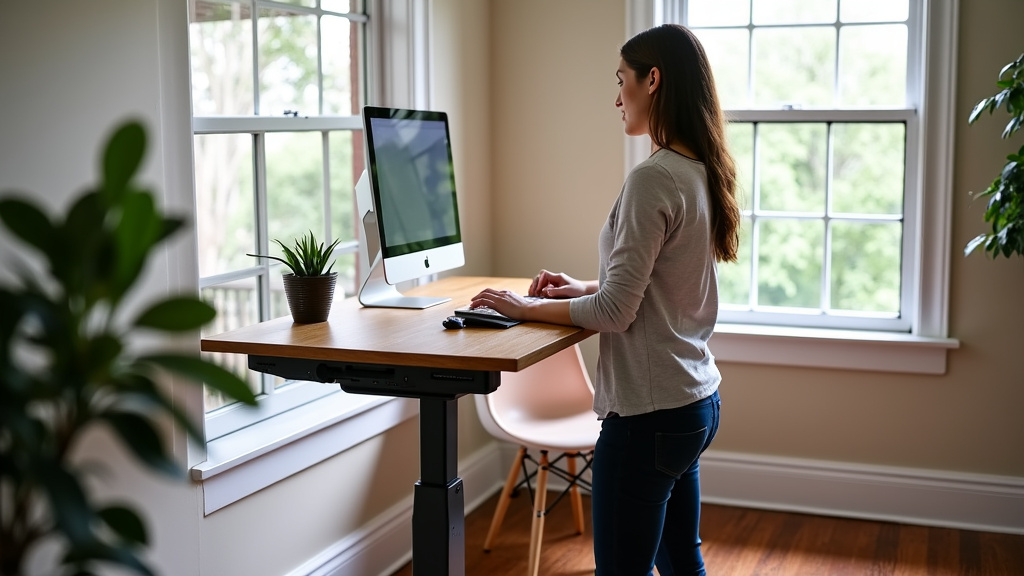
Many people find standing desks help reduce back pain. Research suggests they can also improve your energy levels throughout the day. It’s not just about standing; it’s about creating a healthier way to work. Think about how much space you have and what features are most important to you.
- Determine your budget.
- Consider desk size and space.
- Look at adjustment types (manual vs. electric).
- Check for stability and weight capacity.
- Think about accessories you might need.
Let’s walk through exactly how to pick the perfect standing desk for your home or office. We’ll cover the key factors to help you make an informed decision.
Choosing Your Ideal Standing Desk Setup
Finding the right standing desk is easier than you think. We’ll guide you through the essential features. This will help you pick a desk that truly works for you.
Understanding Standing Desk Types and Adjustability
The biggest choice is how your desk adjusts. This determines how easily you can switch between sitting and standing.
Manual Crank Standing Desks
These desks use a hand crank to raise and lower the surface. They are usually the most budget-friendly option. You turn the crank until the desk reaches your desired height. Some newer models have faster crank mechanisms. However, adjusting them can take a bit of time and effort. This might be less ideal if you switch positions very frequently throughout the day. They are a good choice for a fixed setup or occasional adjustments.
Electric (Motorized) Standing Desks
Electric desks use motors to do the lifting. You simply press a button or use a control panel. This makes height changes quick and effortless. Many electric desks have memory presets. You can save your preferred sitting and standing heights. This makes switching positions incredibly convenient. The speed of adjustment varies by model. They are generally more expensive than manual desks. However, the ease of use often justifies the cost for many users. This type is excellent for frequent position changes.
Convertible Standing Desk Converters
These are not full desks but add-ons that sit on your existing desk. They have a platform for your monitor and keyboard. You can raise or lower them to create a standing workstation. Converters are typically less expensive than full standing desks. They are also a great option if you don’t want to replace your current desk. However, they might offer less workspace. Some can also feel less stable than a complete desk unit. Consider the weight capacity for your monitors and accessories.
Key Factors for Stability and Durability
A wobbly desk can be distracting and even unsafe. Stability is crucial for a good standing desk experience. It ensures your equipment stays put.
Leg Construction and Frame Design
Look for desks with sturdy legs and a robust frame. Most standing desks have two or three legs that lift the surface. Three-legged models often provide a bit more stability. A wider base on the legs can also improve stability. The frame material, often steel, should feel solid. Avoid frames that seem flimsy or thin. A well-built frame is key to a stable workspace.
Weight Capacity: How Much Can It Hold?
Your desk needs to support your monitors, computer, and other items. Check the desk’s weight capacity. This tells you the maximum weight it can safely lift and hold. Ensure this number is higher than what you plan to place on it. For example, a dual monitor setup plus a PC can add up quickly. Most electric desks can handle 150 pounds or more. Converters may have lower limits, sometimes around 30-50 pounds. Always check the specs carefully to avoid overloading the mechanism.
Smoothness of Movement
When you adjust the desk, it should move smoothly. You don’t want jerky motions or loud grinding sounds. Good quality electric desks offer a quiet and fluid adjustment. For manual desks, the crank should turn easily. If a desk feels stiff or awkward to adjust, it might indicate lower quality components. This can lead to wear and tear over time.
Size and Workspace Considerations
Your desk needs to fit your room and your work style. Think about how much space you have and what you need to keep on your desk.
Desk Dimensions: Width and Depth
Measure your available space before you shop. Consider both the width and depth of the desk. A standard desk might be 48 or 60 inches wide. Depth is also important, typically ranging from 24 to 30 inches. A deeper desk gives you more room for your monitor and keyboard. It also allows you to position your screen further away. This is better for your eye health. Ensure the desk will fit through doorways and into its intended spot.
Surface Material and Finish
The surface of your desk matters for both looks and function. Common materials include laminate, solid wood, and metal. Laminate is durable and easy to clean. Solid wood offers a premium look and feel. Some desks have built-in cable management. This helps keep your cords tidy. Choose a finish that matches your decor and is resistant to scratches and spills.
Budgeting for Your Standing Desk
Standing desks vary widely in price. Your budget will significantly influence your choices. Having a clear budget helps narrow down your options effectively.
Entry-Level Options (Under $300)
In this range, you’ll mostly find manual crank desks and basic standing desk converters. These are great for trying out the standing desk concept. They offer core functionality without many frills. You might sacrifice some stability or speed of adjustment. However, they can still provide the health benefits of alternating between sitting and standing.
Mid-Range Options ($300 – $700)
This is a popular sweet spot for electric standing desks. You’ll find desks with smoother electric motors. They often have better stability and higher weight capacities. Memory presets for height are common here. You might also find desks with more premium surface materials. This range offers a good balance of features, performance, and price.
Premium Options ($700+)
Higher-end desks often feature dual motors for faster and quieter adjustments. They may offer more advanced controls, better cable management solutions, and premium build quality. Some might have built-in wireless charging or smart features. These desks are built for durability and extensive use. They are a significant investment but can provide a superior user experience.
Considering Ergonomics and Accessories
A standing desk is part of a larger ergonomic setup. Think about how you’ll use it and what else you might need.
Monitor Arms and Keyboard Trays
To get the most out of your standing desk, consider accessories. A monitor arm can help position your screen at the perfect ergonomic height. It also frees up desk space. Some desks have integrated or optional keyboard trays. These can help maintain proper wrist posture. They ensure your arms are at a comfortable angle when typing.
Anti-Fatigue Mats: A Must-Have?
Standing for long periods can be hard on your feet and legs. An anti-fatigue mat provides cushioning. It can make standing much more comfortable. Many users find these mats essential for extended standing sessions. They help reduce strain and improve circulation. Look for a mat that is durable and easy to clean. This is a small addition that can make a big difference.
Cable Management Solutions
When you move your desk up and down, cables can get tangled or snagged. Good cable management is important for safety and aesthetics. Look for desks with built-in trays or clips. You can also buy separate cable management sleeves or ties. Keeping your cords organized prevents accidents and looks much tidier.
Quick Checklist for Your Standing Desk Purchase
Here’s a quick rundown to help you make your final decision:
- Confirm your budget before you start browsing.
- Measure your space to ensure the desk fits perfectly.
- Decide on adjustability: manual crank, electric, or converter?
- Check stability and weight capacity for your gear.
- Think about accessories like monitor arms or mats.
- Read reviews for insights on durability and user experience.
Conclusion
Choosing your standing desk is a thoughtful process. You’ve learned about different adjustability options, from manual cranks to smooth electric motors. Remember to prioritize stability and check the weight capacity to ensure your setup is safe and secure. Thinking about desk size and necessary accessories like anti-fatigue mats will also improve your experience. By following these steps and your checklist, you’re well on your way to finding a desk that boosts your comfort and productivity. Take that first step and start browsing options that fit your needs!
Frequently Asked Questions
How much do standing desks typically cost?
Standing desk prices range widely. Entry-level manual desks or converters might cost under $300. Mid-range electric desks often fall between $300 and $700. Premium models with advanced features can start at $700 and go higher. Your budget will guide you to the best options.
Are standing desk converters as good as full standing desks?
Converters can be a great option if you want to keep your existing desk. They are usually less expensive and offer flexibility. However, they may provide less workspace and can sometimes feel less stable than a full desk unit. Full desks often offer more robust construction and features.
What is the most important feature for a standing desk?
While many features matter, stability is often considered most important for a good standing desk experience. A wobbly desk can be distracting and may not safely support your equipment. Look for sturdy leg construction and a solid frame design to ensure your desk feels secure.
Do I really need an anti-fatigue mat?
An anti-fatigue mat can significantly improve comfort when standing for extended periods. It provides cushioning for your feet and legs, reducing strain and improving circulation. While not strictly necessary, many users find it a worthwhile addition for longer standing sessions.
Can a standing desk help with back pain?
Many users report reduced back pain after switching to a standing desk. Alternating between sitting and standing throughout the day can help improve posture and reduce pressure on your spine. While it’s not a guaranteed cure, it can be a helpful tool for managing discomfort.