How to Set Up a Standing Desk Ergonomically
For a standing desk ergonomic setup, place the monitor at a comfortable viewing height, keep your keyboard and mouse near elbow level, and relax your shoulders. Adjust the desk for both sitting and standing, and change positions during the day.
On this page (10 sections)
- What does proper standing desk ergonomics look like?
- How should you position your monitor?
- Where should your keyboard and mouse go?
- How do you set the desk height for standing?
- How should your posture change when you stand?
- How can you keep a comfortable setup while sitting?
- How often should you switch positions?
- What should you adjust first if your posture feels strained?
- More guides on this topic
- What is a simple standing desk ergonomic setup checklist?
A standing desk ergonomic setup keeps your screen in a comfortable viewing position, your keyboard near elbow height, and your shoulders relaxed. Adjust the desk for sitting and standing, then switch positions during the day instead of standing for hours without a break.
Ergonomics at a standing workstation depend on how the whole setup fits you. Desk height, screen placement, keyboard reach, footwear, and movement all matter.
What does proper standing desk ergonomics look like?
Proper standing desk ergonomics means keeping your body relaxed while you work. Aim for a neutral neck, shoulders at ease, elbows near your sides, and wrists in line with your forearms.
Stand with your feet supported and your weight balanced. Avoid locking your knees or leaning into the desk, and shift your stance from time to time.
There isn't one fixed height or pose that suits every person. Make small adjustments until your screen and input devices are easy to use without reaching, hunching, or shrugging.
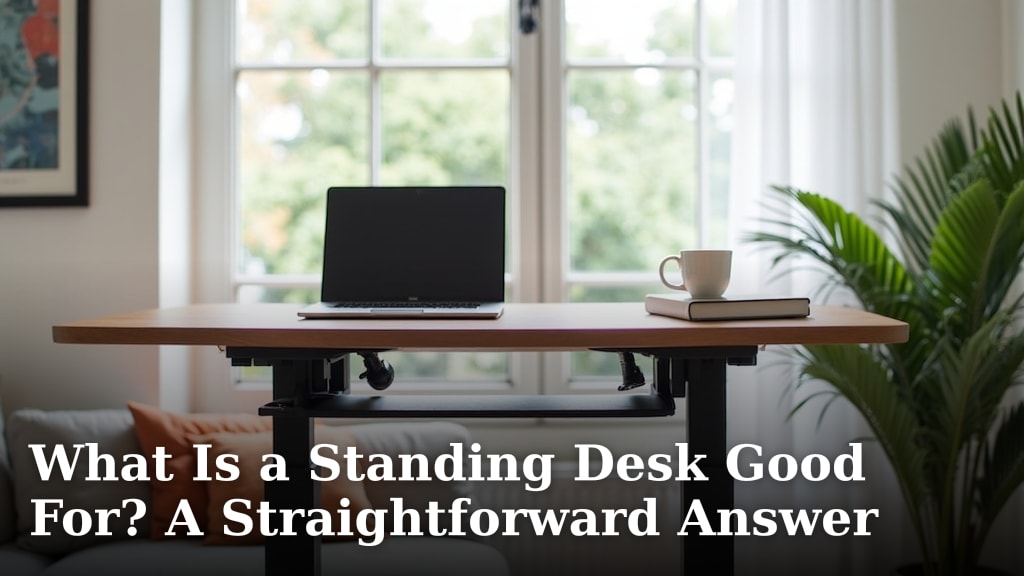
For a broader overview of desk types and uses, read What Is a Standing Desk Good For? A Straightforward Answer.
How should you position your monitor?
Place the main monitor directly in front of you, roughly an arm's length away, with the top of the screen around eye level. This helps you look ahead without bending your neck down or tilting your head back.
Center the screen with your chair or standing position. If you use two monitors equally, place them side by side with the center seam in front of you; if one gets more use, keep that screen centered.
For a three-screen arrangement, see standing desk converters for three monitors.
A laptop screen is often too low when the keyboard is at a comfortable typing height. Raise the screen with a stand and use a separate keyboard and mouse, or keep the laptop lower and avoid holding your neck in a strained position.
The VIVO Dual Tier Standing Desk Converter has a separate upper surface and keyboard tray, which can help keep a screen and typing area on different levels.
Check that the monitor remains stable when you raise the desk. For options designed around posture and adjustability, see best ergonomic standing desk.
Where should your keyboard and mouse go?
Keep the keyboard and mouse close enough that your elbows stay near your sides while you use them. Set the typing surface so your forearms are roughly level and your shoulders remain relaxed.
Keep your wrists straight rather than bent up or down. Place the mouse beside the keyboard, close enough to reach without stretching your arm outward.
A keyboard tray that moves with the desktop can preserve the same relationship between the keyboard and screen as you raise a converter. The VIVO Manual Height Adjustable Standing Desk Converter includes a keyboard tray that rises with its top surface.
If your current work surface feels crowded or hard to adjust, start with how to set up a standing desk. Measure the available space before choosing a converter or separate accessories.
How do you set the desk height for standing?
Raise the desk until your elbows can stay near your sides while typing, with your shoulders down and wrists straight. Use the keyboard position as your guide instead of choosing a height based only on a chart.
Stand in your usual work shoes and face the desk squarely. Type for a moment, then check whether you are reaching up, leaning forward, or bending your wrists.
The VIVO Manual Height Adjustable Standing Desk Converter adjusts from 4.5 in to 20 in above the desk. Its stated adjustment range is a product feature, not a target height for every person.
For a starting point based on your body, read what height should my standing desk be. Then adjust in small steps while checking your posture.
How should your posture change when you stand?
Keep your head balanced over your shoulders and your weight comfortable across both feet. Let your knees stay relaxed, and avoid leaning your hips against the desk for support.
You don't need to hold perfectly still. Shift your weight, change your stance, or take a short walk when it feels natural; these small changes can keep one position from feeling fixed.
Shoes and the floor affect comfort, too. A cushioned mat may help make standing feel more comfortable, but it won't correct a desk that's too high or a monitor that makes you crane your neck.
The Ergodriven The Standing Desk Mat has a cushioned surface with raised terrain designed for standing desk use. It can be moved with a foot when you want to sit or clear the floor.
For more on stance and foot position, see how to stand at a standing desk. If back discomfort continues, a standing desk isn't a guaranteed fix; do standing desks help with back pain covers the limits and considerations.
Should you stand on a mat all day?
No mat makes it necessary or beneficial to stand continuously. Use one only if it feels comfortable underfoot, and change between sitting, standing, and moving.
Keep the mat clear of chair wheels and anything that could catch your feet. If it shifts or feels unstable, move it or stop using it.
How can you keep a comfortable setup while sitting?
Set your chair and desk so you can type with relaxed shoulders and supported feet. Your elbows should stay near your sides, much as they do when you stand.
If your feet don't reach the floor comfortably, use a footrest. Move the desk down or adjust the chair so you aren't reaching up to the keyboard.
A standing workstation works best when sitting is still a comfortable option. A best standing desk and chair combo can help you compare setups for changing positions.
How often should you switch positions?
Alternate between sitting and standing based on comfort, and move regularly throughout the workday. There is no single schedule that fits everyone, so begin with manageable standing periods and adjust to how you feel.
Change position before discomfort builds. Take brief walking or stretching breaks when your work allows, and don't treat standing as a replacement for movement.
For a more detailed routine, read how long should you stand at a standing desk. If you need help with desk controls, how to use a VIVO standing desk explains that brand's setup.
What should you adjust first if your posture feels strained?
Adjust the part that makes you reach, bend, or shrug first. Start with desk height for the keyboard, then position the monitor, and finally check your chair, shoes, and floor support.
If your neck feels strained, center and raise the screen as needed. If your shoulders feel tense, lower the keyboard surface or bring the mouse closer.
If your wrists bend, adjust the typing height and keep the input devices level with your forearms.
Accessories can help with a specific fit problem, but adding more pieces won't fix a mismatched setup. Browse best standing desk accessories for items that address a clear need.
A kneeling chair changes how you sit, but it's another seating option rather than a posture cure. Learn what a kneeling chair is and how you use it before deciding if it fits your work routine.
More guides on this topic
What is a simple standing desk ergonomic setup checklist?
A good standing desk ergonomic setup lets you see the screen, reach the keyboard, and change positions without straining. Use this quick check after adjusting your workspace:
- Center the main screen in front of you and keep it near eye level.
- Set the keyboard near elbow height with your shoulders relaxed.
- Place the mouse beside the keyboard, within easy reach.
- Keep your head balanced and your knees relaxed while standing.
- Sit, stand, and move during the day based on comfort.
Start with the desk and monitor before buying accessories. If you are weighing a full adjustable desk against a converter, read standing desk vs converter.
Choose a mat if cushioning helps your feet, or a converter if it helps you reach a comfortable working height; if your current desk already fits, you may not need either. If you need a full desk, compare FlexiSpot standing desk options.
Frequently asked questions
How high should a standing desk be for ergonomic posture?
Set the desktop so your elbows stay near your sides and bend comfortably while you type, with your shoulders relaxed. The right height depends on your body and shoes, so adjust it while standing at the keyboard.
For seated work, lower the desk or chair so your arms keep a similar position.
Where should a monitor sit at a standing desk?
Place the monitor directly in front of you, about an arm's length away, with the top of the screen near eye level. Keep the screen centered to avoid turning your neck.
If you use multiple screens, put the one you look at most directly ahead.
Should you stand all day at a standing desk?
No. Alternate between sitting and standing, and change position when you feel discomfort or fatigue.
A standing desk is a way to vary your work posture, not a reason to stay on your feet for a full shift.
Add short movement breaks as your routine allows.
Do you need a mat for a standing desk?
A cushioned mat can make standing more comfortable, but it doesn't replace posture changes, supportive shoes, or breaks. Choose one that fits the floor area and lets you move it aside when sitting.
If a mat makes your feet or balance feel uncomfortable, stop using it.