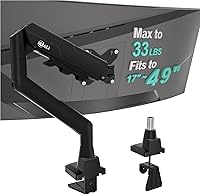
9 Best Desk Clamp Monitor Mounts (November 2026)
The best desk clamp monitor mounts include the VIVO Dual Monitor Desk Mount for most dual screen desks, the HUANUO FlowLift™ Dual Monitor Stand for larger dual screens, and the VIVO Single 13 to 38 inch Ultrawide for ultrawide screens.
On this page (8 sections)
- Desk clamp monitor mount picks by screen count and desk fit
- How the desk clamp monitor mount picks compare
- What desk thickness does a C-clamp need to fit?
- Can a desk clamp monitor mount work on a glass or thin desk?
- How do I match screen size, weight and VESA fit?
- C-clamp or grommet: which mount should you use?
- How do I set up and care for a desk clamp monitor mount?
- Verdict: which desk clamp monitor mount should you buy?
The best desk clamp monitor mount for two screens is the VIVO Dual Monitor Desk Mount, because it holds two screens up to 30 inches and 22 lb each and clamps to desks up to 3.25 inches thick.
Pick the HUANUO dual model if your screens are up to 32 inches, and pick a single arm if you use one display.
A desk clamp monitor mount attaches a screen to the desk edge without drilling mounting holes.
That simple idea frees the top of your desk and puts the screen at eye level.
It also keeps the stand base off the work surface, where it often crowds a keyboard or laptop.
Our score weighs specs, features and buyer feedback against what you are shopping for.
We compared the picks on screen size, weight limit, desk thickness range, VESA fit, tilt, swivel, rotation and height adjustment.
We also checked which models include a grommet option and which models limit use to wooden desks.
Start with the screen count.
Two screens need a dual mount with two arms or a center pole, while one screen needs a single arm with enough reach.
Then check the weight per screen, because a mount rated as a pair can still fail if one screen is too heavy.
For a broader look at arm types, see our monitor arm mount guide.
Our picks at a glance
-
1

-
2

-
3
- 4
 Best for tool-free VESA setupCheck it
- 5
 Check it
HUANUO FlowLift™ Single Monitor Mount
Best for quick single screen setup - 6
 Best for wide dual screen reachCheck it
- 7
 Best for spring-assisted movementCheck it
- 8
 Check it
Amazon Basics Single Computer Monitor Stand
Best for simple steel arms - 9
 Check it
HEMUDU Single Desk Monitor Arm Mount Stand
Best for heavy screens
Desk clamp monitor mount picks by screen count and desk fit
The best desk clamp monitor mount depends on your screen count first.
Dual mounts trade desk depth for screen space, while single arms trade screen count for reach and height.
The sections below follow the score order, from dual mounts to single arms.
VIVO Dual Monitor Desk Mount: Best for most dual screen desks
- Two screens 13 to 30 inches, up to 22 lb each
- VESA 75x75mm or 100x100mm
- C-clamp or grommet for desks up to 3.25 inches thick
- +90 to -90 degree tilt, 180 degree swivel, 360 degree rotation
Heavy duty steel dual mount with C-clamp and grommet choice, cable clips and full tilt, swivel and rotation.
Pros
- High weight limit per screen
- C-clamp plus grommet options
- Detachable VESA plates
Cons
- Dual arms need more desk depth behind the screens
- 30 inch cap is smaller than some dual picks
VIVO suits a desk with two matching screens in the 13 to 30 inch range.
Each screen can weigh up to 22 lb, which covers many office and home office displays.
The 22 lb per screen limit is a key reason this model scores high for dual use.
The mount uses a heavy duty C-clamp or an optional grommet mount.
It fits desks up to 3.25 inches thick.
That range suits many wooden desks, but you should still check the underside for beams or panels near the back edge.
Articulation is wide for a dual setup.
You get +90 to -90 degree tilt, 180 degree swivel, 360 degree rotation and height adjustment along the center pole.
Portrait or landscape orientation is possible for each screen.
Cable clips run along the arms and center pole.
Detachable VESA plates make screen attachment simpler, and VIVO provides hardware and instructions.
VIVO backs the steel design with a 3 year warranty.
The trade-off is screen size.
This model stops at 30 inches per screen, while the HUANUO dual pick below fits 32 inch screens.
Choose VIVO first when weight per screen matters more than the last two inches of screen size.
HUANUO FlowLift™ Dual Monitor Stand: Best for larger dual screens
- Two screens 13 to 32 inches, 4.4 to 19.8 lb each
- VESA 75x75mm or 100x100mm
- C-clamp or grommet for desks 0.59 to 3.54 inches thick
- +85/-50 degree tilt, swivel and 360 degree rotation
Dual full-motion mount with dual C-clamp design, cable guides and height lift up to 15.75 inches.
Pros
- Fits screens up to 32 inches
- Dual C-clamp structure
- Cable guides along the arms
Cons
- Wooden desks only, no plastic or glass
- Desk underside must be clear of beams or panels
HUANUO suits dual screen desks with larger displays up to 32 inches.
Each arm holds 4.4 to 19.8 lb, so both screens must meet size, weight and VESA rules at the same time.
The screen size range is wider than the VIVO dual pick above.
The base uses an upgraded larger platform plus a dual C-clamp structure.
HUANUO also provides a grommet mounting choice.
Both options fit desks from 0.59 to 3.54 inches thick.
Desk material matters here.
HUANUO recommends wooden desks only, and says plastic or glass desks cannot be used.
The underside of the desk should have no cross beams or panels.
Check those rules before you order, especially on standing desks with a frame under the top.
Adjustment is full motion for daily use.
You get +85/-50 degree tilt, swivel and 360 degree rotation, with height lift up to 15.75 inches.
Cable guides run along the arms to keep cords out of the way.
The trade-off is the material limit.
If your desk is glass or plastic, this is the wrong pick.
If your desk is wood and your screens are 31 or 32 inches, this model may fit where the VIVO dual model does not.
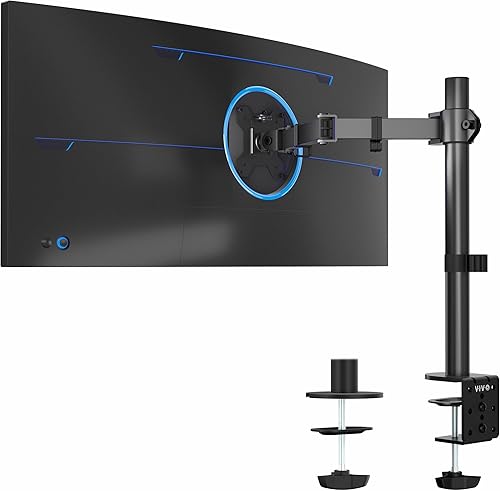
VIVO Single 13 to 38 inch Ultrawide: Best for ultrawide screens
- Single screen 13 to 32 inches, ultrawide to 38 inches
- Up to 22 lb, VESA 75x75mm or 100x100mm
- C-clamp or grommet for desks up to 3.25 inches thick
- Height adjustment up to 16 inches
Single arm for standard and ultrawide screens with hand-tightened clamp, cable clips and 360 degree rotation.
Pros
- Ultrawide support to 38 inches
- 22 lb capacity
- Optional grommet mount
Cons
- Single screen only
- Wide screens need extra reach space
VIVO suits a single large screen, including ultrawide models up to 38 inches.
Regular screens fit from 13 to 32 inches, with a weight limit of 22 lb.
The ultrawide support to 38 inches makes this a strong pick for wide displays.
The arm offers +90 to -90 degree tilt, 360 degree swivel, 360 degree rotation and height adjustment up to 16 inches along the center pole.
Portrait or landscape mode is possible, which helps for code, documents or side panels.
The desk clamp is heavy duty and secures to desks up to 3.25 inches thick with hand tightening.
An optional grommet mount is included.
Detachable cable clips sit on the arms and center pole.
VESA fit is 75x75mm or 100x100mm.
Check that pattern on the back of your screen before you order.
VIVO provides hardware, instructions and a detachable VESA plate for assembly.
The trade-off is reach and space.
A 38 inch ultrawide needs room to swing and rotate without hitting a wall or shelf.
If you want that width, pair this pick with our best monitor arm for ultrawide guide for more context on wide screen setups.
ErGear Single Monitor Arm: Best for tool-free VESA setup
- Screens 13 to 34 inches, up to 19.8 lb
- VESA 75x75mm or 100x100mm
- C-clamp for desks 0.39 to 2.56 inches thick
- Height to 17.5 inches, reach to 18.1 inches
Single arm with tool-free VESA plate, cable clips and full tilt, swivel and rotation for eye-level setup.
Pros
- Tool-free VESA mounting
- Tool-free cable clips
- Wide height and reach range
Cons
- C-clamp range ends at 2.56 inches
- Grommet range differs from clamp range
ErGear suits a single screen from 13 to 34 inches, including many flat or curved displays.
The weight limit is 19.8 lb, with VESA 75x75mm or 100x100mm.
The tool-free VESA plate is the main reason to pick this arm for fast setup.
Height adjustment reaches 17.5 inches, and reach reaches 18.1 inches.
That range helps you place the screen at eye level while you sit or stand.
Tilt is +80/-50 degrees, swivel is plus or minus 90 degrees and rotation is 360 degrees.
Mounting uses a C-clamp for desks 0.39 to 2.56 inches thick, or a grommet base for desks 0.39 to 2.95 inches thick.
Those ranges are not the same, so measure first and choose the mount that matches your desk.
Cable clips open easily with no tools required.
ErGear says the core has been tested through 20,000 plus cycles.
The VESA head is 40 percent wider than a standard head in ErGear's design, which helps stability.
The trade-off is desk thickness.
If your desk top is thicker than 2.56 inches and you need a clamp, this arm may not fit.
A grommet option may help, but only if your desk has a suitable hole.
HUANUO FlowLift™ Single Monitor Mount: Best for quick single screen setup
- Screens 13 to 32 inches, 4.4 to 19.8 lb
- VESA 75x75mm or 100x100mm
- C-clamp or grommet for desks 0.59 to 3.54 inches
- -50 to +85 degree tilt, swivel and 360 degree rotation
One piece single arm with C-clamp or grommet base, lift to 39.6 cm and tension adjustment by screen weight.
Pros
- Simple one piece design
- Wide desk thickness range
- Stable at any set angle
Cons
- Wooden desk recommended
- Underside should be free of beams or panels
HUANUO suits a single screen from 13 to 32 inches, with a weight range of 4.4 to 19.8 lb.
VESA patterns are 75x75mm and 100x100mm.
The one piece design keeps setup simple for a first monitor arm.
The arm lifts the screen up to 39.6 cm from the desktop.
Tilt runs from -50 to +85 degrees, swivel is plus or minus 90 degrees and rotation is 360 degrees.
HUANUO says the arm can stay stable at any set angle.
You can use a C-clamp or a grommet mount.
The tabletop should be wood, with thickness from 0.59 to 3.54 inches for the stated range.
The underside should be free of beams or panels where the base sits.
HUANUO says the mount uses automotive grade components and has undergone 20,000 motion tests.
HUANUO provides a 5 year manufacturer warranty.
Setup is described as three steps: fix the bracket, attach the screen and adjust tension by screen weight.
The trade-off is desk material and underside space.
A standing desk with a crossbar under the top can block the clamp.
Check that space before you choose this single mount over a thinner desk option.
ErGear Dual Monitor Stand: Best for wide dual screen reach
- Two screens 13 to 32 inches, up to 17.6 lb each
- VESA 75x75mm or 100x100mm
- C-clamp 0.39 to 3 inches, grommet 0.39 to 2.36 inches
- 31.22 inch arm span, 16 inch high bar
Dual mount with wide arm span, cable clips and swivel, tilt and rotation for side by side or stacked screens.
Pros
- Wide 31.22 inch arm span
- Two installation options
- Cable management clips
Cons
- Wooden table recommended
- Lower tilt range than some rivals
ErGear suits two screens up to 32 inches for a wide dual setup.
Each arm supports up to 17.6 lb, with VESA 75x75mm or 100x100mm.
The 31.22 inch arm span gives this model more reach than many dual mounts.
The mount has a 16 inch high bar and a wide arm span for side by side screens.
It can also support stacked screens for users who need vertical space.
Swivel is plus or minus 90 degrees, tilt is plus or minus 45 degrees and rotation is 360 degrees.
Installation uses a C-clamp for desks 0.39 to 3 inches thick, or a grommet mount for desks 0.39 to 2.36 inches thick.
ErGear recommends wooden tables only.
The underside should be free of beams or panels.
Cable management clips help route cords for a clean look.
The manual and labeled hardware help with setup.
ErGear says to tighten the S2 bolt for adjustment if the screen does not hold its position.
The trade-off is tilt range.
At plus or minus 45 degrees, tilt is narrower than the VIVO and HUANUO dual picks.
Choose this model for span and layout range, not for the widest tilt range.
NB SmooVex™ Monitor Arm: Best for spring-assisted movement
- Screens up to 32 inches
- VESA 75x75mm or 100x100mm
- C-clamp and grommet options
- Mechanical spring, 230mm height travel
Single arm with mechanical spring system, slimmer arm design and -25 to 90 degree tilt with swivel and rotation.
Pros
- Mechanical spring movement
- Slimmer arm design
- Three step installation
Cons
- Weight limit not stated in the same way as rivals
- 230mm travel is less than some picks
NB suits a single screen up to 32 inches with a mechanical spring arm.
The mount fits VESA 75x75mm and 100x100mm patterns.
The mechanical spring system is the main difference from gas spring arms in this group.
NB says the spring system gives smoother movement, stable support and long term daily use, with no gas leakage concern.
Height travel is 230mm.
Tilt runs from -25 to 90 degrees, with swivel and plus or minus 90 degree rotation.
The arm design is slimmer than some rivals.
NB says that helps save desk space and reduce wall blocking issues.
C-clamp and grommet mounting options are included for most desks.
Installation is described as three steps with no complicated assembly.
The mount is aimed at home offices, business workstations, study rooms and multi screen desk setups.
VESA plate release is quick release in design.
The trade-off is published weight data.
This pick does not state a weight limit in the same clear way as the VIVO and ErGear picks above.
Check your screen weight and VESA fit with care before you order.
Amazon Basics Single Computer Monitor Stand: Best for simple steel arms
- Screens 13 to 30 inches, up to 22 lb
- VESA 100x100mm and 75x75mm
- Desks 0.8 to 3.9 inches thick
- Height 7.9 to 14.2 inches, tilt -15 to +85 degrees
Steel single stand with detachable VESA plate, cable management and 360 degree rotation for portrait or landscape.
Pros
- Fits thick desks to 3.9 inches
- Steel build
- Tools and hardware included
Cons
- Narrower height range
- Tilt range is more limited at the low end
Amazon Basics suits a single screen from 13 to 30 inches, with a weight limit of 22 lb.
The mount fits VESA 100x100mm and 75x75mm.
The thick desk range to 3.9 inches makes this a useful pick for thicker tops.
The arm is height adjustable from 7.9 to 14.2 inches high.
Rotation is 360 degrees for landscape or portrait mode.
Tilt runs from -15 to +85 degrees, which is good for looking up or down at the screen.
The steel build is simple and direct.
Cable management keeps cords out of the way.
A detachable VESA plate helps with setup, and Amazon Basics includes the tools and hardware needed for assembly.
This model is backed by a 1 year limited warranty from Amazon Basics.
That warranty is shorter than the 3 year and 5 year cover on some picks above, so factor that into your choice.
The trade-off is height range.
At 14.2 inches maximum, this arm lifts less than the ErGear and VIVO single picks.
Choose it for thick desk fit and simple steel design, not for maximum lift.
HEMUDU Single Desk Monitor Arm Mount Stand: Best for heavy screens
- Screens 13 to 32 inches, holds up to 77 lb
- VESA 75x75mm or 100x100mm
- Desk thickness up to 2.9 inches
- 360 degree rotation, swivel and height adjustment
Cold-rolled steel single arm with cable clip, knob fine tuning and full articulation for flat or curved screens.
Pros
- Very high stated weight capacity
- Cold-rolled steel build
- Cable clip included
Cons
- Desk thickness cap is lower than some picks
- Swivel range is narrower than full motion rivals
HEMUDU suits a single flat or curved screen up to 32 inches.
The stated capacity is up to 77 lb, which is high for this group.
VESA patterns are 75x75mm and 100x100mm.
The high weight capacity is the main reason to consider this pick.
The mount uses cold-rolled steel construction.
Rotation is 360 degrees, tilt is plus or minus 50 degrees and swivel is plus or minus 45 degrees.
Height is adjustable along the metal pole for an ergonomic viewing angle.
A cable clip helps keep wires organized and frees more desktop space.
The package includes the accessories needed for installation in about 10 minutes.
A knob helps fine tune verticality, and the large screw behind the monitor helps with height change.
Desk thickness should not exceed 2.9 inches.
That cap is lower than the Amazon Basics pick above and lower than the HUANUO single pick.
Check your desk top before you choose this arm.
The trade-off is movement range.
Swivel at plus or minus 45 degrees is narrower than full motion picks.
Choose HEMUDU when screen weight is your main concern, and check desk thickness with care.
How the desk clamp monitor mount picks compare
The comparison below shows the specs that matter most for a desk clamp monitor mount.
Use screen size, weight limit and desk thickness as your first filter.
Then use tilt, swivel, rotation and height range to judge daily adjustment.
| Product | Best for | Screen size | Weight per screen | Desk thickness | Our score |
|---|---|---|---|---|---|
| VIVO Dual Monitor Desk Mount | most dual screen desks | 13 to 30 inches | Up to 22 lb | Up to 3.25 inches | 9.7 |
| HUANUO FlowLift™ Dual Monitor Stand | larger dual screens | 13 to 32 inches | 4.4 to 19.8 lb | 0.59 to 3.54 inches | 9.7 |
| VIVO Single 13 to 38 inch Ultrawide | ultrawide screens | 13 to 38 inches | Up to 3.25 inches | 9.5 | |
| ErGear Single Monitor Arm | tool-free VESA setup | 13 to 34 inches | 0.39 to 2.56 inches | 9.5 | |
| HUANUO FlowLift™ Single Monitor Mount | quick single screen setup | 13 to 32 inches | 0.59 to 3.54 inches | 9.4 | |
| ErGear Dual Monitor Stand | wide dual screen reach | 13 to 32 inches | Up to 17.6 lb | 0.39 to 3 inches | 9.2 |
| NB SmooVex™ Monitor Arm | spring-assisted movement | Up to 32 inches | 9.2 | ||
| Amazon Basics Single Computer Monitor Stand | simple steel arms | 13 to 30 inches | 0.8 to 3.9 inches | 8.9 | |
| HEMUDU Single Desk Monitor Arm Mount Stand | heavy screens | 13 to 32 inches | Up to 2.9 inches | 8.4 |
We compared these nine mounts from their stated specs, not from use.
We checked how each model handles screen size, screen weight, VESA pattern, desk thickness and desk material.
We also checked whether each model includes a grommet option, cable clips or a detachable VESA plate.
Dual mounts scored higher when both screens could meet the weight limit at the same time.
Single mounts scored higher when they added ultrawide support, tool-free VESA fitting or a wider desk thickness range.
A model lost ground when its desk material rule was narrow or when its height range was short.
What desk thickness does a C-clamp need to fit?
A C-clamp needs a desk top that matches its stated thickness range and has a clear underside near the edge.
Most picks here fit about 0.39 to 3.9 inches, but no single range fits every desk.
Measure the top at the back edge where the clamp will sit.
C-clamp ranges in this group
VIVO dual and single picks fit desks up to 3.25 inches thick.
HUANUO fits 0.59 to 3.54 inches.
ErGear single fits 0.39 to 2.56 inches by clamp and 0.39 to 2.95 inches by grommet.
Amazon Basics fits 0.8 to 3.9 inches.
What to measure before you order
Measure desk thickness, desk depth at the back and clear space under the top.
Look for beams, panels, cable trays or standing desk frames under the edge.
If the underside is blocked, a grommet mount or a different desk position may work better.
If your desk is thick, our best monitor arm for thick desk guide helps you compare ranges.
If your desk is thin, our best desk mounted monitor arm thin guide covers the opposite problem.
Can a desk clamp monitor mount work on a glass or thin desk?
A desk clamp monitor mount can work on some glass or thin desks, but only when the model allows that material and thickness.
Several picks here recommend wooden desks only.
That rule matters more than the clamp shape alone.
Glass desk limits
HUANUO dual and single picks recommend wooden desks only and say plastic or glass desks cannot be used for the dual model.
ErGear dual also recommends wooden tables only.
Do not assume a C-clamp will hold safely on glass just because it grips the edge.
Thin desk limits
Thin desks need a clamp that fits the low end of the range, not just the high end.
ErGear single starts at 0.39 inches, while HUANUO starts at 0.59 inches and Amazon Basics starts at 0.8 inches.
A thin desk that falls below the minimum range will not clamp well.
For glass specifically, read can you put a monitor arm on a glass desk before you buy.
For desks with no clamp space at the edge, a top mount monitor arm may fit better than a rear edge clamp.
How do I match screen size, weight and VESA fit?
Match all three screen facts together: size, weight and VESA pattern.
A mount that fits your screen size can still fail if the screen is too heavy or if the back has no VESA holes.
Check the back of the screen before you order.
VESA patterns to check
Most picks here use VESA 75x75mm or 100x100mm.
Those numbers measure the spacing between the four mounting holes on the back of the screen.
If your screen has no VESA holes, it will not attach to these mounts without an adapter, and adapters are not part of these picks.
Weight limits by model
VIVO dual and single picks allow up to 22 lb per screen.
ErGear single allows 19.8 lb, and ErGear dual allows 17.6 lb per arm.
HUANUO allows 4.4 to 19.8 lb per screen.
HEMUDU states up to 77 lb for its single arm.
Ultrawide and curved screens
Ultrawide screens need both size and weight checks.
VIVO single fits ultrawide to 38 inches and 22 lb.
ErGear single fits 13 to 34 inches and 19.8 lb.
Curved screens can fit the same size range, but check weight and VESA pattern with extra care because the back shape can vary.
C-clamp or grommet: which mount should you use?
Use a C-clamp when you want to avoid drilling a hole in the desk.
Use a grommet mount when your desk already has a cable hole or when you want the arm fixed near the back edge.
Many picks here include both options.
When a C-clamp is the better choice
A C-clamp suits renters, shared desks and desks you may move later.
It grips the edge without a permanent hole.
It also suits desks where the back edge is thick enough and clear underneath.
When a grommet mount is the better choice
A grommet mount suits desks with an existing cable hole near the back.
It can sit closer to the rear edge and may free more desk depth.
It needs a hole of the right size and position, so check your desk before you choose it.
If your desk has a grommet hole, our best grommet mount monitor arm guide gives you more options in that style.
For a wider look at arm types, return to our monitor arm mount guide.
How do I set up and care for a desk clamp monitor mount?
Set up a desk clamp monitor mount by checking fit, mounting the base, attaching the screen and adjusting tension.
Do the screen attach step with the screen off the arm or with a second person nearby, depending on screen size and weight.
A simple setup order
First, clean the desk edge and underside where the clamp will sit.
Second, mount the base and tighten it evenly.
Third, attach the VESA plate to the screen, then lift the screen onto the arm.
Fourth, adjust height, tilt, swivel and rotation, then set tension so the screen holds its position.
Care and checks over time
Check clamp tightness and VESA screws on a regular basis, especially after you move the desk or change screen position.
Keep cable clips tidy so cords do not pull on the arm.
If a screen starts to sag, adjust tension by screen weight and check that the weight limit still fits.
For standing desk users, check that the arm does not block desk movement or hit a wall at full extension.
Our guide to what is a single motor standing desk helps you check frame space when an arm and a standing desk share the same top.
Verdict: which desk clamp monitor mount should you buy?
The best desk clamp monitor mount for most dual screen desks is the VIVO Dual Monitor Desk Mount.
It has the highest per screen weight limit among the dual picks and a clear C-clamp and grommet choice.
Pick it first when your screens are 30 inches or less.
Pick the HUANUO dual model when your screens are up to 32 inches and your desk is wood with a clear underside.
Pick the VIVO single arm for ultrawide screens up to 38 inches.
Pick the ErGear single arm when tool-free VESA fitting matters most.
Pick the Amazon Basics arm when your desk is thick and you want a simple steel design.
Pick HEMUDU when screen weight is the main concern and your desk is 2.9 inches thick or less.
In every case, measure desk thickness, check screen weight and confirm VESA fit before you order.
Our top 3 picks at a glance
-
1
-
2
-
3
Frequently asked questions
What makes a desk clamp monitor mount different from a stand?
A desk clamp monitor mount grips the back edge or underside of the desk, so the screen floats above the surface. That frees desk space for a keyboard, laptop or papers.
A desktop stand sits on the desk and uses part of that space instead.
Will a C-clamp monitor mount fit my desk?
Measure the desk thickness and check the underside first. Most picks here fit about 0.39 to 3.9 inches, but the exact range varies by model.
Leave clear space under the edge so the clamp can sit flat without hitting a beam or panel.
Can I use a desk clamp monitor mount on a glass desk?
Some mounts limit use to wooden desks, and glass needs extra care. Check the desk material rule for the exact model before you order.
If your desk is glass, read our guide on a monitor arm on glass desk before you tighten any clamp.
How do I choose between C-clamp and grommet mounting?
Use the C-clamp when you do not want to cut or drill a hole in the desk. Use the grommet option when your desk already has a cable hole or you want a fixed point near the back edge.
Many picks here include both parts in the box.
What should I check before I buy a monitor arm mount?
Check screen size, screen weight and VESA pattern together, not one at a time. Most picks use VESA 75x75mm or 100x100mm.
Then check desk thickness, desk material and clear space under the edge where the clamp will sit.