How to Use a Mouse Wrist Rest
Use a mouse wrist rest to support the heel of your hand, not to press your wrist into a fixed edge. Keep your wrist straight, place the support beside the mouse, and move the mouse with your forearm.
On this page (9 sections)
- How should you place a mouse wrist rest?
- Should your wrist rest support your wrist or palm?
- How do you use a mouse wrist rest while moving the mouse?
- How do you choose the right mouse wrist rest?
- Can a wrist rest help with a keyboard and mouse setup?
- How do you use a mouse wrist rest for gaming?
- What common wrist rest mistakes should you avoid?
- How do you know the setup is working?
- What is the best way to use a mouse wrist rest?
Use a mouse wrist rest to support the heel of your hand, keep your wrist mostly straight, and let your forearm guide the mouse. Place the support beside the mouse, not underneath the wrist joint as a hard pivot.
The right setup depends on height, depth, and movement space. A wrist rest should reduce contact with the desk without making you lean on one small spot all day.
How should you place a mouse wrist rest?
Place the wrist rest directly beside the mouse, with its front edge near the front of the mouse area. Your hand should move from the support to the mouse without climbing over a high ridge.
Set the support on the same surface as the mouse. Keep the mouse close enough that your elbow stays near your body, but leave enough room for the mouse to move in every direction you need.
The support should not force your hand upward. If your wrist bends back, your fingers feel lifted, or your forearm slopes sharply toward the mouse, try a lower support or adjust your chair and desk height.
People who are comparing the wider setup can use this ergonomic keyboard and mouse guide to check how the keyboard, mouse, and tray work together.
Should your wrist rest support your wrist or palm?
Support the heel of your hand and lower palm rather than pressing the wrist joint into the rest. This gives your hand a contact point while allowing the wrist to stay relaxed.
Place your hand on the mouse and notice where the support meets you. The contact should feel broad and light.
You should be able to lift your hand easily and change direction without dragging your wrist across the edge.
Don't use the rest as a fixed pivot for every movement. Repeatedly swinging the mouse from one small wrist point can create more pressure than moving the mouse with your forearm.
A soft surface may feel pleasant, but softness alone doesn't make a support the right height. The best fit is the one that keeps your hand and mouse level while leaving your movement natural.
How do you use a mouse wrist rest while moving the mouse?
Keep your wrist neutral and move the mouse with a blend of forearm and hand movement. Lift your hand when you need to reposition instead of twisting against the support.
For small pointer movements, your fingers and hand can guide the mouse. For wider movements, let the forearm move across the desk so the wrist does not do all the work.
Keep your grip light. A tight grip can make ordinary pointing and clicking feel harder, especially when you work for long periods.
If the mouse feels too far away, bring it closer before raising the wrist rest. If you repeatedly run out of space, a larger mouse surface may help.
These ergonomic mouse pads with wrist rests can be compared with a separate support.
What if the mouse wrist rest is too high?
Lower the support or raise the mouse surface until your hand is level with the mouse. A tall rest can bend your wrist backward and make the support feel like a block.
Check your position from the side. Your forearm should approach the mouse without a sharp upward or downward angle.
Keep your shoulders relaxed and avoid lifting your elbow to reach the mouse.
If the support is built into a large mouse pad, check whether the pad can sit flat without catching the desk edge. For a separate rest, move it forward or back in small amounts until the contact point sits under the lower palm.
How do you choose the right mouse wrist rest?
Choose by height, width, firmness, and movement space. The support should match your hand position and mouse height, not simply look comfortable on its own.
A wider rest can give your palm room to shift during work. A smaller one leaves more desk space but may feel limiting if you often move the mouse across a broad area.
Firmness is also personal. A very soft cushion can compress under your hand, while a firm support can provide a more stable edge.
Neither is automatically correct if it changes your wrist angle.
Use this best mouse wrist rest guide to compare general options. If your desk is crowded, see the best small wrist rests for a mouse for compact setups.
Does an ergonomic mouse replace a wrist rest?
An ergonomic mouse can change your hand position, but it doesn't replace a wrist rest in every setup. The mouse shape, your desk height, and your movement habits all affect how your hand contacts the surface.
The Anker 2.4G Wireless Ergonomic Mouse is a right-hand vertical mouse with a USB receiver, 800/1200/1600 DPI optical tracking, next and previous buttons, 5 buttons, and a power-saving mode after 8 minutes of inactivity. It measures 120 x 62.8 x 74.8 mm and uses 2 AAA batteries, which aren't included.
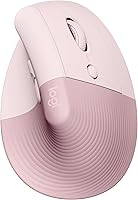
Its vertical shape means you may need to adjust the wrist rest position rather than reuse the exact setup used with a flat mouse. Keep the support under the lower palm and make sure the mouse can move without your hand catching the rest.
The mouse uses 2.4 GHz wireless through a USB receiver, not Bluetooth. Its receiver is stored in the mouse's bottom, and the stated operating systems include Linux and Windows 10.
Can a wrist rest help with a keyboard and mouse setup?
A wrist rest works best when the keyboard and mouse sit at similar working heights. If the keyboard is much higher or lower than the mouse, you may compensate by bending your wrist or lifting your shoulder.
The Logitech MK345 Full Size Wireless Keyboard and Mouse Combo has a full-size QWERTY keyboard with an integrated palm rest, media keys, spill-resistant design, and a compact right-handed mouse. It connects through a single included USB-A Nano Receiver and includes 2 AA batteries.
Place the mouse wrist rest beside the included mouse, not between the keyboard and mouse. Leave the keyboard palm rest for keyboard use so your hands can move naturally between typing and pointing.
The combo uses 2.4 GHz wireless connectivity and works with Windows, macOS, and ChromeOS. Its keyboard battery life is listed as up to 3 years, while its mouse battery life is listed as 18 months.
The Logitech MK270 Full Size Wireless Keyboard and Mouse Combo has a full-size QWERTY keyboard, low-profile quiet keys, full-size F-keys, a number pad, arrow keys, 8 multimedia hotkeys, and a spill-resistant design. Its compact mouse is designed for left- and right-handed use.
The MK270 connects through one included USB-A Nano Receiver and uses wireless connectivity. Its keyboard has adjustable-height tilt legs, so check your typing angle before choosing the height of the mouse support.
The keyboard battery life is listed as 36 months, and the mouse battery life is listed as 12 months. The set includes a mouse with 1 AA battery, a USB receiver, and user documentation.
How do you use a mouse wrist rest for gaming?
Keep the rest from limiting your mouse range during active play. It can support your hand between movements, but you should be able to lift or reposition your hand without hitting a raised edge.
Gaming often involves wider or faster mouse movements than ordinary office work. Place the rest far enough forward that your mouse can travel freely, and avoid pressing your wrist into one spot throughout a match.
A small rest may suit a compact gaming desk, while a broader support may feel better during ordinary work. Compare the options in this guide to the best mouse wrist rests for gaming.
If your mouse surface feels rough or too small, review these alternatives to a mouse pad before changing the wrist rest. The surface and support need to work together.
What common wrist rest mistakes should you avoid?
Avoid bending your wrist, leaning heavily on one edge, and placing the mouse too far away. These errors can make a wrist rest less useful even when its size seems right.
Don't push the rest against the desk edge if that creates a hard contact point. Don't keep your wrist planted while reaching across the full mouse area.
Lift and reposition your hand when needed.
Check your elbow and forearm too. A mouse wrist rest cannot correct a chair or desk height that leaves your shoulder raised or your elbow unsupported.
If you need more space under the forearm, compare these desk arm supports with a wrist rest. If the mouse shape remains uncomfortable, this guide to the best ergonomic mice for wrist pain covers another part of the setup.
How do you know the setup is working?
Your hand should rest lightly, your wrist should stay close to neutral, and the mouse should move without repeated contact with a hard edge. You should also have enough room to lift your hand and change position.
Use the setup for ordinary tasks, then check whether you are gripping the mouse, bending the wrist, or reaching with the shoulder. Adjust one element at a time so you can tell which change helps.
For ongoing pain, numbness, or weakness, stop relying on desk accessories alone and ask a health professional for advice.
What is the best way to use a mouse wrist rest?
Use the rest under the lower palm, keep the mouse and support at similar heights, and move from the forearm when the pointer travels farther. Choose a compact support for a crowded desk, or a wider one if you need more room to shift.
Choose the Anker mouse if a right-hand vertical shape fits your grip. Choose the Logitech MK345 for a full-size keyboard with an integrated palm rest and a right-handed mouse, or choose the MK270 for a standard layout with an ambidextrous mouse.
A wrist rest should support movement, not lock your wrist in place. Recheck the setup whenever you change your mouse, keyboard, desk height, or available surface area.
Frequently asked questions
Should your wrist rest touch your wrist?
A mouse wrist rest should support the heel of your hand or the lower palm while your wrist stays as straight and relaxed as possible. Don't press down hard or keep your wrist bent over a raised edge.
Move the mouse from your forearm instead of pivoting only at the wrist.
Where should a mouse wrist rest be placed?
Place the wrist rest directly beside the mouse, with its front edge close to the front of the mouse area. It should keep your hand at a similar height to the mouse and leave enough room for the mouse to move without hitting the support.
Can a wrist rest prevent wrist pain?
A wrist rest may make a desk setup more comfortable, but it doesn't guarantee relief or prevent every cause of wrist pain. Use a neutral position, take regular breaks, and ask a health professional about ongoing pain, numbness, or weakness.
Is a mouse wrist rest useful for gaming?
A mouse wrist rest can help keep your hand supported during low-intensity pauses, menus, and ordinary desktop use. During active gaming, many players need to move the mouse freely, so choose a support that doesn't block your range of motion or force your wrist into one position.