What Width Standing Desk Do I Need? A Quick Answer
On this page (8 sections)
The right standing desk width for you depends on your monitor setup and how much desk space you need for other items. For most people using a single monitor, a 48-inch wide standing desk is a good starting point. If you have multiple monitors or lots of accessories, you might need 60 inches or more.
Choosing the correct width helps you stay organized and productive. Too narrow, and you’ll feel cramped. Too wide, and it might not fit your space well. We looked at how people use their desks to find the best sizes.
- Desk width depends on your monitors and workspace needs.
- 48 inches is often enough for a single monitor setup.
- Consider 60 inches or wider for multiple monitors and more space.
- A desk that’s too small or too big can hurt your workflow.
- Think about your room and the items you keep on your desk.
Let’s figure out the perfect standing desk width for your specific needs.
Finding the Right Standing Desk Width for Your Space
So, you’re ready to join the standing desk revolution! That’s fantastic. But before you click “buy,” let’s talk about something super important: the So, you’re ready to join the standing desk revolution! That’s fantastic. But before you click “buy,” let’s talk about something super important: the sit-stand desk.width. It’s not just about fitting into your room; it’s about creating a comfortable and productive workspace.
Think of your desk like your command center. You need enough elbow room to work, but not so much that you feel lost. We’ve found that the ideal width really hinges on what you plan to put on it.
How Many Monitors Are You Running?
This is usually the biggest factor in deciding desk width. Let’s break it down:
The Single Monitor Setup
If you’re rocking just one computer screen, you likely have more flexibility. A standard 24-inch monitor doesn’t take up a ton of real estate. Even a larger 27-inch monitor leaves you plenty of space on the sides.
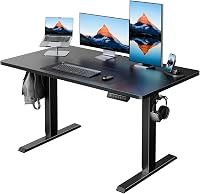
For most people with a single monitor, we found that a desk around 48 inches wide is a sweet spot. This gives you enough space for the monitor, your keyboard, a mousepad, and maybe a coffee mug or a notepad. You won’t feel like you’re constantly bumping into things.
Some people even get by with a 40-inch desk if they have a very minimalist setup. But 48 inches offers a bit more breathing room without feeling overwhelming.
The Dual Monitor (or More!) Scenario
Ah, the multi-monitor lifestyle. You’ve got one screen for your work, another for your emails, maybe a third for that cat video playlist you totally don’t have running. This setup definitely needs more width.
Two 24-inch monitors placed side-by-side will already take up a good chunk of space. Add in a keyboard, mouse, and perhaps some speakers or a webcam, and you’ll quickly realize a 48-inch desk might feel tight. We’ve heard from users that dual monitors can feel cramped on anything less than 55 inches.
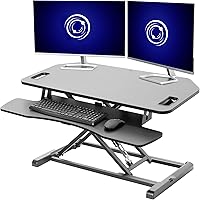
This is where 60-inch wide standing desks really shine. They offer ample room for two, or even three, standard-sized monitors. You can arrange them comfortably without them feeling like they’re all crammed together. This width allows for a more ergonomic setup, too, so you’re not constantly twisting your neck.
What if you have super-ultrawide monitors? Those are a whole different beast and often require custom solutions or desks that are 72 inches or wider.
What About Monitor Arms?
If you’re planning to use monitor arms, which clamp onto the back of your desk, this can slightly change things. Monitor arms often allow you to position your screens a bit further back. This can free up some desk surface space in front of you.
However, the base of the monitor arm still needs space. Some arms require a few inches of depth at the back. So, while they can help, don’t assume they’ll magically make a narrow desk feel wide enough for multiple screens.
Beyond Monitors: Other Desk Essentials
Monitors are a big piece of the puzzle, but what else lives on your desk? Your desk width needs to accommodate your entire workflow. If you want to keep supplies close but out of sight, see our guide to a standing desk with drawers.
Your Computer and Peripherals
Do you have a hefty desktop tower that sits on your desk? Or maybe a collection of external hard drives, a charging station, or a printer? These items eat up valuable desk real estate.
We found that people who keep their computer towers or larger peripherals on their desk generally need at least a 60-inch desk, especially if they also have multiple monitors. If your computer tower sits on the floor, you might be able to get away with a bit less width.
The “Desk Clutter” Factor
Let’s be honest, some of us are tidier than others. Do you have a tendency to spread out? Do you like having reference books, a physical planner, a coffee mug collection, and maybe a stress ball within easy reach?
If you like to keep a lot of things accessible on your desk surface, you’ll need more width. A minimalist might be happy with 48 inches. Someone who likes to have everything handy might need 60 inches or even 72 inches.
Think about what’s currently on your desk at home or in the office that you need to have nearby. Measure that space. You’ll want a new desk that comfortably fits at least that much.
Ergonomics and Elbow Room
Ergonomics isn’t just about screen height; it’s also about comfortable arm positioning. You want enough space to place your keyboard and mouse so your elbows can be at roughly a 90-degree angle. Your wrists should be relatively straight when typing.
If your desk is too narrow, you might find yourself with your keyboard shoved too far forward or your mouse awkwardly placed. This can lead to discomfort over time. We found that a desk that’s too narrow can negatively impact your posture, even if you’re using it while standing (Cleveland Clinic).
Having at least 24-30 inches of depth on your standing desk is also important for ergonomics. This ensures your monitor(s) are at a good distance and you have space for your keyboard and mouse without feeling too close to the edge.
Desk Depth vs. Width: What’s the Difference?
It’s easy to mix up width and depth. Width is side-to-side. Depth is front-to-back. While this post focuses on width, don’t forget depth! For room planning, our guide to standing desk space requirements explains how much space to allow.
A common depth for standing desks is 24 to 30 inches. This is usually sufficient for a single monitor, keyboard, and mouse. If you have very large monitors or a deep keyboard tray, you might want to look for a desk with more depth.
However, for most standard setups, width is the primary concern for fitting multiple items side-by-side and ensuring comfortable reach.

Common Standing Desk Widths and Who They’re For
Let’s summarize typical standing desk widths and who they usually work best for:
| Desk Width | Ideal For | Notes |
|---|---|---|
| 30-40 inches | Minimalist, single laptop user, small spaces. | Can feel cramped for anything beyond a laptop and mouse. |
| 48 inches | Single monitor, standard keyboard/mouse, some accessories. | A great all-around starting point for many home offices. |
| 60 inches | Dual monitors, multiple peripherals, more spread-out workspace. | The most popular size for serious multi-taskers. |
| 72 inches+ | Three+ monitors, extensive equipment, large studios, executive setups. | Requires significant room space. |
A Quick Checklist for Your Desk Width Decision
Still not sure? Grab a piece of paper and run through this:
- Count your monitors: How many screens do you use regularly?
- Measure your main peripherals: Keyboard, mousepad, speakers, etc.
- Factor in extras: Do you keep a notebook, planner, or other items handy?
- Consider your computer: Does its tower sit on the desk?
- Visualize your ideal setup: How much space do you want?
- Check your room dimensions: Ensure your chosen desk width fits comfortably.
Conclusion
Choosing the right standing desk size is key to a comfortable and productive workspace. We found that your monitor setup is the biggest factor. A single monitor often works well on a 48-inch desk, providing enough room for essentials. If you use multiple screens, or need space for other items like desktop towers or reference materials, a 60-inch or wider desk is usually a better fit. Don’t forget to measure your current setup and visualize your ideal workflow. Your next step is to measure your space and decide which of these common widths will best support your daily tasks.
Frequently Asked Questions
Will a 48-inch standing desk be wide enough for me?
A 48-inch standing desk is often sufficient if you use a single monitor, a standard keyboard, and a mouse. It allows for comfortable typing and mousing space. You can also fit a few small accessories like a notepad or a mug. If you have multiple monitors or prefer a more spread-out workspace, you might find it a bit tight.
How much desk width do I really need for two monitors?
For dual monitors, we found that 60 inches is typically the best width. This size comfortably accommodates two standard monitors side-by-side. You’ll also have room for your keyboard, mouse, and other common desk items. Anything less than 55 inches can start to feel cramped with two screens.
What if I have a very large or ultrawide monitor?
Ultrawide monitors, or very large single displays, often require more desk width than standard setups. You might need a 60-inch desk or even go up to 72 inches or more. Measure your specific monitor dimensions and consider any additional equipment you plan to use.
Should I consider desk depth as well as width?
Yes, desk depth is important for ergonomics. A common depth is 24 to 30 inches, which provides enough space for monitors at a comfortable viewing distance and room for your keyboard and mouse. Ensure your chosen desk depth allows your monitor(s) to be positioned at least an arm’s length away.
How do I measure my current desk space for comparison?
To measure, use a tape measure to get the side-to-side distance of your current desk surface. Note down how much space your monitors, keyboard, mouse, and any other frequently used items take up. This will give you a clear idea of the minimum width you’ll need for your new standing desk.