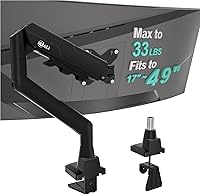
9 Best Heavy Duty Monitor Arms (November 2026)
The best heavy duty monitor arm include the WALI Heavy Duty Monitor Arm for 13-49 for 49 inch ultrawide on a budget, the HUANUO FlowLift™ Pro Monitor Arm for 13–32" for 13 to 32 inch monitors, and the ErGear Heavy Duty Monitor Arm for 13-49″ for tall height adjustment.
On this page (9 sections)
- Our top heavy duty monitor arm picks
- How we compared these heavy duty monitor arms
- How much weight does a heavy duty monitor arm need to hold?
- Which VESA pattern do I need for a heavy duty arm?
- Will a heavy duty arm fit my desk thickness?
- How much extension and height do I need?
- What is the best heavy duty monitor arm for a 49 inch ultrawide?
- How do I set up a heavy duty monitor arm without sagging?
- Our verdict: which heavy duty arm should you buy?
The best heavy duty monitor arm for most buyers is the WALI Heavy Duty Monitor Arm for 13-49 inch, because it combines a 44 lb limit, 49 inch fit and full motion at a mid-range position. Our score weighs specs, features and buyer feedback against what you are shopping for.
A heavy duty arm is not just a strong arm. It must hold your exact screen weight without sagging, fit your VESA pattern, and mount to your desk thickness.
Start with our monitor arm mount guide if you are new to this type of mount.
Our picks at a glance
-
1
 Best for 49 inch ultrawide on a budget
WALI Heavy Duty Monitor Arm for 13-49
9.7/10 our score
See it on Amazon -
2
 Best for 13 to 32 inch monitors
HUANUO FlowLift™ Pro Monitor Arm for 13–32"
9.7/10 our score
See it on Amazon -
3
 Best for tall height adjustment
ErGear Heavy Duty Monitor Arm for 13-49″
9.6/10 our score
See it on Amazon
- 4
 Check it
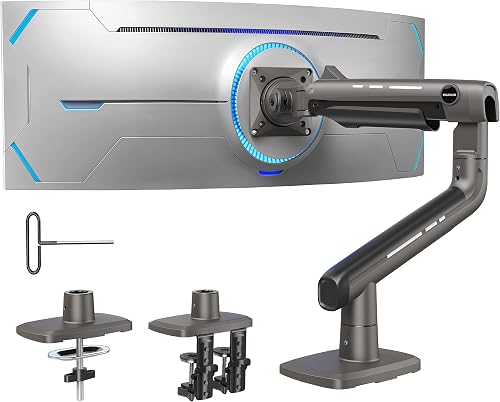
HUANUO TitanLift Heavy Duty Monitor Arm
Best for aluminum ultrawide mounts - 5
 Best for premium office useCheck it
- 6
 Best for spring assisted movementCheck it
- 7
 Check it
ULTRARM Heavy Duty Monitor Arm for Ultrawide
Best for modular expansion - 8
 Check it
VIVO Heavy Duty Aluminum Ultrawide Monitor Tension
Best for Samsung Odyssey G9 - 9
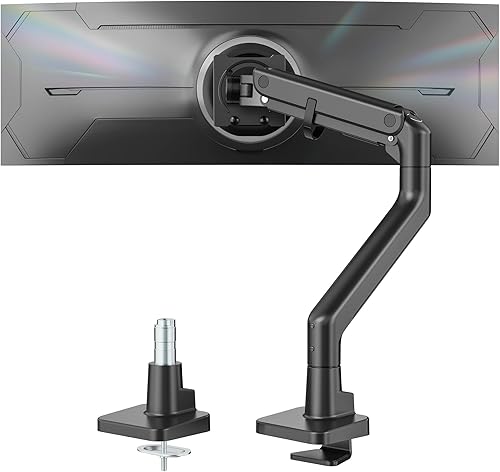 Best for 57 inch screens over 44 lbCheck it
Our top heavy duty monitor arm picks
The WALI and ErGear lead for 49 inch screens under 44 lb. The monTEK and ULTRARM cover 57 inch screens.
The HUANUO FlowLift Pro is the only pick here aimed at 13 to 32 inch screens.
WALI Heavy Duty Monitor Arm for 13-49: Best for 49 inch ultrawide on a budget
- 13-49 inch screens, up to 44 lb
- 75x75mm and 100x100mm VESA
- Extends 21.57 in, rises 20.35 in
- C-clamp and grommet for 0.39-3.15 in desks
A wide fitting arm that lifts a big screen off the desk and keeps tilt, swivel and rotation for eye level work.
Pros
- Fits screens to 49 inch and 44 lb
- Long extension and height range
- Cable management along the arm
Cons
- Speed and feel depend on tension setting
- Desk needs a clear underside for mounting
The WALI suits a home office or gaming desk with a 34 to 49 inch flat or 1000R curved screen. It holds up to 44 lb, so it covers many large ultrawides that lighter arms cannot hold.
The screen range starts at 13 inch, which makes it flexible if you move it to a smaller monitor later.
In daily use, the arm extends 21.57 in out and raises the screen 20.35 in above the desk. That reach helps you pull the screen close on a deep desk or push it back on a shallow one.
It swivels 90 degrees each way, tilts 45 degrees each way, and rotates 360 degrees for portrait or screen sharing.
For set up, you get a C-clamp or grommet base for desks 0.39 to 3.15 in thick. WALI says to use a wooden desk with no crossbeam blocking the underside.
That limit matters, because a clamp needs a clear edge to grip.
Trade-off: it does not cover 57 inch screens, and a very heavy or deep 49 inch screen near 44 lb will need careful tension tuning. If your screen is in range, this is the most balanced pick here.
HUANUO FlowLift™ Pro Monitor Arm for 13–32": Best for 13 to 32 inch monitors
- 13-32 inch, 4.4-15.4 lb
- MechaSpring arm, tool-free VESA plate
- Extends 18.7 in, height 16.5 in
- Wood desks 0.59-3.54 in
A lighter arm for everyday 24 to 27 inch screens, with a quick snap-in VESA plate and visible tension window.
Pros
- Tool-free quick release VESA plate
- Visible tension adjustment
- Smooth hold for set-and-forget work
Cons
- Not for screens over 32 inch
- Only for wood desks in the stated thickness
The HUANUO FlowLift Pro suits a desk with a 24 to 32 inch monitor in the 4.4 to 15.4 lb range. It is not a 49 inch arm.
If you have a standard office screen, the lower load limit keeps the arm smaller and easier to adjust with one finger.
Daily use centres on the MechaSpring arm and the LockSteady system. HUANUO says the arm resists screen droop and holds its position for set-and-forget work.
The PrecisionView window shows tension with a yellow indicator, so you can see when the setting matches your monitor weight instead of guessing by feel.
It extends 18.7 in and gives 16.5 in of height adjustment. Tilt goes to +85 and -25 degrees, with 90 degree swivel and rotation.
The InstaMount VESA plate snaps in with a click, which helps when you hold a screen with one hand.
Trade-off: screen size stops at 32 inch and weight at 15.4 lb. For that size class, it is a strong pick.
For ultrawides, look at the 44 lb arms below.
ErGear Heavy Duty Monitor Arm for 13-49″: Best for tall height adjustment
- 13-49 inch, 37.4 lb capacity
- Extends 21.2 in, rises 22.2 in
- C-clamp 0.39-3.15 in, grommet 0.39-2 in
- VESA 75x75 / 100x100mm
A tall reaching arm for ultrawide screens, with a thick steel build and a wide height range for standing desks.
Pros
- Raises screen up to 22.2 in
- Dual C-clamp spreads desk load
- Pre-assembled design for faster set up
Cons
- Load limit is lower than 44 lb rivals
- Clamp thickness needs a gap from the wall
The ErGear suits a standing desk user who needs the screen higher than most arms allow. It fits 13 to 49 inch screens and holds 37.4 lb, so check your weight first.
The load limit is lower than the 44 lb arms, but the height range is taller.
The arm extends 21.2 in and raises the screen 22.2 in high. That extra height helps when you stand and want the top of the screen near eye level.
Tilt is +30 to -40 degrees, swivel is 90 degrees each way, and rotation is 360 degrees.
Mounting uses a dual C-clamp for desks 0.39 to 3.15 in thick, or a grommet mount for 0.39 to 2 in. ErGear notes that clamp thickness means the desk cannot sit fully flush to the wall.
Leave a small gap, or choose a desk with a rear cutout.
Trade-off: at 37.4 lb, it has less headroom for the heaviest 49 inch screens. If your screen is under that limit and you want height, it is a better fit than a shorter arm.
HUANUO TitanLift Heavy Duty Monitor Arm: Best for aluminum ultrawide mounts
- 17-49 inch, 6.6-44 lb
- Aluminum alloy, VESA 75/100mm
- Extends 22.5 in, height 19.6 in
- Wood desks 0.8-3.5 in, dual C-clamp
An aluminum arm for 49 inch screens, with one-hand tension control and a quick-install VESA head.
Pros
- Holds 44 lb up to 49 inch
- One-hand tension adjustment
- Built-in cable management
Cons
- Rotation limited on screens over 35 inch
- Wood desks only, no crossbeam below
The TitanLift suits a wood desk with a 17 to 49 inch ultrawide in the 6.6 to 44 lb range. It uses high-strength aluminum alloy, with arms that HUANUO says are 20% thicker and a base 30% wider than the prior design.
That build matters when a wide screen puts leverage on the joints.
In use, it extends 22.5 in and adjusts height to 19.6 in from the desk to the VESA centre. Tilt runs +50 to -50 degrees, swivel is 180 degrees each way, and rotation is 360 degrees on screens to 35 inch.
On larger screens, rotation range is more limited, so plan portrait use by screen size.
Tension uses one-hand operation with an Allen key in a side bolt. The quick-install VESA head helps you mount a 49 inch screen without holding it for long.
Cable management runs along the arm for a tidy desk.
Trade-off: HUANUO says wood desks only, 0.8 to 3.5 in thick, with no crossbeam below. If your desk is glass, plastic or has a beam, this arm is not the right choice.
Ergotron: Best for premium office use
- Up to 49 inch, 20-42 lb
- VESA 75, 100, 200x100, 200x200mm
- 11.5 in lift, screen 17.8 in above desk
- Desk clamp 0.4-2.6 in, plus grommet
A premium single arm for large flat or slight curved screens, with platform accessories for dual or triple set ups.
Pros
- Wide VESA pattern range
- Low profile clamp for tight spaces
- 10-year warranty from Ergotron
Cons
- Some 49 inch models need a separate HD pivot
- Heavier arm to install
The Ergotron HX suits a premium office where you want a platform arm, not a one-off mount. It fits single screens to 49 inch and 20 to 42 lb, flat or slight curved.
It also fits VESA patterns 75x75, 100x100, 200x100 and 200x200mm, which is wider than most arms here.
Daily motion includes 11.5 in of lift, with the screen rising 17.8 in above the desktop. It rotates 360 degrees and tilts 75 degrees.
The two-piece desk clamp fits edges 0.4 to 2.6 in thick, and a grommet mount is included for a hole in the surface.
Ergotron notes that the Samsung 49 inch Odyssey G9 needs a separate HX Heavy Duty Tilt Pivot, or a bundled version with that pivot in the box. That detail matters, because the standard pivot may not suit every 49 inch curve at full weight.
Trade-off: the arm is heavy at 17.2 lb and the price tier is premium. You gain platform accessories for dual or triple screens, plus a 10-year warranty.
For a simple single screen, a lighter arm may be enough.
MSI MAG MT201: Best for spring assisted movement
- 17-49 inch, 4.4-44 lb
- Clamp 10-85mm, grommet 10-35mm
- Quick release VESA plate
- Tilt +50/-20, swivel +/-90, rotation +/-180
A spring assisted single arm for 17 to 49 inch screens, with clamp and grommet options and quick release mounting.
Pros
- Covers 17-49 inch at 44 lb
- Quick release VESA plate
- Wide clamp thickness range
Cons
- Tilt range is narrower than some rivals
- Rotation is 180 degrees each way, not full 360
The MSI MAG MT201 suits a gaming or work desk with a 17 to 49 inch screen in the 4.4 to 44 lb range. It uses a spring assisted mount, so height changes feel lighter than a fixed arm.
The quick release VESA plate helps you take the screen on and off without loose screws.
Adjustments include tilt to +50 and -20 degrees, swivel to 90 degrees each way, and rotation to 180 degrees each way. That rotation range suits portrait use for documents or code, though it is not a full 360 degree turn.
Base options cover a wide range. The clamp fits desks 10 to 85mm thick, and the grommet fits 10 to 35mm.
In inches, that is about 0.4 to 3.3 in for the clamp. VESA fit is 75x75 and 100x100mm, which covers most large monitors.
Trade-off: tilt is narrower on the downward side than the WALI or TitanLift, and rotation stops at 180 degrees each way. If you want full 360 degree rotation, the WALI or ErGear gives more range.
For spring assisted ease, the MSI is a solid mid pick.
ULTRARM Heavy Duty Monitor Arm for Ultrawide: Best for modular expansion
- Up to 57 inch, 44 lb, down to 24 inch
- Pneumatic spring, 13 in height adjust
- Clamp 0.6-3.3 in, grommet 0.6-1.9 in
- Modular arms for dual or triple use
A tall pole arm for ultrawide screens to 57 inch, with modular extension arms if you change your layout later.
Pros
- Fits screens up to 57 inch
- Modular base can expand to dual or triple
- 13 in smooth height adjustment
Cons
- Tilt is only +25 to -25 degrees
- Extension arms are sold separately
The ULTRARM suits a desk that may change layout later. It holds one screen to 44 lb, fits ultrawides to 57 inch and down to 24 inch, and uses a tall pole base with modular extension arms.
That modular base can grow to a dual or triple mount, which is rare in this group.
Height adjustment is 13 in with a pneumatic spring. Tilt is only +25 to -25 degrees, swivel is 180 degrees, and rotation is 180 degrees.
Those limits are tighter than the 360 degree rotation arms, so check how you use portrait mode before you buy.
Mounting fits a clamp on desks 0.6 to 3.3 in thick, or a grommet on 0.6 to 1.9 in. VESA fit is 75x75 and 100x100mm.
The quick release VESA plate helps with a heavy ultrawide during set up.
Trade-off: extension arms are sold separately, and tilt range is small. If you want a single arm with wide tilt, the WALI or TitanLift is simpler.
If you want to expand to two or three screens on one base, the ULTRARM has a clear path.
VIVO Heavy Duty Aluminum Ultrawide Monitor Tension: Best for Samsung Odyssey G9
- Up to 49 inch, 44 lb
- Spring assist, 11 in height adjustment
- C-clamp to 3.2 in, grommet to 1.4 in
- VESA 75x75 / 100x100mm
An aluminum tension arm for 49 inch ultrawides such as the Samsung Odyssey G9, with detachable VESA plate.
Pros
- Designed for screens like Odyssey G9
- Spring assist for height changes
- Detachable VESA plate
Cons
- Grommet thickness limit is 1.4 in
- Height adjustment is 11 in
The VIVO suits a gaming desk with a 49 inch ultrawide such as the Samsung Odyssey G9. It fits screens to 49 in and 44 lb, with 75x75 or 100x100mm VESA patterns.
VIVO designed this tension arm for large screens that need spring assist to move.
The arm gives 11 in of height adjustment with spring lift. Tilt runs +50 to -20 degrees, swivel is 180 degrees, and rotation is 360 degrees.
That range lets you move from landscape to portrait and share the screen by turning it toward another person.
Desk fit uses a C-clamp to 3.2 in thick, or a grommet to 1.4 in. The grommet limit is thinner than most rivals, so a thick desk with a grommet hole may not suit this arm.
A detachable VESA plate and integrated cable covers help with set up and tidy wires.
Trade-off: height adjustment is 11 in, which is less than the ErGear or WALI. For a seated desk, that is often enough.
For a tall standing set up, check your eye height against the total reach. Our best vivo monitor arm for ultrawide guide covers more VIVO options.
monTEK Heavy Duty Monitor Arm: Best for 57 inch screens over 44 lb
- 17-57 inch, up to 59.4 lb
- Gas spring, height 11.3-22 in
- Extends 19.7 in, tilt +/-75
- C-clamp and grommet, VESA 75/100mm
The highest load limit here at 59.4 lb, for 57 inch curved screens that exceed the 44 lb arms.
Pros
- Highest load limit at 59.4 lb
- Fits 57 inch screens
- Wide tilt range to +/-75 degrees
Cons
- VESA adapter not included if needed
- Fewer buyer reports than older models
The monTEK suits the largest screens here. It fits 17 to 57 inch monitors and holds 59.4 lb, which is well above the 44 lb limit on most rivals.
If your 57 inch curved screen weighs more than 44 lb, this is one of the few arms in this group that states a higher limit.
Motion includes tilt from +75 to -75 degrees, swivel of 180 degrees, and rotation of 90 degrees each way for portrait. Height runs 11.3 to 22 in, and the arm extends 19.7 in.
That tilt range is the widest here, which helps with a deep curved screen.
Build uses steel and aluminum, and monTEK says the gas spring passed over 20,000 life tests. The quick release VESA plate and labelled parts help with set up.
VESA fit is 75x75 or 100x100mm. If your screen lacks those holes, you will need your own adapter, and that adapter is not included.
Trade-off: fewer buyer reports than the WALI or ErGear, and the higher load limit does not remove the need to check VESA fit. For 49 inch screens under 44 lb, the top picks are simpler.
For 57 inch screens, this arm has the clearest load headroom.
How we compared these heavy duty monitor arms
We compared screen size, weight limit, VESA fit, desk thickness and motion range from the product data. We also checked mount type, cable management and warranty terms where stated.
No arm here suits every desk. A 44 lb limit is useless if your desk is glass or your screen uses 200x200mm VESA holes.
We ranked by fit for the main search: a large or ultrawide screen that must stay level without sagging.
Scores reflect how well each arm matches that search. The WALI scores high for range and load.
The FlowLift Pro scores high for smaller screens, even though it cannot hold an ultrawide. The monTEK scores lower overall because few buyers need 59.4 lb, even though it is the right pick for the heaviest screens.
How much weight does a heavy duty monitor arm need to hold?
A heavy duty arm should hold your monitor weight with room to spare, not at the limit. Check the weight with the stand removed, because the arm only carries the screen and its VESA bracket.
Most large screens here need a 44 lb arm. The ErGear holds 37.4 lb, so it suits lighter 49 inch models.
The Ergotron holds 20 to 42 lb, so it suits screens inside that band. The monTEK holds 59.4 lb for 57 inch models above 44 lb.
What happens if you exceed the load limit?
The screen may droop at the front, tilt under its own weight, or stress the desk clamp. Tension cannot fix an overload.
If your screen is close to the limit, choose the next size up.
Should you buy for screen size or weight?
Buy for weight first, then size. Two 49 inch screens can have very different weights.
A light 49 inch model may fit a 37.4 lb arm, while a heavy 38 inch model may need 44 lb.
Which VESA pattern do I need for a heavy duty arm?
Most arms here use 75x75mm or 100x100mm VESA patterns. Check the back of your monitor for four threaded holes in that pattern before you order.
What if my monitor has 200x200mm holes?
The Ergotron fits 200x100 and 200x200mm patterns. Most other arms here do not.
A VESA adapter may help, but check depth and weight after adding it.
How do I check VESA fit in 30 seconds?
Measure the distance between hole centres horizontally and vertically. Compare both numbers with the arm spec.
Also check that the holes are on the back of the screen, not inside a recess that blocks the plate.
Will a heavy duty arm fit my desk thickness?
Most clamp mounts here fit wood desks from about 0.39 in to 3.15 in thick. The TitanLift fits 0.8 to 3.5 in.
The MSI clamp fits 10 to 85mm.
Can I mount to a glass or plastic desk?
Do not assume so. HUANUO says wood desks only for the TitanLift.
Other makers also recommend wood desks with no crossbeam below the edge. Glass and plastic desks can crack or flex under a clamp load.
Clamp or grommet mount: which is better?
A clamp grips the rear edge and needs no hole. A grommet uses a hole in the desk and can sit closer to the wall.
Thickness limits differ, so check both ranges. Our best heavy duty monitor arm pole guide covers pole style bases in more detail.
How much extension and height do I need?
Extension is how far the screen moves out from the desk edge. Height is how high the screen rises.
A deep desk needs more extension. A standing desk needs more height.
The WALI extends 21.57 in and rises 20.35 in. The ErGear rises 22.2 in, which suits standing use.
The TitanLift extends 22.5 in, which suits a deep desk. The FlowLift Pro extends 18.7 in, which suits a standard 24 to 32 inch screen.
How high should the top of the screen sit?
Aim for the top of the screen at or just below eye level. Measure your seated or standing eye height, then add the arm height to your desk height.
If the total is too low, you will look down through the day.
Do I need 360 degree rotation?
You need it for true portrait mode or for turning the screen to share work. If you only tilt and swivel, 180 degree rotation may be enough.
Check the spec, because rotation limits change with screen size on some arms.
What is the best heavy duty monitor arm for a 49 inch ultrawide?
The best heavy duty monitor arm for a 49 inch ultrawide is the WALI, because it fits 49 inch, holds 44 lb, and gives 360 degree rotation. The TitanLift and VIVO are also strong for 49 inch screens.
Check weight and VESA fit on your exact model. A Samsung Odyssey G9, for example, is named by VIVO and Ergotron, but Ergotron notes a separate HD pivot for that model.
Our best monitor arm for 49 ultrawide guide covers 49 inch set ups in more detail.
Should I choose a 49 inch arm or a 57 inch arm?
Choose a 57 inch arm only if your screen is over 49 inch or over 44 lb. The ULTRARM and monTEK fit to 57 inch.
For a 49 inch screen, a 44 lb arm is usually simpler and has more motion range.
What about 34 inch ultrawides?
A 34 inch screen often weighs far less than a 49 inch model, so a 44 lb arm gives plenty of headroom. Our best monitor arm for 34 inch ultrawide guide covers that size class.
For general ultrawide picks, see best monitor arm for ultrawide.
How do I set up a heavy duty monitor arm without sagging?
Mount the base first, then fit the screen with help, then set tension in small steps. Keep the screen level and check tilt after each change.
A second person helps with a 49 inch screen.
What order should I follow?
Fit the VESA plate to the screen, lift the screen onto the arm, tighten the plate, then adjust height and tilt. Set tension last.
Route cables after the screen is in place, so the cables do not pull the arm off balance.
How often should I check tension?
Check after the first week, then each season. Cold rooms, cable weight and repeated moves can change how the arm holds.
If the front corner drops, add a small amount of tension and recheck.
Can I add a second or third screen later?
Some bases support expansion. The ULTRARM base can grow to dual or triple mounts.
Ergotron offers dual and triple kits. Our best monitor arms for 3 monitors guide covers triple layouts.
Our verdict: which heavy duty arm should you buy?
Pick the WALI if your screen is 49 inch or less and under 44 lb. It has the best balance of load, reach and motion here.
Pick the ErGear if you stand at your desk and need more height. Pick the monTEK if your screen is 57 inch or over 44 lb.
Pick the HUANUO FlowLift Pro if your screen is 32 inch or less and under 15.4 lb.
Pick the Ergotron if you want wider VESA fit and platform accessories for office growth. Pick the VIVO if your main screen is a Samsung Odyssey G9 at 49 inch.
Before you order, measure three things: screen weight without the stand, VESA pattern, and desk thickness. That check takes five minutes and prevents most returns.
For taller users, our best monitor arms for tall people guide adds height tips.
Our top 3 picks at a glance
-
1
Best for 49 inch ultrawide on a budget
WALI Heavy Duty Monitor Arm for 13-49
9.7/10 our score
See it on Amazon -
2
Best for 13 to 32 inch monitors
HUANUO FlowLift™ Pro Monitor Arm for 13–32"
9.7/10 our score
See it on Amazon -
3
Best for tall height adjustment
ErGear Heavy Duty Monitor Arm for 13-49″
9.6/10 our score
See it on Amazon
Frequently asked questions
How much weight should a heavy duty monitor arm hold?
Match the arm to your monitor weight, not just screen size. Most arms here hold 44 lb, the monTEK holds 59.4 lb, and the HUANUO FlowLift Pro holds 15.4 lb for smaller screens.
Stay inside the stated range for both size and weight.
Will a heavy duty arm fit a 49 inch ultrawide?
Yes, if the screen is 49 inch or less, within the weight limit, and has 75x75mm or 100x100mm VESA holes. Check all three.
Some models, such as Ergotron, use wider VESA patterns and may need a different pivot for certain 49 inch screens.
Can I use a grommet mount instead of a clamp?
Often yes, but desk thickness limits differ for each method. Check the clamp range and the grommet range for the arm you pick.
A grommet needs a hole in the desk and a clear path below it.
What desk thickness do I need?
Most arms here fit desks from about 0.39 in to 3.15 in or 3.5 in with a clamp. Glass and plastic desks may not be suitable.
Wood desks with no crossbeam below the edge are the safest fit.
How do I stop a monitor arm from sagging?
Set the tension for your monitor weight, mount the arm firmly, and keep the screen within the rated load. If the screen drops at the front, add tension in small steps and recheck tilt.
Do not exceed the weight limit to force a fit.