9 Best Monitor Arms for Ultrawide Monitors (November 2026)
The best ultrawide monitor arms include the WALI Ultrawide Single Monitor Arm for 17-49 for most ultrawide desks, the ErGear Heavy Duty Monitor Arm for 13-49″ for heavy 49 inch screens, and the WALI Adjustable Single Monitor Arm for 13-34 for 34 inch ultrawides.
On this page (11 sections)
- Which ultrawide monitor arm should you buy first?
- How we compared these ultrawide monitor arms
- How much weight can a heavy duty monitor arm for ultrawide hold?
- How much tilt and reach do you need for an ultrawide?
- Can one arm hold a 49 inch ultrawide safely?
- Which arm fits a 34 inch ultrawide best?
- How do you mount an ultrawide arm without wobble?
- What if you want more than one screen on the arm?
- How do these compare with other screen sizes?
- More guides on this topic
- Verdict: which ultrawide monitor arm is the best buy?
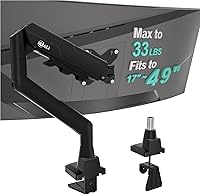
The best monitor arm for ultrawide monitors for most desks is the WALI Ultrawide Single Monitor Arm for 17-49 inch, because it supports screens up to 49 inches and 33 lb with wide motion and cable guides.
If your screen is close to that weight limit, step up to a 44 lb model instead.
An ultrawide changes how a monitor arm needs to work. The screen is wider, it sits farther from the mount point, and tilt creates more leverage at the joint.
A weak arm will sag at the front edge or drift when you type. The right arm holds the screen level, lets you pull it close, and keeps cables clear of your keyboard.
Our score weighs specs, features and buyer feedback against what you are shopping for. We compared weight limits, tilt ranges, reach, mounting options and VESA fit across these 9 picks.
Brands are named where they make a claim about durability, warranty or testing.
Start with our monitor arm mount guide if you want the full buying background. If you lean toward one brand, compare the best vivo monitor arm for ultrawide options side by side.
For the largest screens, our best monitor arm for 49 ultrawide picks go deeper on super wide loads.
Our picks at a glance
-
1
 Best for most ultrawide desks
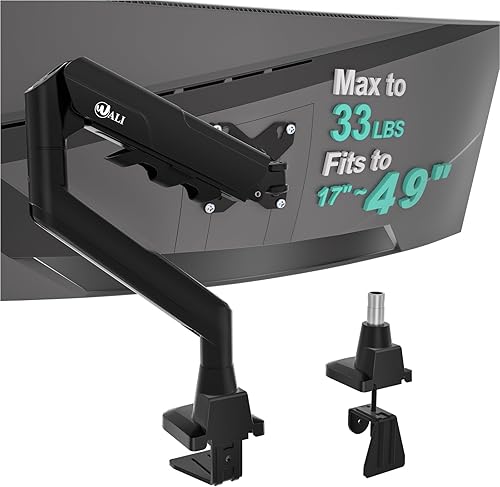
WALI Ultrawide Single Monitor Arm for 17-49
9.7/10 our score
See it on Amazon -
2
 Best for heavy 49 inch screens
ErGear Heavy Duty Monitor Arm for 13-49″
9.6/10 our score
See it on Amazon -
3
 Best for 34 inch ultrawides
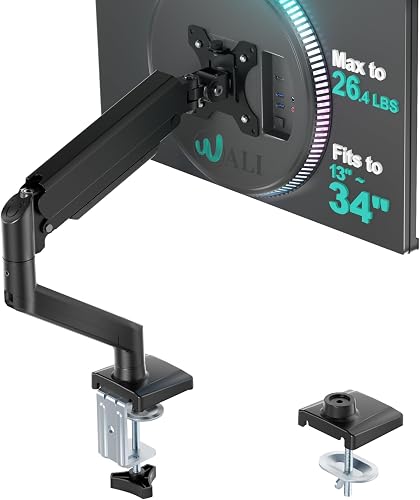
WALI Adjustable Single Monitor Arm for 13-34
9.6/10 our score
See it on Amazon
- 4
 Best for tool-free setupCheck it
- 5
 Check it
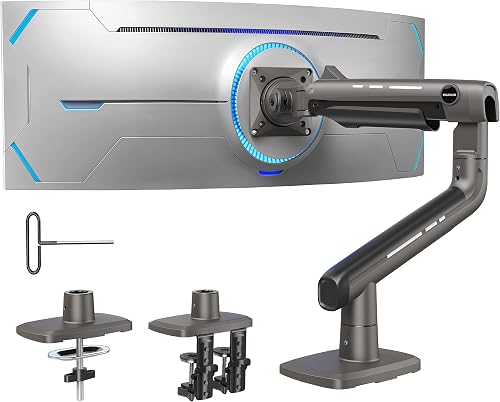
HUANUO TitanLift Heavy Duty Monitor Arm
Best for maximum load - 6
 Check it
VIVO Premium Aluminum Monitor Arm for Ultrawide
Best for pneumatic height change - 7
 Check it
ULTRARM Heavy Duty Monitor Arm for Ultrawide
Best for screens over 49 inches - 8
 Check it
VIVO Heavy Duty Aluminum Ultrawide Monitor Tension
Best for curved gaming screens - 9
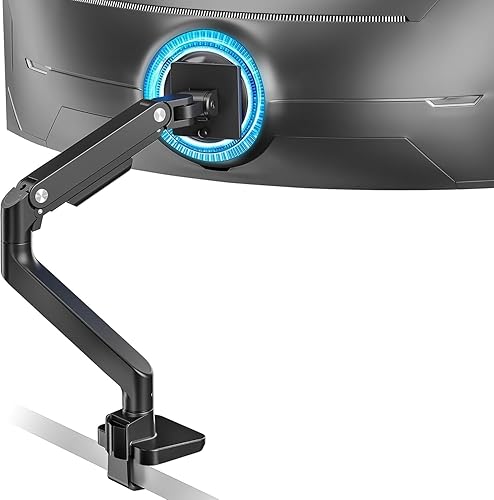 Check it
ARES WING Ultrawide Monitor Desk Arm
Best for gas spring adjustment
Which ultrawide monitor arm should you buy first?
The WALI 17-49 inch model is the safest first pick for a standard 34 to 49 inch screen under 33 lb. The ErGear 13-49 inch model adds weight headroom and a thicker C-clamp range.
The 34 inch picks suit smaller screens and cost less effort to position each day.
WALI Ultrawide Single Monitor Arm for 17-49: Best for most ultrawide desks
This WALI arm suits a 34 to 49 inch ultrawide that weighs up to 33 lb. It fits flat screens and 1800R curved screens from 17 to 49 inches, with VESA 75x75 and 100x100 holes.
That range covers most office and gaming ultrawides without forcing you into a very large mount.
Reach matters with a wide screen. This arm extends 21.14 inches and raises up to 20.59 inches above the desk.
You can pull the screen forward for close work, then push it back to reclaim desk space. Swivel is +90 to -90 degrees, tilt is +75 to -75 degrees, and rotation is 360 degrees, so portrait mode and angle changes are easy.
The trade-off is the 33 lb cap. A heavy 49 inch curved screen near that limit leaves less margin than a 44 lb arm.
WALI says the core passed 20,000+ cycles and offers a 3-year warranty. Cable guides run along the arms to keep cords off the desk.
ErGear Heavy Duty Monitor Arm for 13-49″: Best for heavy 49 inch screens
This ErGear arm suits buyers with a heavy 49 inch ultrawide up to 37.4 lb. It fits screens from 13 to 49 inches and works with VESA 75x75 or 100x100 holes.
Curved and super wide displays are in scope, so it covers the screens that stress a standard arm most.
Stability is the main gain here. ErGear uses a dual C-clamp and a thickened steel arm to spread the load.
The C-clamp fits desks from 0.39 to 3.15 inches thick, while the grommet option fits 0.39 to 2 inches. That wider clamp range helps on thick wooden desks where other arms fall short.
Full motion includes +30 to -40 degrees tilt, +90 to -90 degrees swivel and 360 degrees rotation. Reach is 21.2 inches and height goes up to 22.2 inches.
ErGear says the design is built for up to 10 years of daily use and backs it with a 10-year warranty. Note the clamp needs a small gap from the wall, so plan desk placement first.
WALI Adjustable Single Monitor Arm for 13-34: Best for 34 inch ultrawides
This WALI arm suits a 34 inch ultrawide or a standard screen up to 32 inches. It holds up to 26.4 lb for flat screens and 19.8 lb for curved screens, which tells you curved weight limits matter.
VESA 75x75 and 100x100 holes are supported.
For a 34 inch screen, the motion is generous. Reach is 19.3 inches and height rises to 17.3 inches.
Swivel is +180 to -180 degrees, tilt is +70 to -45 degrees, and rotation is 360 degrees. You get more swivel than most arms here, which helps when you turn the screen to share work or switch to portrait.
Cable guides run along the arms, and WALI says the core passed 20,000+ cycles. Mounting fits desks from 0.39 to 2.76 inches with either the C-clamp or grommet base.
The trade-off is size. Do not use this on a 49 inch screen.
If your screen is 34 inches or less, this is a focused pick with a 10-year warranty from WALI.
ErGear Single Monitor Arm: Best for tool-free setup
This ErGear arm suits a 13 to 34 inch screen up to 19.8 lb. That cap makes it a poor fit for a heavy 49 inch ultrawide, but it is well matched to a 34 inch model that weighs less.
VESA 75x75 and 100x100 holes are supported.
The tool-free VESA mount is the standout feature. You can mount the screen in three steps without hunting for tools for that part.
Height adjusts to 17.5 inches and reach is 18.1 inches. Tilt is +80 to -50 degrees, swivel is +90 to -90 degrees, and rotation is 360 degrees.
ErGear says the VESA head is 40% wider and the core passed 20,000+ cycles. Cable clips open with no tools required.
Desk fit is 0.39 to 2.56 inches for the C-clamp and 0.39 to 2.95 inches for the grommet base. The trade-off is capacity.
For a 34 inch ultrawide under 19.8 lb, this gives fast setup and tidy cables without paying for 49 inch strength you do not need.
HUANUO TitanLift Heavy Duty Monitor Arm: Best for maximum load
This HUANUO TitanLift arm suits the heaviest screens in this guide, up to 49 inches and 44 lb. Screen weight must be at least 6.6 lb and no more than 44 lb, with VESA 75x75 or 100x100 holes.
That high cap gives you margin on a large curved display.
The build is aluminum alloy with 20% thicker arms and a 30% wider base. HUANUO says it passed 50,000 cycle motion tests and a 3X load test.
Tilt is +50 to -50 degrees, swivel is 180 degrees each way, and rotation is 360 degrees for screens up to 35 inches. Reach is 22.5 inches and height is up to 19.6 inches from the desk to the VESA center.
Setup uses a quick-install VESA head and one-hand tension adjustment with the included Allen key. Desk support is for wooden desks from 0.8 to 3.5 inches thick, with clear space under the top.
The trade-off is strict fit rules. Plastic and glass desks are not recommended, and a crossbeam can block the mount.
If your desk and screen meet all three checks, this gives the most load headroom here.
VIVO Premium Aluminum Monitor Arm for Ultrawide: Best for pneumatic height change
This VIVO arm suits an ultrawide up to 49 inches and 33 lb, plus standard flat and curved screens up to 32 inches, including 1000R curved screens. VESA 75x75 and 100x100 holes are supported.
If your screen has no VESA holes, VIVO notes you will need an adapter that is not included.
Pneumatic height adjustment is the reason to pick this one. You get 13 inches of smooth height change with a spring lift, plus -30 to +45 degrees tilt, 180 degrees swivel and 180 degrees rotation.
An elbow spring gauge helps you set support for the screen weight. Cable management is built in, and the VESA plate releases quickly for install.
Desk fit is 0.4 to 3.3 inches with the clamp and 0.4 to 1.9 inches with the grommet mount. VIVO backs it with a 3-year warranty.
The trade-off is rotation and swivel range, which are smaller than the top picks here. For a 49 inch screen under 33 lb where you change height often, the smooth lift is worth more than extra swivel.
ULTRARM Heavy Duty Monitor Arm for Ultrawide: Best for screens over 49 inches
This ULTRARM arm suits ultrawide screens up to 57 inches and 44 lb, which makes it the widest pick here. It also fits 49 to 24 inch flat screens and curved screens up to 1000R.
VESA 75x75 and 100x100 holes are supported.
A pneumatic spring gives 13 inches of height adjustment. Tilt is +25 to -25 degrees, swivel is 180 degrees, and rotation is 180 degrees.
Tilt range is narrower than most picks, so fine angle control is more limited. The base has an extra tall pole and modular extension arms, so the base can be upgraded to a dual or triple mount.
A dual stacked setup can fit two 49 inch ultrawides.
Desk fit is 0.6 to 3.3 inches with the clamp and 0.6 to 1.9 inches with the grommet mount. ULTRARM gives a 3-year warranty.
The trade-off is tilt range and a design aimed at expansion. If your screen is over 49 inches, or you plan to add a second screen later, this is the pick that leaves the most room to grow.
VIVO Heavy Duty Aluminum Ultrawide Monitor Tension: Best for curved gaming screens
This VIVO tension arm suits an ultrawide up to 49 inches and 44 lb, with VESA 75x75 or 100x100 holes. It is pitched for gaming setups like the Samsung Odyssey G9.
The 44 lb cap gives headroom on a large curved screen.
A spring-assist tension arm counterbalances the screen weight for height changes. Articulation includes +50 to -20 degrees tilt, 180 degrees swivel, 360 degrees rotation and 11 inches of spring lift.
That mix suits a screen you move between gaming, work and screen sharing. Cable management covers are integrated to keep cords neat during moves.
Desk fit is up to 3.2 inches with the heavy-duty C-clamp and up to 1.4 inches with the optional grommet mount. The VESA plate is detachable and hardware is included.
VIVO gives a 3-year warranty. The trade-off is tilt range on the downward side, which is less than the top WALI pick.
For a heavy curved gaming screen where one-hand repositioning matters, this tension design is a strong fit.
ARES WING Ultrawide Monitor Desk Arm: Best for gas spring adjustment
This ARES WING arm suits screens from 17 to 49 inches holding 4.4 to 44 lb. It covers flat and curved screens, including the Samsung Odyssey G9 and LG 49 inch models named by the brand.
VESA 75x75 and 100x100 holes are supported, and you need an adapter if your screen has no VESA holes.
Motion is wide for the price class. Tilt is +50 to -20 degrees, swivel is 180 degrees, rotation is 360 degrees, height adjusts from 8.7 to 18.7 inches, and reach is 22.4 inches.
An internal gas spring has passed fatigue tests, per the brand. Built-in cable management helps keep a gaming desk tidy.
Desk fit is 0.5 to 1.8 inches with the C-clamp and 0.5 to 2 inches with the grommet mount. Install is from the top side, so you do not need to crawl under the desk.
ARES WING offers one-on-one install guidance and replacement help. The trade-off is the narrower C-clamp range, so measure a thick desk edge first.
For a 49 inch screen up to 44 lb on a standard desk, this is a capable gas spring pick.
How we compared these ultrawide monitor arms
We checked weight capacity first, because an ultrawide at full extension puts real leverage on the arm. We then compared tilt range, reach, height, desk thickness and VESA fit.
Cable management and warranty terms broke ties where specs were close.
We did not test these arms. Specs, materials and warranty terms come from the product data for each model.
Where a brand makes a durability claim, we name the brand. Scores reflect fit for ultrawide screens, not general monitor use.
How much weight can a heavy duty monitor arm for ultrawide hold?
A heavy duty ultrawide monitor arm should hold your screen weight with margin, not at the exact limit. A 44 lb cap gives you more room than a 33 lb cap on a large curved screen.
Tilt and reach both add leverage, so headroom helps the screen stay level.
How curved screens change the load
Curved screens often weigh more and sit farther forward at the mount point. The WALI 13-34 inch model shows this clearly, with a lower limit for curved screens than flat screens.
Treat curved weight as the real number, not the headline cap.
When 44 lb capacity is worth it
Pick 44 lb models like the HUANUO TitanLift, ULTRARM, VIVO tension arm or ARES WING for a 49 inch screen near 30 lb or more. The extra cap also helps if you tilt the screen forward often.
For a lighter 34 inch screen, a lower cap is fine and easier to adjust.
How much tilt and reach do you need for an ultrawide?
You need enough reach to pull a wide screen close without leaning. Most picks here reach about 18 to 22 inches.
That range lets you set the screen at eye level and push it back when you need desk space.
Tilt strength for wide screens
Tilt matters more on ultrawides because the top and bottom edges swing through a longer arc. Look for at least +50 to -20 degrees, and up to +75 to -75 degrees on the top WALI pick.
A narrow tilt range can leave the top of the screen angled away from you.
Reach for close work and shared screens
Long reach helps for video calls, design work and gaming. The HUANUO and ARES WING reach about 22.5 and 22.4 inches, while the smaller ErGear reaches 18.1 inches.
Longer reach also means more leverage, so pair it with a higher weight cap.
Can one arm hold a 49 inch ultrawide safely?
Yes, if the arm is rated for 49 inches, your screen weight and your desk thickness. Check all three numbers before you order.
A 49 inch rating alone is not enough if the weight cap is too low.
VESA holes and adapters
Every pick here uses VESA 75x75 or 100x100 holes. Some brands note that an adapter is needed if your screen has no VESA holes, and that adapter is not included.
Check the back of your screen first.
Desk material and thickness
Wooden desks with clear underside space are the safest fit across this guide. C-clamp ranges run from about 0.39 inches up to 3.5 inches by model.
A glass or plastic desk, or a desk with a crossbeam at the mount point, can block a safe install.
Which arm fits a 34 inch ultrawide best?
A 34 inch ultrawide does not need a 49 inch arm unless the screen is unusually heavy. The WALI 13-34 inch and ErGear 13-34 inch models are sized for this job.
Our best monitor arm for 34 inch ultrawide guide covers these smaller screens in more depth.
34 inch vs 49 inch arms
Too much arm for a small screen can feel stiff and bulky. A matched arm adjusts more smoothly at lower weights.
Save the heavy duty models for screens that actually need the capacity.
Gaming and curved 34 inch screens
For curved gaming screens, check the curved weight limit, not just screen size. If you game at night and tilt the screen down, a wider tilt range helps you find a comfortable angle.
Our best monitor arm for gaming picks focus on that use.
How do you mount an ultrawide arm without wobble?
Mount the arm on a solid part of the desk edge, away from a drawer or sliding tray. Tighten the clamp evenly and check that the desk top does not flex.
A wobble that shows when you type usually comes from the mount point, not the arm joints.
For curved displays, our best monitor arm for curved monitor guide explains the extra checks. If you own a Dell screen, compare best monitor arm dell options before you buy.
LG users can check best monitor arm lg picks, and MSI users can check best monitor arm msi picks.
Cable routing that stays tidy
Route cables along the arm guides before you set the final height. Leave a little slack at each joint so tilt and swivel do not pull tight.
Zip ties or clips at the desk edge keep the last run off the floor.
Daily care and tension checks
Wipe the arm with a dry cloth and check clamp tightness every few months. If the screen starts to drift forward, adjust tension as the brand directs.
A slow drift is a sign to check weight and tilt load, not to force the joint.
What if you want more than one screen on the arm?
One ultrawide often replaces two smaller screens, but some desks need a second display too. A dual setup can work if the base and pole are rated for two screens.
Our best dual monitor arm for ultrawide monitors guide covers that layout.
Dual arms for curved screens
Two curved screens side by side need strong tilt control on both arms. Our best dual monitor arm for curved monitors guide compares setups for that case.
Weight adds up fast, so check each arm limit on its own.
Pole mounts and clamps
A pole mount spreads load across a wider base. Our best heavy duty monitor arm pole picks cover that style for large screens.
For standard desks, the C-clamp and grommet options in this guide are simpler to install.
How do these compare with other screen sizes?
A 32 inch or 27 inch screen needs far less strength than a 49 inch ultrawide. Our best monitor arm for 32 inch monitor and best monitor arm for 27 inch monitor guides cover those sizes.
For two 32 inch screens, see best dual monitor arm for 32 inch monitor.
More guides on this topic
- Best Heavy Duty Monitor Arms
Verdict: which ultrawide monitor arm is the best buy?
Pick the WALI Ultrawide Single Monitor Arm for 17-49 inch if your screen is up to 33 lb and you want the widest tilt range in this guide. Pick the ErGear 13-49 inch model if you need a thicker C-clamp range and more weight headroom.
Pick the HUANUO TitanLift if you want the highest 44 lb cap on a wooden desk that meets its checks.
For a 34 inch screen, pick the WALI 13-34 inch or ErGear 13-34 inch model instead of a 49 inch arm. For a screen over 49 inches, the ULTRARM is the only pick here rated past that size.
Match the arm to your screen weight, VESA holes and desk thickness, and the best monitor arm for ultrawide use is the one that holds your screen level every day.
Our top 3 picks at a glance
-
1
Best for most ultrawide desks
WALI Ultrawide Single Monitor Arm for 17-49
9.7/10 our score
See it on Amazon -
2
Best for heavy 49 inch screens
ErGear Heavy Duty Monitor Arm for 13-49″
9.6/10 our score
See it on Amazon -
3
Best for 34 inch ultrawides
WALI Adjustable Single Monitor Arm for 13-34
9.6/10 our score
See it on Amazon
Frequently asked questions
How much weight should an ultrawide monitor arm hold?
Buy an arm rated above your screen weight with room to spare. A 34 inch screen may weigh far less than a 49 inch super ultrawide.
Check the weight in the specs and the arm limit in the title.
The higher limit gives steadier tilt on large screens.
Will a monitor arm fit a curved ultrawide?
Many in this guide fit flat and curved screens with VESA 75x75 or 100x100 holes. Curved screens put more load on the mount when they tilt forward.
Choose an arm with enough tilt strength and verify VESA and weight before you order.
What desk thickness works with these arms?
C-clamp ranges vary by model, from about 0.39 inches to about 3.5 inches in this guide. Grommet ranges are narrower.
Measure your desk edge and check for a crossbeam underneath.
A wooden desk with clear underside space is the safest fit.
Do ultrawide arms need VESA holes?
Yes. Every pick here uses VESA 75x75mm or 100x100mm mounting.
If your screen has no VESA holes, you need an adapter that is not included.
Check the back of the screen before you buy so you do not face a second order.