What Is a Desk Riser? Facts Worth Knowing
On this page (10 sections)
- Understanding the Desk Riser: How It Works
- Common Types of Desk Risers
- Key Features to Look For
- Health Benefits Backed by Research
- How to Choose the Right One for You
- Desk Risers vs. Standing Desks: A Quick Comparison
- Setting Up Your Riser for Success
- Final Checklist Before You Buy
- Conclusion
- Frequently Asked Questions
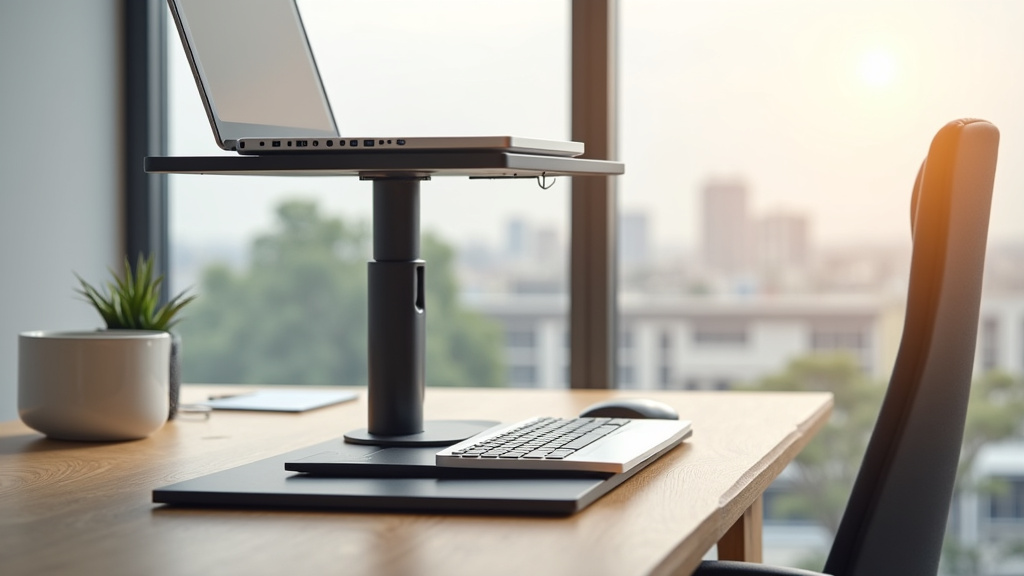
A desk riser is a portable sit-stand workstation that sits on top of your existing desk. It lets you easily switch between sitting and standing positions throughout your workday. This simple tool transforms a standard desk into a flexible, ergonomic setup.
We found that its main goal is to increase your daily movement and reduce the strain of sitting for long hours. A treadmill desk is another option for adding movement while you work. You might also hear it called a desktop converter. These devices provide the key benefits of a standing desk without the cost or commitment of replacing your furniture.
- A desk riser is an adjustable platform that converts your current desk into a sit-stand workspace.
- It allows you to alternate between sitting and standing with simple height adjustments.
- This promotes better posture and can help reduce back and neck discomfort.
- They are a popular, cost-effective alternative to buying a whole new standing desk.
- Most are freestanding and require no permanent installation or desk replacement.
Below, we’ll break down the key facts about how desk risers work, the different types available, and what to look for when choosing one for your home or office.
Understanding the Desk Riser: How It Works
At its core, a desk riser is a clever platform that works like a adjustable shelf for your desk. You place it on your existing work surface, put your monitor and keyboard on it, and you’re ready to go. The magic is in the simple lift mechanism. Most models use a gas spring or counterbalance system. This lets you raise or lower the entire platform with minimal effort, often using a handle or levers.
You simply squeeze the handle, lift the platform to your desired standing height, and let go. It locks into place. To sit back down, you squeeze the handle again and guide the platform down. It’s that straightforward. There’s no complex assembly or motor to break. This simplicity is a key reason many people choose a riser over a full electric standing desk.
The Core Mechanics: Gas Springs vs. Manual Locks
We found that the adjustment mechanism is the heart of any desk riser. It determines how smoothly and securely it transitions between positions. Understanding the two main types helps you choose what fits your needs and budget.
Gas spring mechanisms are the most common. They use compressed gas to assist the lift. This makes raising a heavy load of monitors and equipment feel almost effortless. It’s a smooth, controlled motion. The other type uses a manual knob or lever that you tighten to lock the platform at specific heights. This can be a bit more work, but it’s a reliable, low-tech solution.
Why the Mechanism Matters for Daily Use
Think about how many times a day you might switch positions. Research suggests standing for 15-30 minutes every hour is a good starting goal (Harvard Health Publishing). A smooth gas spring means you won’t avoid standing just because it’s a hassle to adjust. A sticky or difficult mechanism might become a barrier to movement.
Also, consider the weight capacity. The mechanism must support your specific setup. A typical dual-monitor setup can weigh 20-30 pounds. The riser’s frame and lift system are engineered to hold that safely. Always check the maximum load capacity before you buy.
Common Types of Desk Risers
Not all desk risers are created equal. They come in different shapes and sizes to match various needs. The main difference lies in their design and how they accommodate your keyboard and mouse.
The most popular style is the two-tier design. It has a main platform for your monitor and a lower, separate tier for your keyboard and mouse. This is ideal for maintaining proper ergonomics. Your screen should be at eye level, while your arms can rest comfortably at a 90-degree angle when typing.
The other main type is the single-tier or flat design. This is just one large, flat surface. You place everything on it—monitor, keyboard, and mouse. While simpler, it can be harder to get the ergonomics right unless you use a separate monitor arm. Your keyboard might be too high or too low for comfortable typing.
Size and Shape Considerations
Desk risers come in rectangular and curved (corner) designs. A standard rectangular riser fits most flat desks. A curved or corner riser is made to fit into the corner of an L-shaped desk. Measure your available desk depth and width carefully. The riser’s footprint (how much space it takes up on your desk) must leave room for your other essentials.
Remember, the riser adds height. Will it clear the bottom of your window? Will it hit a shelf above your desk? These are practical details that are easy to overlook. A little measuring beforehand prevents a frustrating surprise.
Key Features to Look For
When you start comparing models, several features will stand out. Focusing on these will help you find a riser that’s both functional and built to last.
- Weight Capacity: Ensure it can hold your monitor(s) and equipment safely. Look for at least 25-35 lbs.
- Height Range: The lowest setting should match your comfortable sitting height. The highest setting should allow you to stand with elbows at a 90-degree angle.
- Platform Size: Width and depth must accommodate your monitor(s) and keyboard with a little extra space.
- Adjustment Type: Gas spring is generally smoother than manual knob locks.
- Assembly: Some arrive mostly assembled; others require more setup. Check reviews for ease of assembly.
- Build Quality: Look for sturdy materials like steel frames. A wobbly riser is unsafe and frustrating.
The Importance of a Stable Surface
We researched and found that stability is a top concern. A wobbly platform is distracting and can feel unsafe, especially with expensive equipment on it. When shopping online, read reviews that specifically mention stability. In person, if possible, gently press on the corners of a display model to feel for any play or wobble.
A strong, wide base is crucial. Risers with a U-shaped base that sits on either side of your desk often provide excellent stability. They distribute the weight evenly across your desk surface.
Health Benefits Backed by Research
The primary appeal of a desk riser is health-related. The goal is to break up prolonged sitting. Many health organizations, including the CDC and the World Health Organization, have identified long sedentary periods as a risk factor for various health issues.
Using a desk riser to alternate between sitting and standing helps you move more. This simple movement can reduce muscle stiffness, particularly in the lower back, neck, and shoulders. A study published in the journal Applied Ergonomics found that sit-stand workstations helped reduce upper back and neck pain by 54% (NCBI).
Posture and Energy Levels
Standing engages your core and leg muscles. This can naturally encourage you to correct your posture, pulling your shoulders back and aligning your spine. Slumping is harder to do while standing. Many users also report a boost in afternoon energy levels. Standing increases blood flow and can help you avoid that post-lunch slump at your desk.
Remember, it’s about balance. The best position is always your next position. Alternating frequently is better than standing for hours straight, which can bring its own discomfort.
How to Choose the Right One for You
Choosing comes down to matching a riser to your specific workflow. Ask yourself these practical questions. What is your primary use? Do you need space for one large monitor, or dual screens? What is your daily routine like—do you switch positions often, or plan longer standing blocks?
Your desk itself matters. Is it a deep conference table or a shallow cubicle desk? Do you have drawers or a modesty panel that might get in the way? Answering these will narrow your options significantly.
Considering Your Workspace and Budget
Budget is a reality. Desk risers range from around $100 for a basic, manual-lock model to over $500 for a large, heavy-duty gas spring unit with extra features. We found that mid-range models between $150-$300 often offer the best balance of quality and features for most home and office users.
Think of it as an investment in your daily comfort and long-term health. A well-made riser should last for years. Spending a little more on a stable, smooth model usually pays off in daily satisfaction.
Desk Risers vs. Standing Desks: A Quick Comparison
This is a common question. A full standing desk replaces your entire desk. Our guide to lift desks explains how these adjustable desks work. A riser sits on top of it. Both let you sit and stand. The right choice depends on your priorities, space, and budget.
| Feature | Desk Riser | Full Standing Desk |
|---|---|---|
| Cost | Generally lower ($100-$500) | Generally higher ($400-$2000+) |
| Installation | None or minimal assembly | Full assembly often required |
| Portability | Freestanding, can move to another desk | Fixed in place once assembled |
| Desk Compatibility | Fits on most existing desks | Replaces your existing desk entirely |
| Aesthetic Integration | Sits on top; may look like an add-on | Provides a uniform, single-desk look |
| Adjustment Mechanism | Mostly manual (gas spring, knob) | Often electric push-button |
When a Riser Might Be the Better Choice
A desk riser is ideal if you love your current desk. If it has sentimental value, fits perfectly in your space, or has great storage, you don’t have to give it up. It’s also perfect for renters who cannot modify their furnished apartment or office. The ability to take it with you when you move is a big plus.
It’s also the most budget-friendly way to experiment with standing. If you’re unsure if a sit-stand routine is for you, a riser is a low-commitment entry point. Many people find it meets all their needs without the expense of a full desk.
Setting Up Your Riser for Success
You’ve chosen your riser. Now, set it up correctly to get the full benefit. Proper setup prevents discomfort and injury. Follow these steps for an ergonomic and safe experience.
- Place it on a sturdy, level desk that can handle the combined weight.
- Set your sitting height first. Sit in your chair, adjust the riser so your elbows are at 90 degrees when typing.
- Adjust the monitor height. Your eyes should naturally look at the top third of the screen.
- Set your standing height. Stand up, adjust the riser so your elbows are still at 90 degrees. Your screen height should adjust with it.
- Place everything you need within reach—keyboard, mouse, phone, water bottle.
Don’t forget about cable management. A riser can create a tangle of wires behind it. Use simple cable ties or a sleeve to keep them neat and prevent tripping.
Building the Sit-Stand Habit
Having the tool is only half the battle. You need to use it. Many experts recommend starting slow. Aim to stand for 5-15 minutes every hour. Set a quiet timer on your phone or computer. Walk around while you’re on a phone call. Stand during a meeting.
The key is to make movement a natural part of your day, not a chore. You’re not training for a marathon. You’re just giving your body the gentle movement it craves.
Final Checklist Before You Buy
We’ve covered the facts. Before you click “add to cart,” run through this final checklist. This helps ensure you make a confident choice.
- ☐ Measured my desk’s width, depth, and height clearance.
- ☐ Checked the weight capacity against my monitor and equipment weight.
- ☐ Decided between a two-tier or single-tier design.
- ☐ Considered the adjustment mechanism (gas spring vs. manual).
- ☐ Read recent user reviews focusing on stability and durability.
- ☐ Have a plan for cable management and setup.
A desk riser is more than a gadget. It’s a practical tool designed to help you feel better and work more comfortably
Conclusion
A desk riser is a practical tool that lets you add standing to your day without replacing your desk. You’ve seen how it works, from the simple lift mechanisms to choosing the right size and features for your space. The key is to use it consistently. Start by standing for just 10-15 minutes each hour. This small habit can make a big difference in how you feel. If you’re ready, measure your desk and use that checklist to find a stable riser that fits your needs.
Frequently Asked Questions
Will a desk riser fit on my small or shallow desk?
It depends on the riser’s footprint and your desk’s depth. Measure your desk carefully before buying. Look for compact models or consider a two-tier design that might save space. Leave room for your keyboard and mouse in front of the riser.
How noisy are the height adjustments?
Most gas spring risers are very quiet, with just a soft hiss or click when you adjust them. Manual knob models might make a slight squeak if they need lubrication. User reviews often mention noise levels, so that’s a good place to check.
Can I add a monitor arm to my desk riser?
Many risers are compatible with monitor arms, but check the platform thickness and weight capacity first. Some risers have clamp mounts or grommet holes for this purpose. Adding an arm can free up desk space and improve ergonomics.
How do I clean and maintain my desk riser?
Wipe it down with a damp cloth and mild cleaner to remove dust. Avoid harsh chemicals that could damage the finish. Periodically check the adjustment mechanism for smooth operation and tighten any loose bolts.
Is it normal to feel leg fatigue when I start standing?
Yes, your body needs time to adjust. Start with short standing intervals and gradually increase them. Wear supportive shoes and use an anti-fatigue mat for extra comfort. If discomfort persists, reduce your standing time.