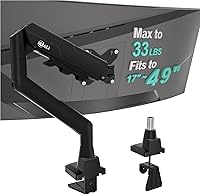
9 Best Monitor Wall Mounts (November 2026)
The best monitor wall mounts include the WALI TV Wall Mount Full Motion for most 13 to 32 inch monitors, the Pipishell Full Motion TV Wall Mount for larger VESA patterns, and the USX MOUNT Small TV Wall Mount Monitor for small monitors and RV use.
On this page (8 sections)
- The best monitor wall mounts, ranked for desk use
- How to use monitor wall mount picks, compared side by side
- What size monitor wall mount should you buy?
- Which wall types work for a monitor on wall mount?
- Full motion or fixed, and how much extension do you need?
- Single, dual or triple screens: which wall mount fits your setup?
- What about color and style for a monitor wall mount?
- Best monitor wall mount: our verdict
The best monitor wall mount for most desks is the WALI 1330LM, because it covers the common 13 to 32 inch range, holds up to 33 lb, and fits VESA 75x75 and 100x100 screens. That mix suits most home offices without forcing you to buy a mount for a much larger screen.
Our score weighs specs, features and buyer feedback against what you are shopping for. We compared size range, weight limit, VESA fit, extension, wall types and movement, then ranked each mount for a desk user first.
A monitor on wall mount frees desk space and keeps the screen steady when you type. It also lets you change height and angle without a desk stand taking up room.
The trade off is fixed wall placement, so measure your desk position before you choose.
Our picks at a glance
-
1
 Best for most 13 to 32 inch monitors
WALI TV Wall Mount Full Motion
9.7/10 our score
See it on Amazon -
2

-
3
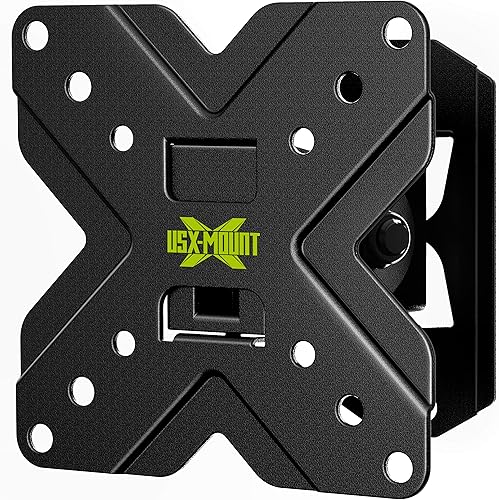 Best for small monitors and RV use
USX MOUNT Small TV Wall Mount Monitor
9.5/10 our score
See it on Amazon
- 4
 Check it
Amazon Basics Full Motion Articulating TV Wall
Best for straightforward home use - 5
 Check it
WALI Single Monitor Wall Mount for 17-34
Best for larger monitors up to 34 inches - 6
 Check it
XINLEI Full Motion TV Wall Mount Small
Best for tight walls and small rooms - 7
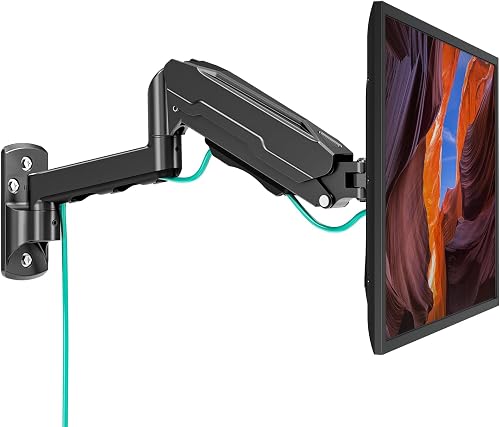 Check it
MOUNT PRO Single Monitor Wall Mount
Best for height adjustable use - 8
 Check it
IWORKBOARD Monitor Computer Vesa Small 24 inch
Best for 13 to 31 inch flat and curved screens - 9
 Best for thick desks and wall side setupsCheck it
The best monitor wall mounts, ranked for desk use
The top pick suits most single monitor desks. The others solve specific needs, such as larger VESA patterns, smaller screens, longer reach or height adjustment.
WALI TV Wall Mount Full Motion: Best for most 13 to 32 inch monitors
- 13 to 32 inch screens up to 33 lb
- VESA 75x75 and 100x100
- Extends 15 inches, retracts to 2 inches
- Tilt, swivel and rotation
A compact full motion mount for common monitor sizes, with a short reach that suits a desk set close to the wall.
Pros
- Fits the most common monitor sizes
- Retracts close to the wall
- Fits wood studs, brick and concrete
Cons
- VESA limited to 75x75 and 100x100
- 15 inch extension is shorter than taller arms
The WALI 1330LM suits a 13 to 32 inch monitor that weighs up to 33 lb. It fits VESA 75x75 and 100x100, which covers many current monitors.
Its arm extends 15 inches from the wall and retracts to 2 inches. That short reach suits a desk placed near the wall, where a longer arm would push the screen too far into the room.
You get plus and minus 15 degree tilt, 180 degree swivel and 360 degree rotation. Rotation helps for portrait documents, while tilt cuts glare from a window.
The wall plate fits wood studs, brick and concrete. Drywall alone is not supported, so find a stud before fitting.
The package includes the mount, hardware kit and manual, with a 10 year warranty listed. The metal build and 5.9 by 1.6 inch plate are aimed at a secure single stud fixing.
Against the Pipishell, this WALI has a narrower VESA range. Against longer arms, it gives less pull forward reach.
For a standard desk, that is a fair trade for a simpler fit.
Pipishell Full Motion TV Wall Mount: Best for larger VESA patterns
- 13 to 43 inch screens up to 44 lb
- VESA 75x75 to 200x200 mm
- Extends 14.59 inches
- Rotation for portrait and landscape
A wider fitting range than most picks here, based on VESA pattern rather than screen size alone.
Pros
- Supports VESA up to 200x200
- 44 lb capacity
- Removable plate for one person fitting
Cons
- Screen size range is broad, so check VESA first
- Steel build is heavier to handle during fitting
The Pipishell suits screens from 13 to 43 inches and up to 44 lb. The key point is VESA.
It fits patterns from 75x75 to 200x200 mm.
That wider VESA range helps with larger TVs and some larger monitors that other mounts here cannot fit. Check your screen holes first, because size alone does not prove fit.
The arm extends 14.59 inches and retracts to 2.7 inches. Tilt is plus 9 to minus 11 degrees, swivel is up to 90 degrees each way, and rotation is 360 degrees.
A removable TV plate helps one person hang the screen. Single stud fitting also simplifies wall placement.
The alloy steel build is listed with a 5 year manufacturer warranty. That support period matters if you plan to move the arm often for shared viewing.
The trade off is a heavier steel build and a broad size claim. Measure VESA and weight before you order, and confirm swivel room for a large screen, since max swivel depends on screen size.
USX MOUNT Small TV Wall Mount Monitor: Best for small monitors and RV use
- 10 to 26 inch screens, also listed for 27 and 32 inch
- VESA 50x50, 75x75 and 100x100
- Up to 22 lb
- Tilt and swivel
A simple small screen mount with a wide tilt range for its size, and a clear warning against drywall alone.
Pros
- Fits small screens others do not
- Plus and minus 30 degree tilt
- Simple fitting process
Cons
- 22 lb limit is lower than most picks
- No rotation for portrait use
The USX MOUNT suits small screens from 10 to 26 inches, with listings also covering 27 and 32 inch models. It fits VESA 50x50, 75x75 and 100x100.
Its limit is 22 lb, so check weight early. Small monitors often sit well below that, but a heavier small screen may not.
Movement is plus and minus 30 degree tilt and plus and minus 45 degree swivel. There is no rotation, so portrait use is not supported.
USX MOUNT describes a 3 step fitting process and a manual that is easy to follow. The mount fits concrete or a single wood stud, and drywall alone is not supported.
Concrete anchors are not in the package, which is a safety choice to stop misuse on studs. If your wall is concrete, ask for anchors before fitting day.
The robot welded structure is aimed at consistent quality for a small mount. That matters in an RV or bedroom, where repeated vibration can loosen a weak bracket.
Against larger mounts, this one gives stricter size and weight limits. For a small monitor or RV screen, that focus is the point.
Amazon Basics Full Motion Articulating TV Wall: Best for straightforward home use
- 12 to 40 inch screens up to 40 lb
- VESA 75x75 to 200x200 mm
- Extends to 16.3 inches
- Tilt plus 15 to minus 5 degrees
A plain full motion mount with a template and hardware included, for screens that sit a little farther from the wall.
Pros
- Template included
- VESA up to 200x200
- Single stud fitting
Cons
- Tilt range is narrower on the down side
- 180 degree swivel is less than some rotation models
The Amazon Basics mount suits screens from 12 to 40 inches and up to 40 lb. It fits VESA 75x75 through 200x200 mm.
Extension runs from 2.3 inches to 16.3 inches, with 180 degree swivel. Tilt is plus 15 to minus 5 degrees.
That tilt range gives more upward tilt than downward tilt. It helps when the screen sits a little low, but check the angle before you mount if you plan to look down at the screen often.
Hardware, a mounting template and a user manual are included. The template helps you mark stud position before you drill.
It fits concrete, brick and a single wood stud. Drywall alone is not a safe surface.
The alloy steel build and 1.77 kg item weight show a mid range arm rather than a light bracket. That weight sits in the middle of this group, so handling it alone needs care on fitting day.
Against the WALI top pick, this mount reaches a wider VESA range and a taller screen range. Against longer arms, it pulls forward less.
For plain home use with a mid size screen, the included template is a practical plus.
WALI Single Monitor Wall Mount for 17-34: Best for larger monitors up to 34 inches
- Monitors up to 34 inches, from 13 inches
- Up to 22 lb
- Extends 19.3 inches
- Tilt, swivel and 360 degree rotation
A longer arm for a larger monitor, with a large tilt range for close reading and shared viewing.
Pros
- Long 19.3 inch extension
- Wide tilt range
- Portrait rotation
Cons
- 22 lb limit rules out heavier large screens
- VESA limited to 75x75 and 100x100
The WALI Single Monitor Wall Mount suits monitors up to 34 inches, from 13 inches, and up to 22 lb. It fits VESA 75x75 and 100x100.
The arm extends 19.3 inches, which is longer than the top pick. That reach helps when you pull a large screen closer for detailed work.
Tilt is plus 70 to minus 45 degrees, swivel is plus and minus 90 degrees, and rotation is 360 degrees. The wide tilt range suits close reading and shared viewing.
A heavy duty wall plate fits brick and wood walls. Hardware and a user manual are included.
The aluminium build and gas spring type are listed for this model. That construction is aimed at smoother repositioning than a basic fixed tilt bracket.
The trade off is weight. At 22 lb, this mount will not suit heavier large monitors, even if the size range fits.
Check your monitor weight before you choose it over a 33 lb or 44 lb mount.
For a lighter large monitor, the longer reach and tilt range make it a strong choice.
XINLEI Full Motion TV Wall Mount Small: Best for tight walls and small rooms
- 13 to 32 inch screens up to 33 lb
- VESA 75x75 and 100x100
- Extends 14.25 inches, retracts to 1.96 inches
- 180 degree swivel and 360 degree rotation
A close retracting arm for small rooms, where the screen needs to sit near the wall when not in use.
Pros
- Retracts to 1.96 inches
- Removable plate for one person fitting
- Steel construction
Cons
- VESA limited to 100x100 maximum
- Check cable clearance before ordering
The XINLEI suits most 13 to 32 inch flat and curved screens up to 33 lb. It fits VESA 75x75 and 100x100.
The arm retracts to 1.96 inches and extends to 14.25 inches. That close retract suits a small room or a bedroom wall, where space behind the desk is tight.
Movement includes 180 degree swivel, plus and minus 15 degree tilt and 360 degree rotation. A removable plate helps one person fit the screen.
Steel construction is used, and the package includes the mount, hardware kit and user manual. Fitting is described as a 3 step process.
Do not mount on drywall. Single stud, brick and concrete are the wall types listed.
One caution is cable clearance. The plate size is 100x100 mm, so check the back of your screen for cable blockage before you order.
Against the WALI top pick, this mount retracts closer and offers a similar movement range. Against larger VESA mounts, it is more limited.
For a tight wall, the close fold is useful.
MOUNT PRO Single Monitor Wall Mount: Best for height adjustable use
- 13 to 32 inch screens, 4.4 to 19.8 lb
- Extends up to 21.6 inches
- Height adjustment system
- Cable management
A height adjustable arm for people who change sitting and standing positions, with a weight range to set before use.
Pros
- Height adjustment with one hand
- Cable management included
- Long extension
Cons
- Light monitors under 4.4 lb may not press down
- Not for 1000R, 1500R or 1800R curved screens
The MOUNT PRO suits 13 to 32 inch screens from 4.4 to 19.8 lb. It fits VESA 75x75 and 100x100.
Height adjustment is the main reason to choose it. The arm is built to move through many cycles and to hold height once you set it for your monitor weight.
Extension reaches 21.6 inches, with 180 degree swivel, plus 90 to minus 45 degree tilt and 360 degree rotation. Cable management helps keep cords tidy.
It fits wood stud and solid concrete walls. On a wood stud wall, do not use drywall anchors.
On concrete, use the anchors provided.
Set tension for your monitor weight before use. A monitor under 4.4 lb may not press the arm down, and a heavier monitor needs the tension set to hold height.
It is not compatible with 1000R, 1500R or 1800R curved screens. The aluminium build and listed 10 year warranty support long term desk use.
For a flat screen and a sit stand desk, height adjustment can help you keep eye level without moving the desk.
IWORKBOARD Monitor Computer Vesa Small 24 inch: Best for 13 to 31 inch flat and curved screens
- 13 to 31 inch screens up to 33 lb
- VESA 50x50 to 100x100 mm
- Extends to 19.91 inches
- Retracts to 2.56 inches
A long reaching arm for small to mid size screens, with a steel build and a clear VESA measuring guide.
Pros
- Long extension for its size
- Fits VESA 50x50
- Heavy gauge steel
Cons
- Larger VESA patterns need extension brackets
- Concrete anchors are not in the box
The IWORKBOARD suits 13 to 31 inch flat and curved screens up to 33 lb. It fits VESA 50x50 to 100x100 mm.
That 50x50 option helps with some small screens that other mounts here do not fit. Measure the four holes on the back of your screen before you order.
The arm extends to 19.91 inches and retracts to 2.56 inches. Tilt is plus and minus 15 degrees, swivel is 180 degrees and rotation is 360 degrees.
Heavy gauge steel is used, and IWORKBOARD gives 10 years of support for the product. Single stud, concrete and brick are the wall types listed.
Concrete anchors are not in the package, so ask for them if your wall needs them. Do not mount on drywall alone, and do not use anchors when fitting to studs.
If your VESA pattern is 100x200, 200x100 or 200x200, you will need extension brackets. That extra part adds cost, so check your pattern before you rely on this mount for a larger screen.
For VESA up to 100x100, the long reach is a clear plus.
ErGear Monitor Wall Mount: Best for thick desks and wall side setups
- 13 to 34 inch monitors up to 19.8 lb
- Extends to 20.47 inches
- 12.2 inches of height adjustment
- Tilt, swivel and rotation
A long wall arm that takes the desk out of the fitting, for thick desktops and tight corners.
Pros
- 12.2 inch height range
- Desk independent support
- Long extension
Cons
- 19.8 lb limit is lower than standard mounts
- Not for drywall alone
The ErGear suits 13 to 34 inch monitors up to 19.8 lb. It fits VESA 75x75 and 100x100.
Extension reaches 20.47 inches, retracts to 3.54 inches, and height adjustment is 12.2 inches. That mix suits a desk pushed against the wall or a thick desktop where a clamp mount will not fit.
Tilt is plus 80 to minus 50 degrees, swivel is plus and minus 90 degrees, and rotation is 360 degrees. You can pull the screen close for detailed work, then fold it back to save room.
Wall mounting keeps support off the desk, so typing bumps move the screen less. ErGear says the mount was tested through 50,000 adjustment cycles.
It fits wood studs, concrete and brick. Drywall alone is not supported.
The alloy steel build and 2 year warranty are listed for this model. That warranty is shorter than some rivals here, so check support terms if you move the arm daily.
The trade off is the 19.8 lb limit. Heavier large monitors need a higher capacity mount.
For a lighter monitor on a thick desk, this wall arm solves a real problem.
How to use monitor wall mount picks, compared side by side
The best monitor wall mount depends on VESA fit first, then weight, then reach. We compared those three checks across all 9 picks before we looked at tilt or rotation.
| Product | Best for | Screen size | Capacity | VESA | Our score |
|---|---|---|---|---|---|
| WALI TV Wall Mount Full Motion | most 13 to 32 inch monitors | 13 to 32 inches | Up to 33 lb | 75x75 and 100x100 mm | 9.7 |
| Pipishell Full Motion TV Wall Mount | larger VESA patterns | 13 to 43 inches | Up to 44 lb | 75x75 to 200x200 mm | 9.6 |
| USX MOUNT Small TV Wall Mount Monitor | small monitors and RV use | 10 to 26 inches | Up to 22 lb | 50x50 to 100x100 mm | 9.5 |
| Amazon Basics Full Motion Articulating TV Wall | straightforward home use | 12 to 40 inches | Up to 40 lb | 75x75 to 200x200 mm | 9.4 |
| WALI Single Monitor Wall Mount for 17-34 | larger monitors up to 34 inches | 13 to 34 inches | Up to 22 lb | 75x75 and 100x100 mm | 9.2 |
| XINLEI Full Motion TV Wall Mount Small | tight walls and small rooms | 13 to 32 inches | Up to 33 lb | 75x75 and 100x100 mm | 8.9 |
| MOUNT PRO Single Monitor Wall Mount | height adjustable use | 13 to 32 inches | 4.4 to 19.8 lb | 75x75 and 100x100 mm | 8.6 |
| IWORKBOARD Monitor Computer Vesa Small 24 inch | 13 to 31 inch flat and curved screens | 13 to 31 inches | Up to 33 lb | 50x50 to 100x100 mm | 8.4 |
| ErGear Monitor Wall Mount | thick desks and wall side setups | 13 to 34 inches | Up to 19.8 lb | 75x75 and 100x100 mm | 8.2 |
For support, most picks here use a steel or aluminum arm and a wall plate for studs, brick or concrete. Height adjustable arms use a tension system that you set for your monitor weight.
For installation, single stud fitting is common in this group. That means one stud must carry the load, so stud location matters more than wall color or paint.
Our guide on how to use monitor wall mount walks through the daily checks. Read it before you drill, especially for stud finding and cable routing.
How to compare extension and retracted depth
Extension tells you how far the screen can pull forward. Retracted depth tells you how close it folds back to the wall.
A 20 inch arm can feel very different from a 14 inch arm at a desk. Check both numbers, not just screen size, before you choose.
What size monitor wall mount should you buy?
Buy by VESA pattern and weight, not by screen size alone. Screen size is a rough guide, but VESA holes and weight decide if the mount fits your screen.
Small screens under 27 inches
For a small monitor, look at the best small monitor wall mount picks and check VESA 50x50 or 75x75 first. The USX MOUNT and IWORKBOARD fit smaller VESA patterns than many standard mounts.
A small screen also needs less extension. A 15 inch arm is often enough when your desk sits close to the wall.
Mid size screens from 27 to 32 inches
The WALI 1330LM and XINLEI fit this range at up to 33 lb. Check that your monitor weight sits below the limit with room to spare.
If you need VESA up to 200x200, the Pipishell or Amazon Basics mounts give you that wider pattern.
Large screens from 32 to 34 inches
The WALI Single Monitor Wall Mount and ErGear list screens up to 34 inches, but both cap weight at 22 lb or 19.8 lb. Weigh your monitor before you choose a large screen mount.
A large screen also needs more swivel clearance. Check how far the corners swing before you fix the plate position.
Which wall types work for a monitor on wall mount?
Wood studs, brick and concrete work. Drywall alone does not.
Every mount here follows that rule, and it is the most common fitting mistake.
A monitor arm mount that clamps to a desk avoids wall checks, but a wall mount needs a solid load path. Find the stud with a finder, then mark the plate holes with a level.
For brick or concrete, use the correct anchors for that wall. Some mounts do not include concrete anchors, so check the box contents before fitting day.
A monitor wall mounting rail can help when studs are spaced apart, because the rail spreads the load across a wider area. That adds cost and wall coverage, so use it only when stud position forces your hand.
How to check stud position before you drill
Use a stud finder across the wall at screen height. Mark the centre line, then check that the plate holes will land on the stud.
Hold the plate up with a level before you mark drill points. A small shift now prevents a crooked screen later.
Full motion or fixed, and how much extension do you need?
Full motion suits most desks because you can pull the screen closer and angle it for glare. Fixed mounts save money, but they lock you into one viewing position.
The best monitor wall mount full motion picks here extend from about 14 inches to more than 20 inches. Short arms suit desks near the wall.
Long arms suit desks where you need to pull the screen forward.
Check retracted depth too. A mount that folds to under 2 inches saves more room when you push it back.
If you want height change without moving the wall plate, look at the best monitor wall mount adjustable height options. The MOUNT PRO and ErGear give height ranges that standard full motion arms do not.
Single, dual or triple screens: which wall mount fits your setup?
One screen per arm is the usual choice for a wall mount. You can fit two single arms side by side, but each still needs its own solid wall fixing.
For two screens on one wall, see the best dual monitor wall mount and best dual monitor arm wall mount guides. They cover reach, spacing and cable routing for a pair.
For three screens, the best triple monitor wall mount and best wall mount for multiple monitors guides help you plan width and stud positions. Triple setups need more wall width and more careful weight checks.
The best wall mount monitor arm guide explains how a wall arm differs from a desk arm. A desk arm clamps to the desk edge, while a wall arm moves the load to the wall.
If you want a keyboard tray with your screen, check the best monitor wall mount with keyboard tray options. That adds desk space savings, but it also adds weight and reach to plan for.
What about color and style for a monitor wall mount?
Black is the standard finish, and it suits most desks and screens. White mounts exist, but they show dust and scuffs more easily.
If your desk and trim are white, the best white monitor wall mount and best white wall mount monitor arm guides help you match the finish.
Check VESA fit again when you shop by color. A white mount still needs the right hole pattern and weight limit for your screen.
Brand fit can also matter for style. The best vivo monitor wall mount guide covers that brand range if you already use VIVO gear at your desk.
For heavier screens, the best heavy duty monitor wall mount guide helps you compare capacity before you commit to a wall fixing.
Best monitor wall mount: our verdict
Pick the WALI 1330LM for most single monitor desks, the Pipishell for VESA up to 200x200, and the MOUNT PRO or ErGear for height adjustment. Those three rules cover most buyers in this group.
If your screen is small, the USX MOUNT fits VESA 50x50 and keeps the mount simple. If your screen is large but light, the WALI Single Monitor Wall Mount gives longer reach.
Before you order, measure VESA holes, weigh the monitor, and find your stud. Those three checks prevent most returns and failed fittings.
Next, read our how to use monitor wall mount guide for fitting and daily use tips. It pairs well with this roundup when you plan your first installation.
Our top 3 picks at a glance
-
1
Best for most 13 to 32 inch monitors
WALI TV Wall Mount Full Motion
9.7/10 our score
See it on Amazon -
2
-
3
Best for small monitors and RV use
USX MOUNT Small TV Wall Mount Monitor
9.5/10 our score
See it on Amazon
Frequently asked questions
What is VESA and why does it matter for a monitor wall mount?
VESA is the spacing between the four screw holes on the back of a screen. It is measured in millimeters, such as 75x75 or 100x100.
Your mount must match that spacing exactly, even if the screen size looks right.
Can I mount a monitor on drywall alone?
No. Every mount here is for wood studs, brick or concrete.
Drywall alone will not hold the load safely.
Find a stud, or use the correct anchors for brick or concrete, before you hang a screen.
How far should a monitor wall mount extend from the wall?
Short arms near 15 inches suit a desk close to the wall. Longer arms near 20 inches help when you pull the screen closer for detailed work.
Retracted depth matters too, so check how close it folds back.
Do I need rotation on a monitor wall mount?
Rotation helps if you read code, design work or documents in portrait mode. If you only use landscape, tilt and swivel may be enough.
Rotation adds convenience, not strength, so weigh it against price and size.
What weight limit should I choose?
Choose a limit above your monitor weight, not equal to it. Check both the screen weight and the mount limit before you order.
A 22 lb mount will not suit a heavier screen, even if the size range looks correct.