9 Best Standing Desk Keyboard Trays (November 2026)
The best standing desk keyboard trays include the VIVO Black Clamp-on 27 x for most existing desks, the AODK 63 Inch Electric Standing Desk for storage and power, and the VIVO Black Extra Large Clamp-on 34 x for wide keyboards.
On this page (4 sections)
The best standing desk keyboard tray for most existing desks is the VIVO Black Clamp-on 27 x 11 in Keyboard Tray. It adds a slide-out keyboard and mouse platform without replacing your desk, while HUANUO is the better fit when you need height, tilt and swivel adjustment.
This choice suits people who already like their desktop and only need a better place for typing. It also suits a work area where monitors, papers and a notebook compete for the same surface.
For more options, see our best keyboards for standing desks.
The VIVO tray slides out up to 8.5 in and then tucks away below the desk. Its C-clamp design means no drilling is needed for installation.
The desk edge and underside still need a careful check before you order.
For a complete replacement desk, the AODK and OffiGo options combine electric height adjustment with a built-in tray. A complete desk is a different purchase, as it changes the full work surface, frame, height controls and storage.
For a wider look at keyboard placement, read our ergonomic keyboard mouse guide. If you already own a desk, start by checking the edge shape, underside clearance and desktop thickness.
Think about your main problem before you choose. If typing position is the issue, a tray may help, and if the whole desk height is the issue, a complete sit-stand desk may be a better match.
Also consider what you store below the desk. Leg room, a computer tower, cables and footrests can all affect whether a slide-out tray has space to move.
Our picks at a glance
-
1

-
2

-
3

- 4
 Check it
OffiGo 55 Inch U Shaped Electric Standing
Best for dual-monitor layouts - 5
 Check it
AODK 55 Inch Standing Desk with Drawers
Best for compact storage - 6
 Check it
BONTEC Under Desk Keyboard Tray
Best for thick desktops - 7
 Check it
HUANUO Under Desk Keyboard Tray
Best for adjustable placement - 8
 Check it
ErGear Electric Standing Desk with Keyboard Tray
Best for a built-in heavy-duty tray - 9
 Check it
BONTEC Mobile Standing Desk with Keyboard Tray
Best for mobile work
Which standing desk keyboard tray is best?
The VIVO Black Clamp-on 27 x 11 in Keyboard Tray is the strongest general choice because it offers a useful 26.8 x 11 in platform, an 8.5 in extension and no-drill C-clamp mounting. It fits desktops up to 1.25 in thick when the underside is level and clear.
That mix suits a standard keyboard and mouse setup on an existing desk. The tray holds up to 11 lb, so it is aimed at light typing gear rather than heavy equipment.
The VIVO Extra Large is better for a wide keyboard and mouse arrangement. HUANUO is better when the tray must move with you from sitting to standing, while BONTEC is worth considering for a desktop up to 1.97 in thick.
The AODK, OffiGo and ErGear products are complete standing desks rather than add-on trays. Choose them when the existing desk is the problem, not just the keyboard position.
Our score weighs specs, features and buyer feedback against what you're shopping for. Specs show whether a tray fits your desk and gear, and features like slide out motion, tilt and swivel change how the tray feels during work.
Buyer feedback can point to common fits and limits. It should sit alongside the stated dimensions, not replace a tape measure at your own desk.
A 26.8 in tray can hold a keyboard, mouse and small accessories below the desktop, leaving the top surface for a monitor and documents. Clamp mounting keeps installation simple when the desk is suitable.
Desk thickness is a hard limit, not a rough guide. The VIVO design fits up to 1.25 in, and a thicker top may need a different model.
The clamp span is 32.5 in from clamp to clamp. That measurement is larger than the tray itself, so check the clear width under the desktop before ordering.
Care is simple but steady. Keep the tracks free of dust, check clamp tightness from time to time, and do not exceed the stated load.
A fixed tray does not move up and down with a standing desk. If you change height often, an adjustable tray or a complete electric desk may suit better.
| Product | Best for | Tray size | Clamp span | Desk thickness | Our score |
|---|---|---|---|---|---|
| VIVO Black Clamp-on 27 x | most existing desks | 26.8 x 11 in | 32.5 in | Up to 1.25 in | 9.7 |
| AODK 63 Inch Electric Standing Desk | storage and power | 9.6 | |||
| VIVO Black Extra Large Clamp-on 34 x | wide keyboards | 33.9 x 11 in | 39.4 in | Up to 1.25 in | 9.5 |
| OffiGo 55 Inch U Shaped Electric Standing | dual-monitor layouts | 9.5 | |||
| AODK 55 Inch Standing Desk with Drawers | compact storage | 9.4 | |||
| BONTEC Under Desk Keyboard Tray | thick desktops | Up to 1.97 in | 9.1 | ||
| HUANUO Under Desk Keyboard Tray | adjustable placement | 25 x 9.84 in | 9.0 | ||
| ErGear Electric Standing Desk with Keyboard Tray | a built-in heavy-duty tray | 8.9 | |||
| BONTEC Mobile Standing Desk with Keyboard Tray | mobile work | 8.6 |
Best standing desk keyboard trays and desks
The right pick depends on whether you want to modify an existing desk or replace it with a workstation that already includes keyboard placement. The products below are ordered by score.
VIVO Black Clamp-on 27 x: Best for most existing desks
- 26.8 x 11 in tray
- Up to 11 lb
- 8.5 in extension
- C-clamp installation
This VIVO tray adds a slide-out keyboard and mouse platform below an existing desk. It suits a level, square-edged desktop with enough clear space for its 32.5 in clamp span.
Pros
- No-drill C-clamp installation
- Slides out 8.5 in
- Holds up to 11 lb
Cons
- Not for beveled edges
- Needs a clear underside
- Requires 32.5 in clamp space
The VIVO Black Clamp-on 27 x 11 in Keyboard Tray is the best starting point for most existing desks. Its 26.8 x 11 in tray holds a keyboard, mouse and small accessories below the desktop, leaving more room above.
The tray slides out up to 8.5 in and stores beneath the desk when you don't need it. Its C-clamps attach without drilling, but the desk must have a level underside, a clean square edge and no crossbar in the mounting area.
Check two measurements before ordering: the desktop must be no more than 1.25 in thick, and the clamp-to-clamp length is 32.5 in. The tray holds up to 11 lb, which is enough for a standard keyboard and mouse setup within that limit.
Choose it for a simple add-on solution that keeps your current desk. If the desk edge is beveled or the underside is blocked, choose a different mounting approach.
AODK 63 Inch Electric Standing Desk: Best for storage and power
- 29.9 to 46.1 in electric range
- 3 memory heights
- Keyboard tray
- 2 fabric drawers
This AODK desk includes the keyboard tray as part of a complete workstation with drawers, monitor shelf, outlets, USB ports, LED lighting and cable management.
Pros
- Large 63 in width
- 3 height-memory settings
- Built-in storage and power
Cons
- Requires replacing your desk
- Large footprint
- Keyboard tray size needs checking
The AODK 63 Inch Electric Standing Desk with Drawers & Keyboard Tray suits buyers who want a complete workstation with storage and built-in power. Its 63 in width gives you more room for monitors, a keyboard and daily office items.
The electric height range is 29.9 to 46.1 in, with 3 memory-height settings for saved sitting and standing heights. The desk also includes 2 fabric drawers, a monitor shelf, 3 outlets, 2 USB ports, LED lighting and a cable management tray.
The drawers keep small supplies within reach and help the desktop stay clear. The monitor shelf raises the screen, which can ease neck strain when the desk height is set well.
Built-in power can reduce the need for a separate strip on the floor. Cable management behind the desk can keep cords tidier, though you will still need to route cables for your monitor and computer.
This is not an add-on tray for an existing desk. It is a replacement desk measuring 23.2 x 63 x 35.9 in, so measure the room and leave space behind the desk as well as in front of it.
Pick AODK when storage and charging are as important as adjustable keyboard placement.
VIVO Black Extra Large Clamp-on 34 x: Best for wide keyboards
- 33.9 x 11 in tray
- Up to 11 lb
- 8.5 in extension
- C-clamp installation
The extra-long VIVO tray gives a wide keyboard and mouse setup more room than the smaller clamp-on option. It needs a level underside and 39.4 in of clear desk space.
Pros
- Widest tray here
- No-drill installation
- Slides out 8.5 in
Cons
- Needs more desk width
- Not for beveled edges
- Limited to 11 lb
The VIVO Black Extra Large Clamp-on 34 x 11 in Keyboard Tray is the best clamp-on choice for a wide keyboard area. Its 33.9 x 11 in tray gives more side-to-side room than the 27 in model while keeping the same 8.5 in maximum extension.
That extra width can suit a full-size keyboard with a mouse placed beside it. It can also suit a keyboard with a separate number pad or small accessories kept on the same platform.
The tray holds up to 11 lb and mounts with adjustable C-clamps. Your desk must be no more than 1.25 in thick, and the total clamp span is 39.4 in, so width matters before installation.
The wider span is the key trade-off with this model. A desk that fits the smaller VIVO may not have enough clear underside width for the extra-large version.
Like the smaller VIVO, this tray needs a level underside, a square edge and a mounting area free of support bars. It is not compatible with beveled edges.
The tray slides out for typing and back under the desk when not in use. Choose it when your keyboard, mouse and small accessories need a broad platform.
OffiGo 55 Inch U Shaped Electric Standing: Best for dual-monitor layouts
- 28.3 to 46.5 in electric range
- 3 presets
- Dual-monitor shelf
- 154 lb capacity
This OffiGo desk combines a pull-out keyboard tray with a U-shaped workspace, raised monitor shelf, outlets, USB ports and LED lighting.
Pros
- U-shaped work surface
- 154 lb capacity
- 3 electric height presets
Cons
- Requires a complete desk change
- Needs more floor space
- White finish may not suit every room
The OffiGo 55 Inch U Shaped Electric Standing Desk with Keyboard Tray is made for a multi-device workstation. Its U-shaped desktop adds side space, while the full-size monitor shelf is designed to accommodate 2 monitors.
The side areas can hold a laptop, notebook or storage while the centre stays clear for typing. That layout suits study, gaming and home office work where several devices share the same desk.
The desk adjusts electrically from 28.3 to 46.5 in through 3 preset buttons. Presets help you return to a saved sitting or standing height without searching for the right position each time.
It also includes 3 outlets, 2 USB ports, LED lighting, a pull-out keyboard tray and 2 hooks.
Power on the desk can keep chargers within reach during work. Hooks can hold headphones or a bag, which helps keep the floor and desktop clear.
Its stated capacity is 154 lb, which gives you a clear limit when planning monitors, a computer and other equipment. The desk measures 29.1 x 55.1 x 33.1 in and requires assembly.
That capacity is a planning guide for the full setup, not just the keyboard tray. Check the weight of your monitors and computer before you add other items.
Choose OffiGo when you want a large, dedicated sit-stand workstation. It needs more floor space than an under-desk tray and requires replacing your existing desk.
AODK 55 Inch Standing Desk with Drawers: Best for compact storage
- 29.9 to 46.1 in electric range
- 3 memory heights
- 2 fabric drawers
- Keyboard tray
This AODK model is a complete standing desk for buyers who want a keyboard tray, monitor shelf, drawers, power, lighting and cable management in one setup.
Pros
- Two fabric drawers
- Built-in outlet and cable tray
- 3 height-memory settings
Cons
- Not an add-on tray
- Narrower depth than some desks
- Keyboard tray size needs checking
The AODK 55 Inch Standing Desk with Drawers & Keyboard Tray is a good fit for a smaller complete workstation with storage. Its 55 in width, monitor shelf and 2 fabric drawers organize office supplies without requiring a separate keyboard tray.
The drawers can keep pens, cables and small tools off the desktop. That helps when the work surface needs to stay clear for a keyboard, monitor and daily papers.
Electric adjustment runs from 29.9 to 46.1 in, and 3 memory settings help you save preferred heights. The desk also includes a built-in outlet, cable management tray, LED lighting and a keyboard tray.
Saved heights make sitting and standing changes simpler during the day. A cable tray can hide some cords, though cables for devices on the desk will still need a tidy route.
The rustic brown desk measures 21.25 x 55 x 30.9 in. Check the room footprint and keyboard tray size before buying, especially if you are moving from a deeper conventional desk.
Depth is worth attention because a shallower desk changes where monitors and keyboards sit. Measure the space you need for your screen, chair and leg movement as well.
This model is a full desk, not a clamp-on tray for a desk you already own. Assembly and room space should be part of the decision from the start.
Pick this AODK for a balance of storage and sit-stand function. Choose the 63 in model if you need more width for several monitors or larger work equipment.
BONTEC Under Desk Keyboard Tray: Best for thick desktops
- 25.6 x 11.8 in platform
- Up to 11 lb
- C-clamps for desks up to 1.97 in
- No-drill installation
BONTEC suits a thicker desktop when the underside is flat and clear. Its pull-out platform fits standard keyboards and mice, but oversized or split keyboards need careful measuring.
Pros
- Supports thicker desks
- Protective clamp padding
- No drilling required
Cons
- Not for curved or rounded edges
- Needs clear underside space
- May not fit oversized keyboards
The BONTEC Under Desk Keyboard Tray is a useful option for a thicker desktop. Its C-clamps fit desks up to 1.97 in thick, and the 25.6 x 11.8 in platform pulls out for typing before sliding beneath the desk.
BONTEC requires at least 31.3 in of width and 11.8 in of depth under the desk. The underside must be flat and unobstructed, and the desk edge cannot be curved, beveled or rounded.
The tray supports up to 11 lb and uses protective pads to help reduce scratches and improve grip. It is intended for standard keyboards and mice, so measure oversized gaming keyboards, vertical mice and split ergonomic keyboards.
If you are considering a mechanical model, read whether mechanical keyboards are ergonomic.
Choose it when desktop thickness rules out the VIVO trays. If your desk has a support beam below the surface, this clamp-on design may not work.
HUANUO Under Desk Keyboard Tray: Best for adjustable placement
- 25 x 9.84 in tray
- 180-degree swivel
- 6.3 in height adjustment
- 6 degrees up and 22 degrees down tilt
HUANUO is the most adjustable add-on here, with swivel, tilt and height movement for sitting-to-standing changes. It needs careful clearance checks around desk legs and crossbars.
Pros
- Swivels 180 degrees
- Tilts up and down
- Includes a wrist rest
Cons
- Needs crossbar clearance
- Smaller depth than some trays
- Knob must be tightened before typing
The HUANUO Under Desk Keyboard Tray is the best choice when fixed tray height is the main problem. It provides 6.3 in of height adjustment, swivels 180 degrees left and right, and tilts 6 degrees up or 22 degrees down.
That range can help the keyboard follow you between sitting and standing. It can also help when you turn toward a different monitor without moving your chair.
Its 25 x 9.84 in tray fits keyboards up to 17.3 x 5.5 in plus mouse space. A wrist rest is included, and the tray slides beneath the desk when you need to clear the work surface.
Clearance planning matters more here than with a basic tray. Check for crossbars, legs and side obstacles, and allow 14.17 in from the desk edge to a crossbar for movement or 16.22 in for full slide-under clearance.
The desktop must be over 0.6 in thick for this design. Tighten the knob before typing.
ErGear Electric Standing Desk with Keyboard Tray: Best for a built-in heavy-duty tray
- 28.35 to 46.46 in electric range
- 3 memory settings
- 22 lb tray load
- 176 lb desk load
ErGear is for buyers replacing the desk and wanting a freestanding electric workstation with a keyboard tray. Its tray has a higher stated load than the clamp-on options.
Pros
- Built-in keyboard tray
- 3 saved height settings
- 176 lb maximum desk load
Cons
- Requires a new desk
- Smaller desktop than the 55 and 63 in desks
- Assembly required
The ErGear Electric Standing Desk with Keyboard Tray suits buyers who want a complete desk with a built-in tray and a higher stated tray load. The tray supports up to 22 lb, while the desk has a stated maximum load of 176 lb.
That tray load is higher than the clamp-on options in this guide. It suits a larger keyboard and mouse setup, though you should still stay within the stated limit.
Electric adjustment runs from 28.35 to 46.46 in, with 3 saved settings. The freestanding desk measures 23.62 x 43.31 x 28.3 in and uses an alloy steel frame.
The smaller width can suit a home office where a 55 in or 63 in desk would be too large. It can also suit a single monitor setup with a laptop or small accessories.
Saved settings help you move between sitting and standing without manual measuring. The tray moves with the desk, so keyboard height changes with the full surface.
This is a replacement desk, not a clamp-on accessory. Assembly is required, so plan the setup around the desk's final footprint before ordering.
Leave room for the frame, chair movement and cable routing behind the desk. A smaller desktop still needs space around it to work comfortably.
Choose ErGear when the tray should be part of the desk and the smaller 43.31 in width fits your room. Choose an add-on tray if you want to keep your current desktop.
BONTEC Mobile Standing Desk with Keyboard Tray: Best for mobile work
- 28.3 to 44 in gas-spring range
- 25.6 x 17.7 in desktop
- 23.6 x 11.8 in tray
- 4 lockable caster wheels
This BONTEC mobile desk adds a retractable keyboard tray to a rolling workstation. It suits rooms where you need to move between sitting, standing and different work areas.
Pros
- Rolls between rooms
- Gas-spring height adjustment
- Waterproof and scratch-resistant MDF desktop
Cons
- Less desktop space than full desks
- Manual height adjustment
- No assembly instructions included
The BONTEC Mobile Standing Desk with Keyboard Tray is the best fit for work areas that need movement. Four caster wheels let you roll it between rooms, and the wheels lock when you want the workstation to stay in place.
That mobility can suit a study, bedroom or living room where a fixed desk is not practical. It can also suit short work sessions in different parts of the home.
Its gas-spring height range is 28.3 to 44 in. The 25.6 x 17.7 in desktop supports a laptop, monitor or books, while the retractable 23.6 x 11.8 in tray holds a full-size keyboard and mouse.
The desktop size is compact, so it is best for focused work rather than a large multi-monitor setup. The tray below can keep the keyboard close while the top holds a laptop or screen.
The white MDF desktop is waterproof and scratch resistant, and a hand lever controls the height. The desk also includes a phone or tablet slot, a headphone hook and the retractable keyboard tray.
The slot can keep a phone upright for calls or messages. The hook can hold headphones, which helps keep the small surface clear.
A hand lever makes height changes manual rather than electric. That is a trade-off, but it keeps the design simpler for a mobile desk.
Choose BONTEC when portability matters more than a large fixed work surface. It offers less room than the full-size electric desks and uses manual gas-spring adjustment.
What should you check before buying a standing desk keyboard tray?
Measure the desk edge, underside, thickness and available slide-out depth before choosing a tray. A clamp-on tray can be a good fit only when the mounting surface is level, square-edged and free of crossbars or other supports.
How much desk width does a clamp-on keyboard tray need?
A clamp-on tray needs enough width for both clamps, not just the keyboard platform. The smaller VIVO requires 32.5 in from clamp to clamp, the extra-large VIVO requires 39.4 in, and BONTEC requires at least 31.3 in of underside width.
Leave room for desk legs and other supports. If the clamps cannot sit flat, the tray may not secure properly.
What desktop thickness works with an under-desk tray?
Desktop thickness depends on the clamp design. The VIVO trays fit desktops up to 1.25 in thick, while the BONTEC tray fits desktops up to 1.97 in thick.
Measure the desktop at the exact installation point. Also check the underside because a suitable thickness does not solve a blocked or uneven mounting area.
Is a height-adjustable tray useful at a standing desk?
A height-adjustable tray is useful when the keyboard must follow your sitting and standing positions. HUANUO provides 6.3 in of height adjustment, while complete electric desks move the entire tray with the desktop.
That movement can help keep wrists, arms and shoulders in a comfortable position. It can also reduce the need to change chair height or footrest position each time you stand.
A fixed clamp-on tray can still work if your typing height is comfortable and you don't need the keyboard to move with the desk. Use the tray's tilt and height range as part of your decision.
Tilt matters because a flat tray may not suit every wrist position. A small tilt up or down can change the angle of the keyboard in daily use.
Height adjustment is most useful when you switch positions often. If you sit for most of the day, a fixed tray may be simpler and easier to set up.
Check clearance before you choose an adjustable model. The tray needs space to rise, slide and swivel without hitting legs, crossbars or other desk parts.
Also check the keyboard size. An adjustable tray with a smaller surface may not fit a wide keyboard and mouse as well as a fixed wide tray.
The right choice depends on how you work. Movement helps when posture changes matter, and simplicity helps when the desk already feels right.
Should you buy a tray or replace the desk?
Buy an add-on tray when your existing desktop is stable and your main need is more keyboard space. Replace the desk when you also need electric height adjustment, storage, power, a monitor shelf or a larger work surface.
AODK, OffiGo and ErGear are complete desks. VIVO, BONTEC and HUANUO are the better starting points for modifying a desk you already like.
Which best standing desk keyboard tray should you choose?
Choose the VIVO Black Clamp-on 27 x 11 in Keyboard Tray for the simplest fit on a compatible existing desk. Choose the VIVO Extra Large for a wider keyboard area, BONTEC for a thicker desktop, and HUANUO when swivel, tilt and height adjustment matter most.
Choose AODK, OffiGo or ErGear when you want a complete electric standing desk with a built-in tray. Choose BONTEC Mobile when you need a rolling workstation that can move between rooms.
A complete desk changes more than keyboard placement. It brings a new frame, height controls, footprint and assembly, so measure the room before you decide.
For more options, compare our best under desk keyboard tray guide, then see the under desk keyboard tray with drawer guide if storage is part of your plan. If you are comparing adjustable models, read the best adjustable keyboard tray for standing desk roundup and our best ergonomic keyboard tray picks.
A standing desk is different from a fixed-height desk because its surface changes position during work. Read [What Is a Sit-Stand Desk?
A Quick Answer](/what-is-a-sit-stand-desk/) and What Is a Sit-Stand Workstation? Key Facts before choosing a complete desk.
If you plan to keep an existing desk, focus on fit first. Check edge shape, underside clearance, desktop thickness and the space needed for the tray to slide.
If you plan to replace the desk, focus on size and features. Check width, depth, height range, storage, power and the keyboard tray size.
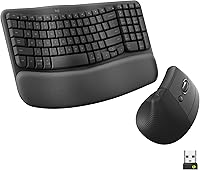
If you use a Logitech Wave keyboard, our guide to Logitech Wave replacement keys can help before you replace the whole keyboard.
The best choice is the one that fits your desk, your room and your daily routine. Measure carefully, match the tray to your keyboard, and choose movement only if you will use it.
Our top 3 picks at a glance
-
1
-
2
-
3