What Are the Benefits of a Laptop Stand?
Yes, using a laptop stand is good if it raises your screen to eye level and you add a separate keyboard and mouse. It can help posture, airflow, and desk space, but the benefit depends on the height and how you use it.
On this page (9 sections)
- Is using a laptop stand good for your posture?
- How high should a laptop stand be for eye level?
- Do you need a separate keyboard and mouse with a laptop stand?
- Can a laptop stand improve cooling and performance?
- How much desk space does a laptop stand save?
- Which type of laptop stand is right for you?
- When is a laptop stand not worth it?
- How do you set up and care for a laptop stand?
- Where should you look next if you want more options?
Yes, using a laptop stand is good if it raises your screen to eye level and you add a separate keyboard and mouse. It can help posture, airflow, and desk space, but the benefit depends on the height and how you use it.
Is using a laptop stand good for everyone? Not always.
A stand that is too low or too high can still strain your neck, wrists, or eyes. The right height, paired with good input devices, makes the difference.
Is using a laptop stand good for your posture?
A laptop stand helps posture mainly by lifting the screen closer to eye level. When a laptop sits flat, you look down for hours, which can tire your neck and shoulders.
Raising the screen reduces how far you bend your head. You can keep your head more upright and your gaze more level.
Posture also depends on chair and desk height. A stand works best when your chair supports your back and your feet rest flat.
If you use a sit-stand setup, our guide on What Is a Sit-Stand Desk? A Quick Answer explains how desk height fits the rest of your setup.
A stand only solves screen position. It does not fix a worn-out chair or a desk at the wrong height.
If pain continues, see a doctor or a qualified professional for advice.
How high should a laptop stand be for eye level?
The top of your screen should sit at or just below eye level. The center of the screen should be roughly 15 to 20 degrees below your straight-ahead gaze.
That range is a common guide, not a strict rule.
Measure while seated in your normal position. Sit as you usually sit, look straight ahead, and note the height of your eyes.
Your screen top should be near that line.
Adjustable stands make this easier because you can change height as your chair changes. Fixed risers give you one height, so check the inches carefully before you buy.
A riser at 6.25 inches tall, like the Simple Trending model, may suit many seated setups. It may be too low or too high for others.
Your chair height, desk height, and laptop size all change the result.
If you switch between sitting and standing, fixed height is a problem. A stand that fits while seated may be wrong while standing.
In that case, an adjustable model is the safer choice.
Do you need a separate keyboard and mouse with a laptop stand?
Yes, you usually need a separate keyboard and mouse once the laptop is raised. The built-in keyboard sits too high to type on comfortably, and your wrists can bend at a poor angle.
A separate keyboard lets you keep elbows near your body and wrists fairly straight. A mouse lets you point without reaching to the trackpad.
Both should sit at about elbow height.
This is the most common mistake with laptop stands. People buy the stand, raise the screen, and keep typing on the deck.
That can trade neck strain for wrist strain.
Bluetooth and wireless options keep cable clutter down on a small desk. Wired options avoid battery changes and pairing issues.
Either type works if it suits your desk and laptop.
Is a laptop stand good without an external keyboard?
It can be fine for short use, but it is not ideal for long work sessions. Brief reading, video calls, or light edits may not need a full setup.
Long writing, coding, or data entry usually does.
If you keep the built-in keyboard, try a lower height and accept more neck bend. Or use the stand mainly for viewing and move the laptop down for typing.
Neither option is as clean as a separate keyboard.
Test the setup with your real tasks. Type for 30 minutes, read for 30 minutes, and note where you feel the most strain.
Your notes will tell you more than any general rule.
Can a laptop stand improve cooling and performance?
A stand can improve airflow under your laptop, which may help heat escape. Many laptops pull in air from the bottom or sides and push it out the back.
A flat desk can block that flow.
Raising the laptop opens space underneath. Open or ventilated designs allow more air to move than a solid slab.
This can help during long sessions, video calls, or heavy tasks.
Cooling benefits vary by laptop design. Some models vent from the rear hinge and gain little from a stand.
Others vent from the bottom and gain more. Check where your vents sit before you expect a change.
The Amazon Basics stand uses an open hollow design for airflow. It also folds flat, which helps if you move between rooms or travel.
A stand is not a cooling pad with fans. It will not lower temperatures as much as an active cooler.
It mainly removes the desk as a heat trap and gives warm air a path out.
Keep vents clear on the stand itself. Do not block the opening with a cloth, a tray, or stored items.
A blocked vent defeats the purpose of raising the laptop.
How much desk space does a laptop stand save?
A laptop stand saves space by moving storage underneath the screen. You can store a keyboard, notebook, or small supplies below.
Risers with drawers or shelves add more order. A drawer can hold pens, drives, and sticky notes out of sight.
A shelf can hold a keyboard when you are not using it.
That said, a stand adds its own footprint. A wide riser takes desk width even if it frees depth.
Measure your desk before you buy, especially on small or shared desks.
The Simple Trending riser is 16 inches wide and 10 inches deep. That compact size suits small desks, but it holds one laptop or monitor, not two.
The WESTREE riser is much wider at 35.8 inches for two monitors or a laptop plus another screen.
You can also free space by moving a printer or a spare screen onto a riser. Make sure the weight limit and surface size fit the device you plan to place there.
Which type of laptop stand is right for you?
Pick the type that matches your desk, your screen count, and how often you move it.
A fixed riser suits a single desk you rarely move. It is stable, simple, and often has storage, but it does not suit changing chair height or sitting and standing.
An adjustable stand suits changing heights and portable use. It folds or changes angle for your ideal screen height, though it usually holds less weight.
A wide dual-monitor riser suits two screens or a laptop plus a second monitor. It needs a wide desk and strong surface, so it fits small desks poorly.
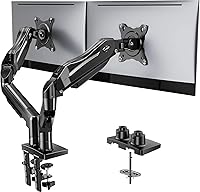
A monitor arm mount clamps to the desk and holds a monitor on an arm, freeing space, but it does not hold a laptop alone. Our picks for the best stand for laptop include several types to compare.
When is a laptop stand not worth it?
A laptop stand is not worth it if you use your laptop only for short tasks or on the go.
It is also not worth it if you already use an external monitor at eye level. Your laptop is then a base unit and screen height is already solved.
A fixed height can also be wrong for your desk. Too low forces neck bend, while too high forces you to look up.
Size and weight matter too. The Amazon Basics stand fits laptops up to 15.6 inches and supports up to 11 lb, so measure and weigh your laptop before you order.
For a larger screen setup, a triple monitor arm wall mounted option may suit a fixed desk better than a riser.
How do you set up and care for a laptop stand?
Set the screen first, then place your keyboard and mouse at elbow height.
Start with the stand, adjust the height, and sit in your normal position. Move the stand until the screen top is near eye level.
Place the keyboard directly in front of you, not off to one side. Keep the mouse close so you do not reach, with elbows near your body and wrists straight.
If you lean forward to read small text, increase font size instead. Test stability before you commit, as the stand should not slide or tip when you type.
For care, wipe the surface with a soft, slightly damp cloth and dry it. Avoid harsh cleaners, and check screws, pads, and joints every few months.
Foldable stands need a flat, solid surface to stay stable. Avoid excessive downward pressure when you type, especially on a portable model.
Use the protective hooks or pads as intended to keep the laptop in place.
Where should you look next if you want more options?
Look next at adjustable models if your height changes, and at wide risers if you run two screens.
If you want height control, our best adjustable laptop stand for desk guide compares models that change height for seated desks.
If you want width and storage, our best laptop stands for desk guide covers risers for fixed setups, including wide models for dual monitors and printers.
If you stand part of the day, our best adjustable laptop stand for standing guide covers taller ranges than a standard desk stand.
If storage is your main issue, our best laptop stand for desk with storage guide covers drawers and shelves to clear small supplies.